
You may have seen when you visit a site through browser you’ll will get this option Add to Homescreen in settings when you tap on it browser will instantly create and add that website as app on your desktop or smartphone home, actually in reality it is not app but a web app.
There is nothing much special about web app except that it will provide easy access to launch website right from home screen, however web app is sighted as real app so alot of bloggers notify thier visitors to add thier blog on home screen so that they are able to check new content regularly.
We also have few operating system that only run web apps like Firefox OS, MeeGo OS and Tizen OS which eventually failed to beat Android OS, as Google’s Android SDK apps are modern with advanced features, anyhow Google didn’t care about web apps in early stages but later on they created a upgraded version of web app named PWA aka progressive web app in 2015.
PWA apps are progressive in real, they feel like you’re using real app so alot of people started implementing PWA on thier site or blog as it’s pretty easy procedure and you don’t have to develop or hire some one to create PWA app, if you’re using WordPress then there numerous cool plugins to make PWA app in simple for free.
But, Incase if you’re using Blogger then there are no plugins or widgets available to create PWA app, but thanks to some talented developers they found a way to make PWA app on blogger website using Cloudflare even though it is little lengthy process yet it’s definitely worthy, so are you ready to implement PWA on blogger? If yes let’s get started.
• How to make PWA app on Blogger •
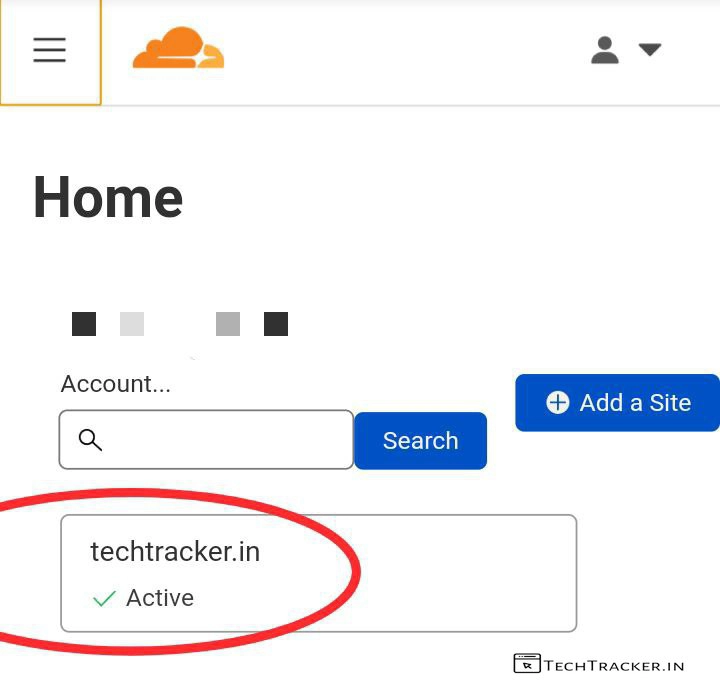
– First, create an account and add your website then login into your Cloudflare.
+ How to add cloudflare on blogger to optimize and stop bot traffic.
– In Home, Tap on your website.
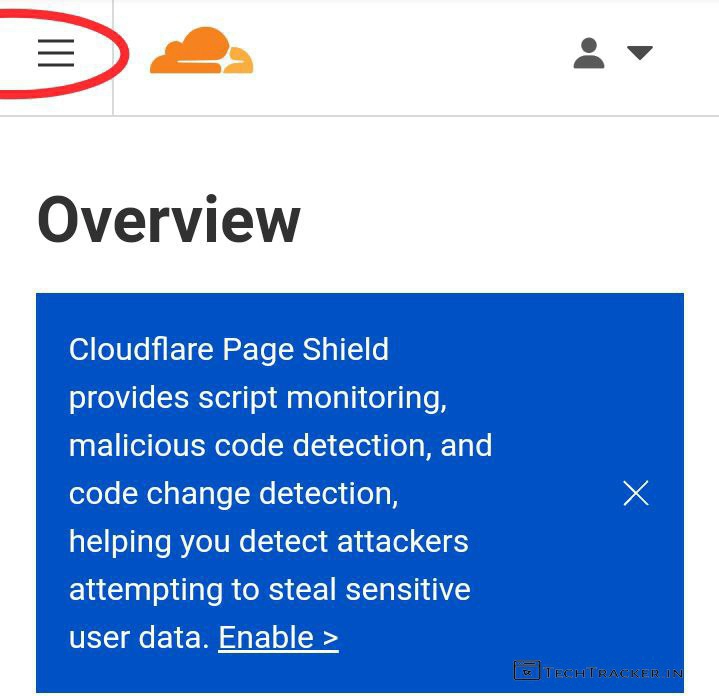
– Tap on ≡
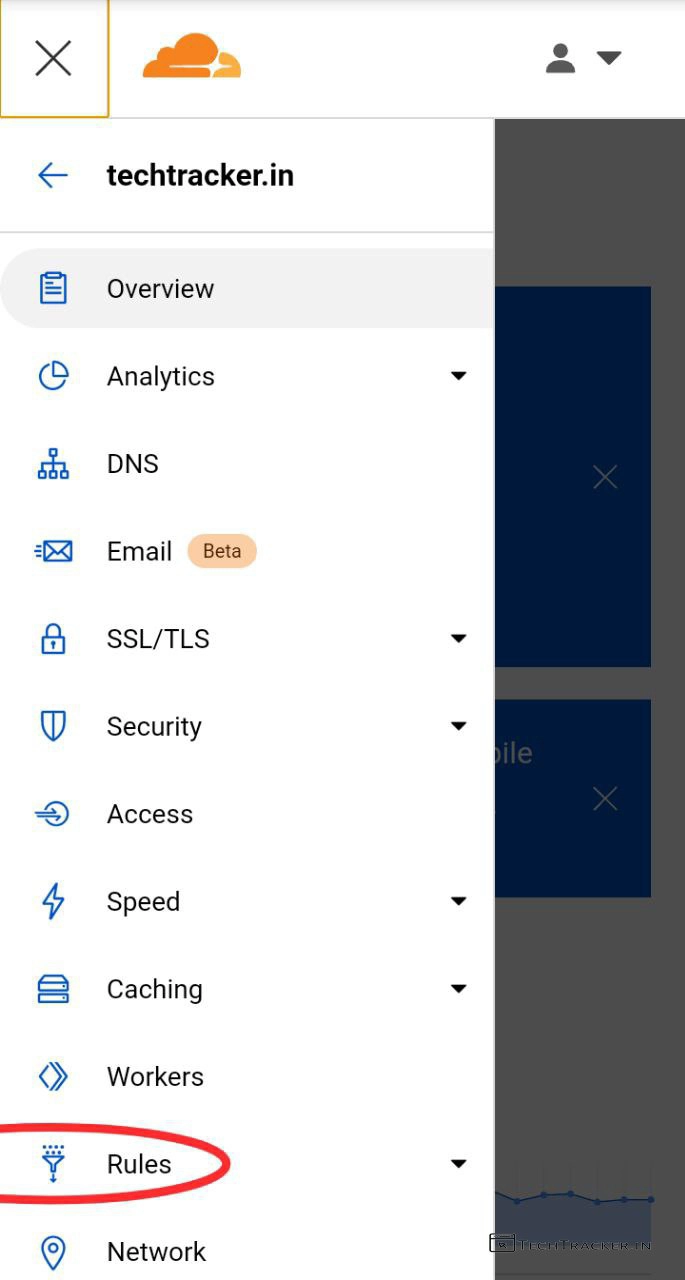
– Tap on Rules
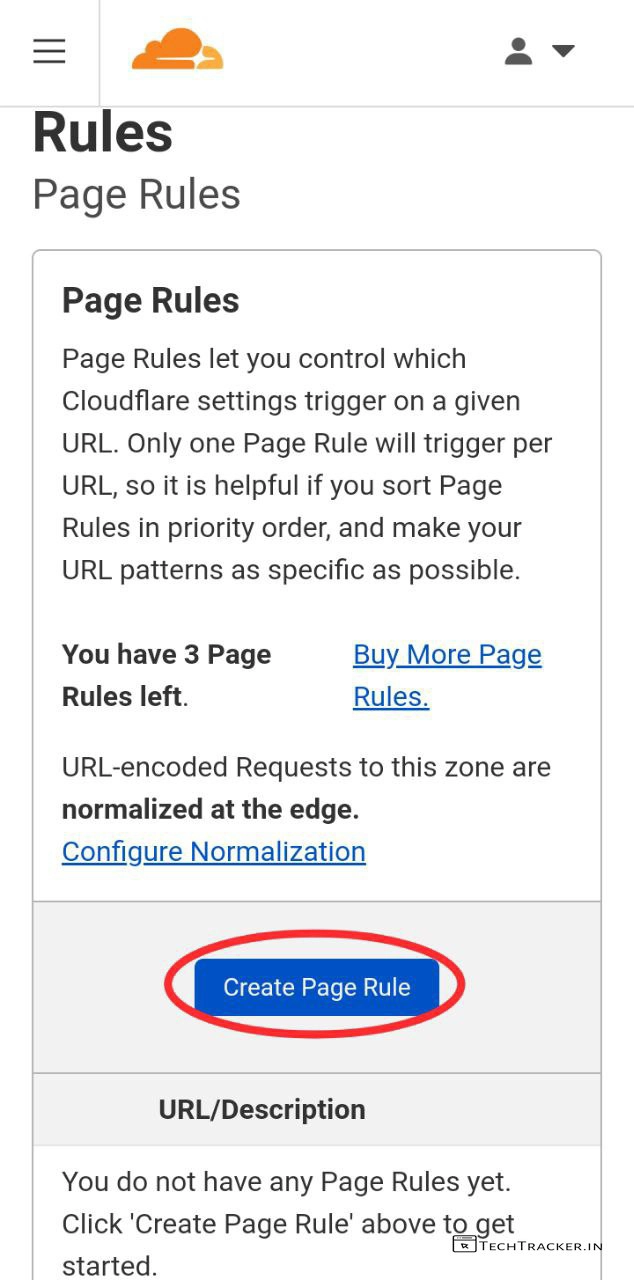
– Tap on Create Page Rule
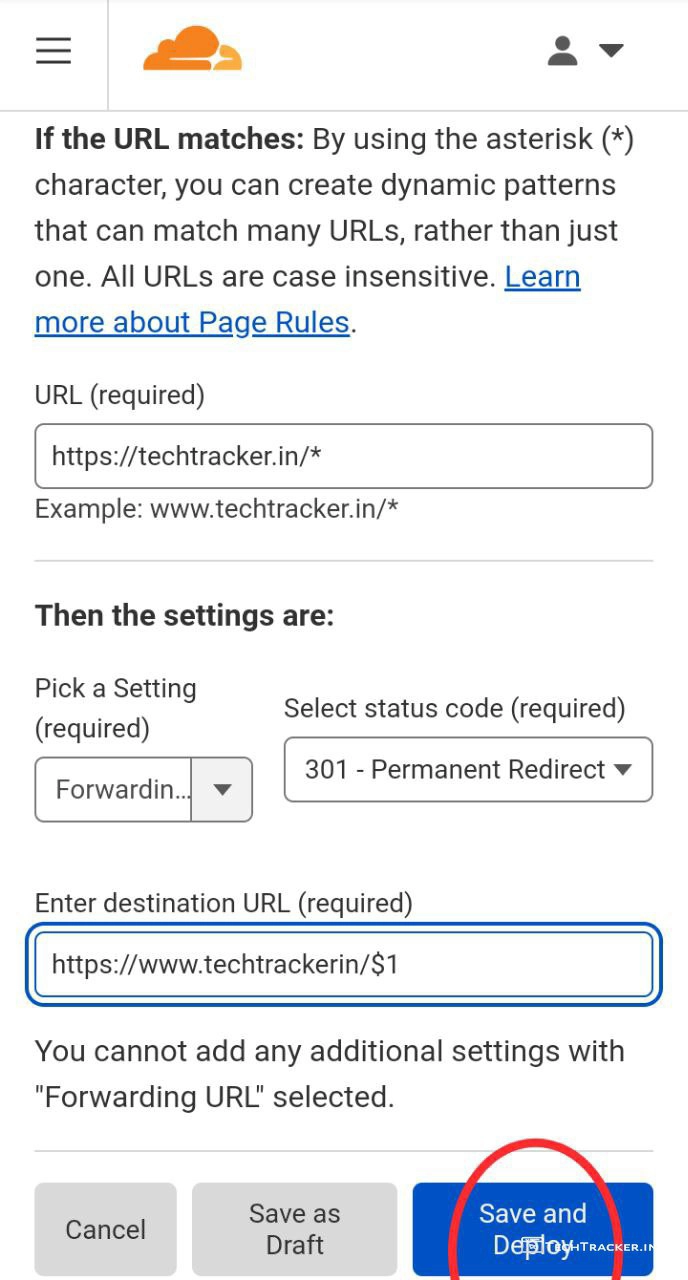
– Fill details as shown above but replace my website url with yours then tap on Save and Deploy
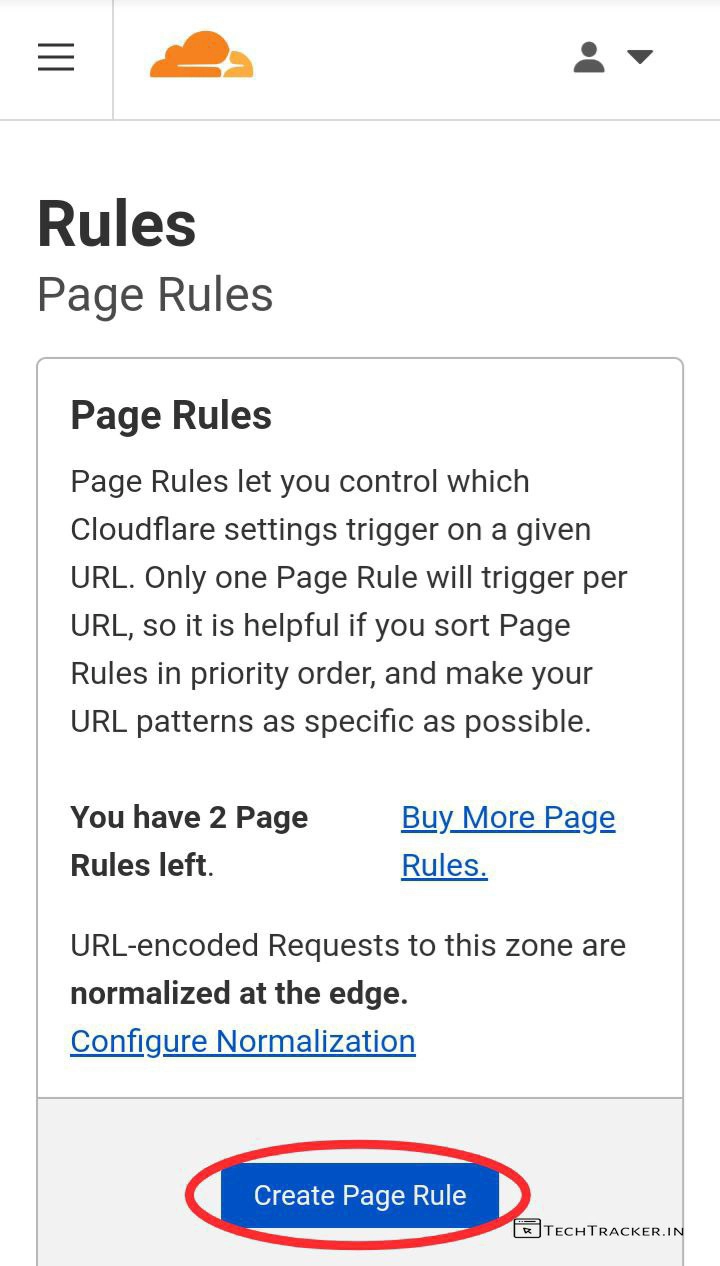
– Tap on Create Page Rule again.
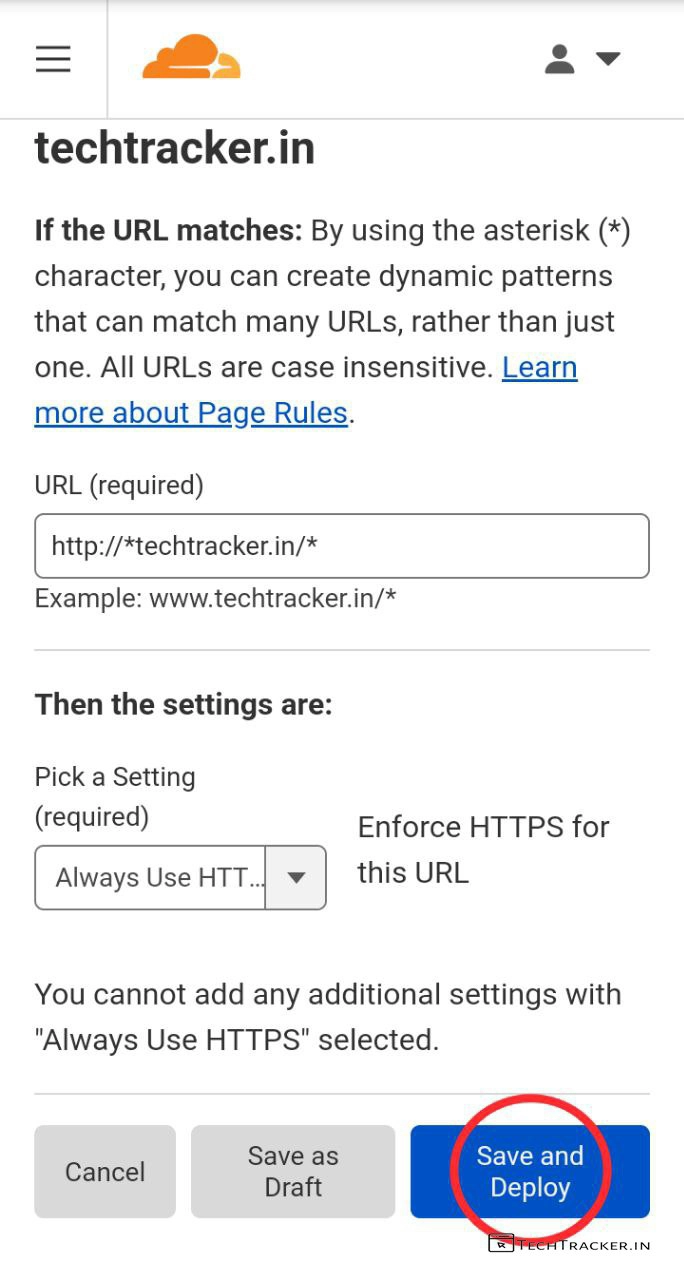
– Fill details as show above, then tap on Save and Deploy
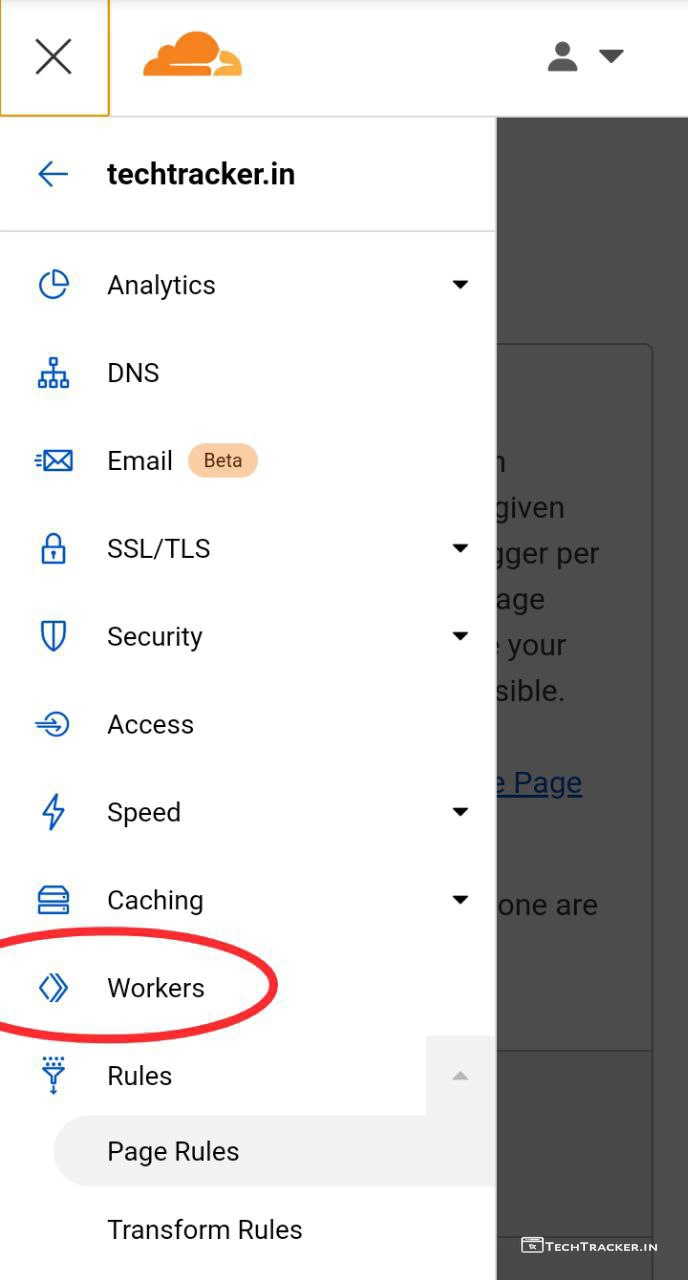
– Tap on ≡ then tap on Workers
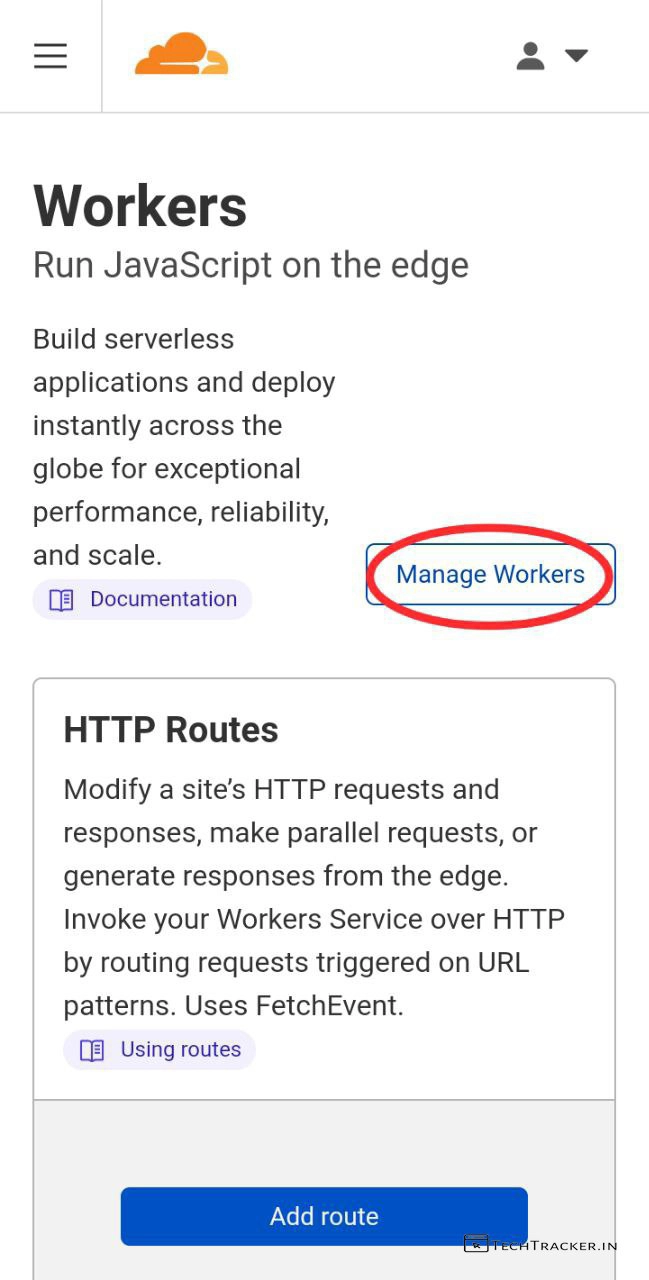
– Tap on Manage Workers
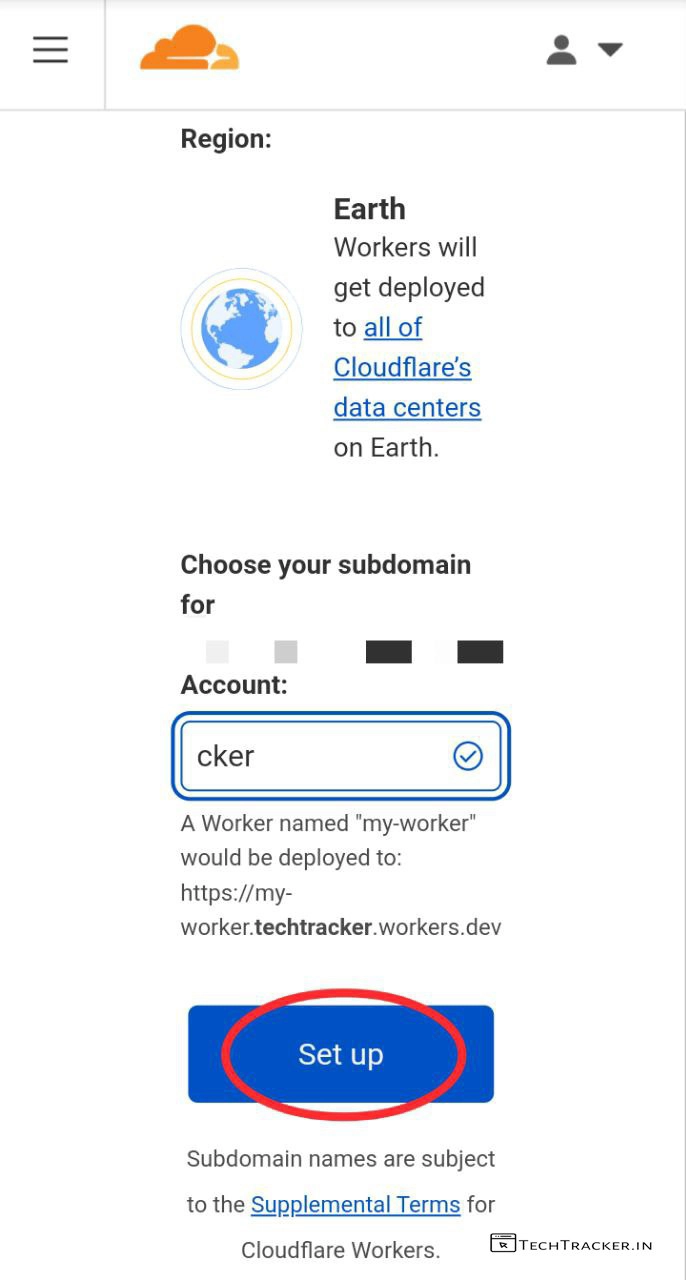
– Enter Account name, then tap on Set up
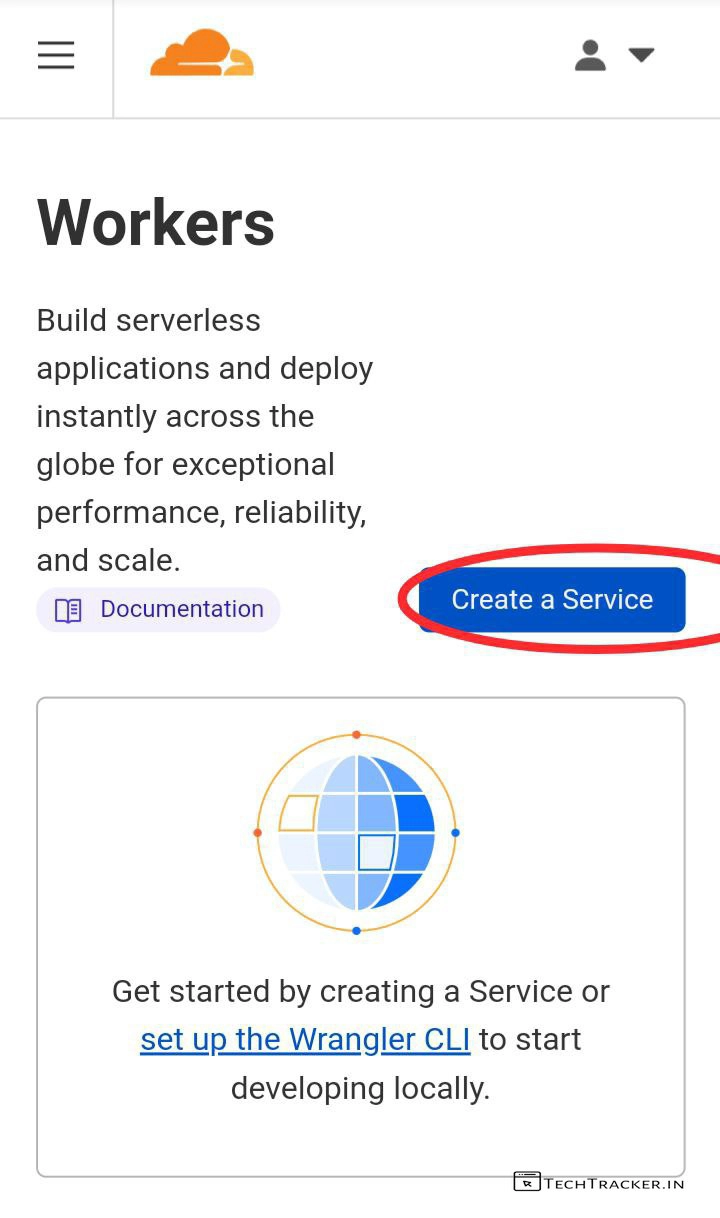
– Tap on Create a Service
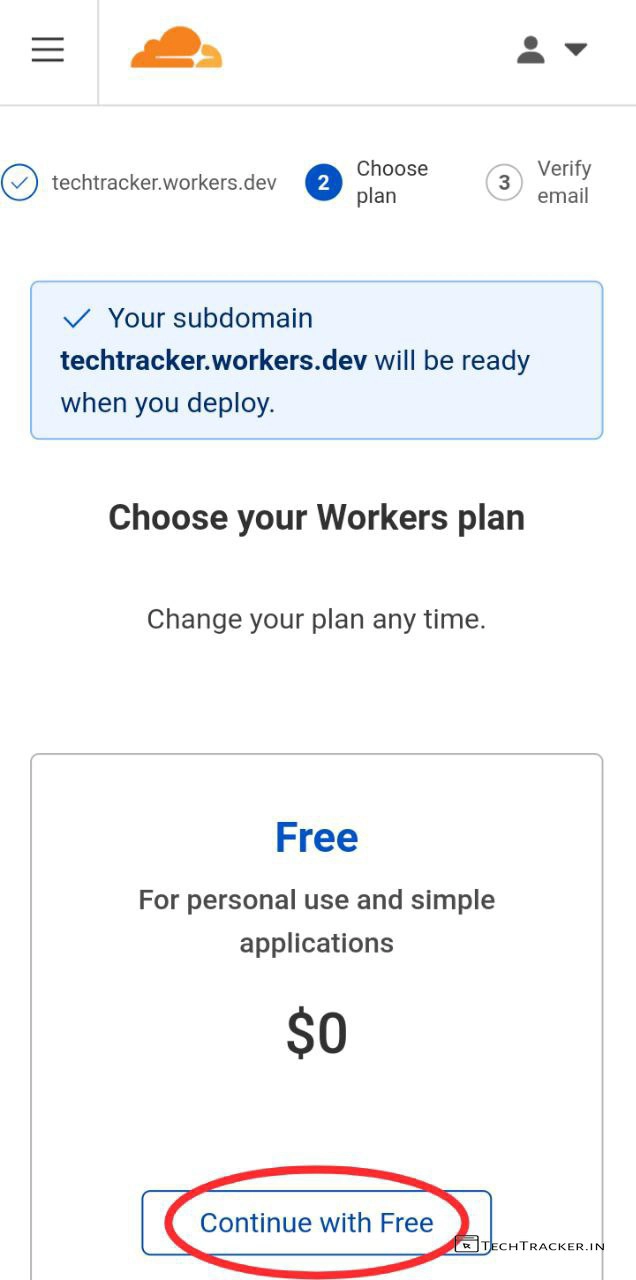
– Tap on Continue with Free
– Tap on Create a Service
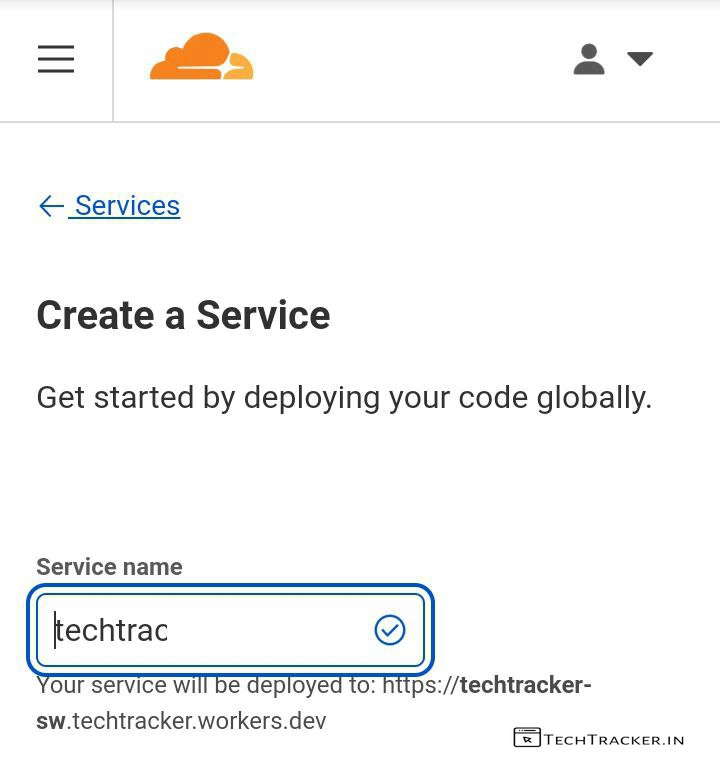
– Enter Service name then Scroll down
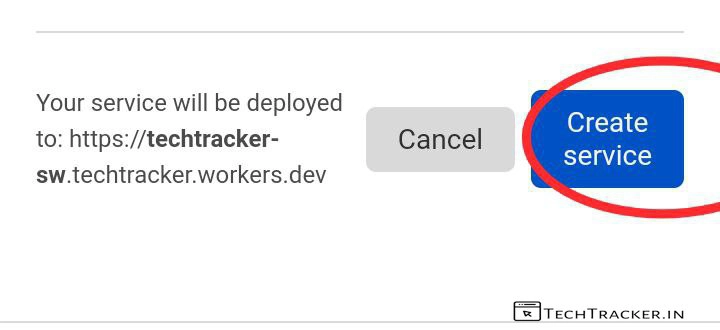
– Tap on Create service
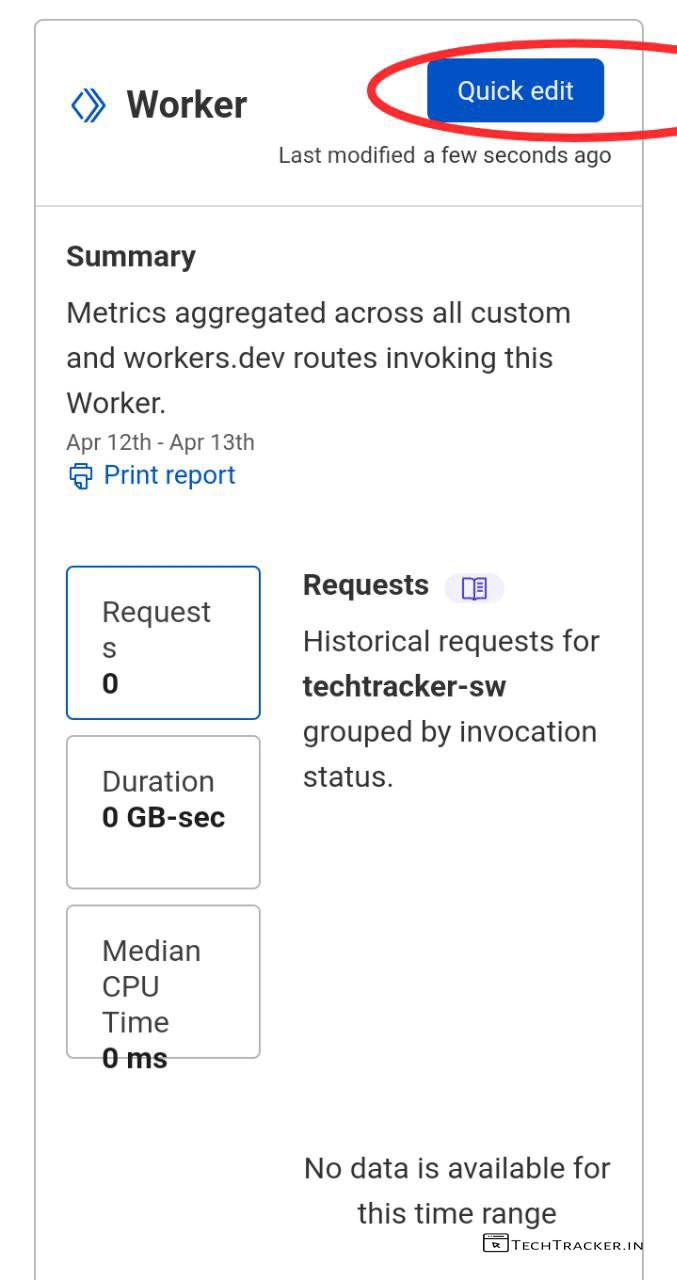
– Scroll down then tap on Quick edit
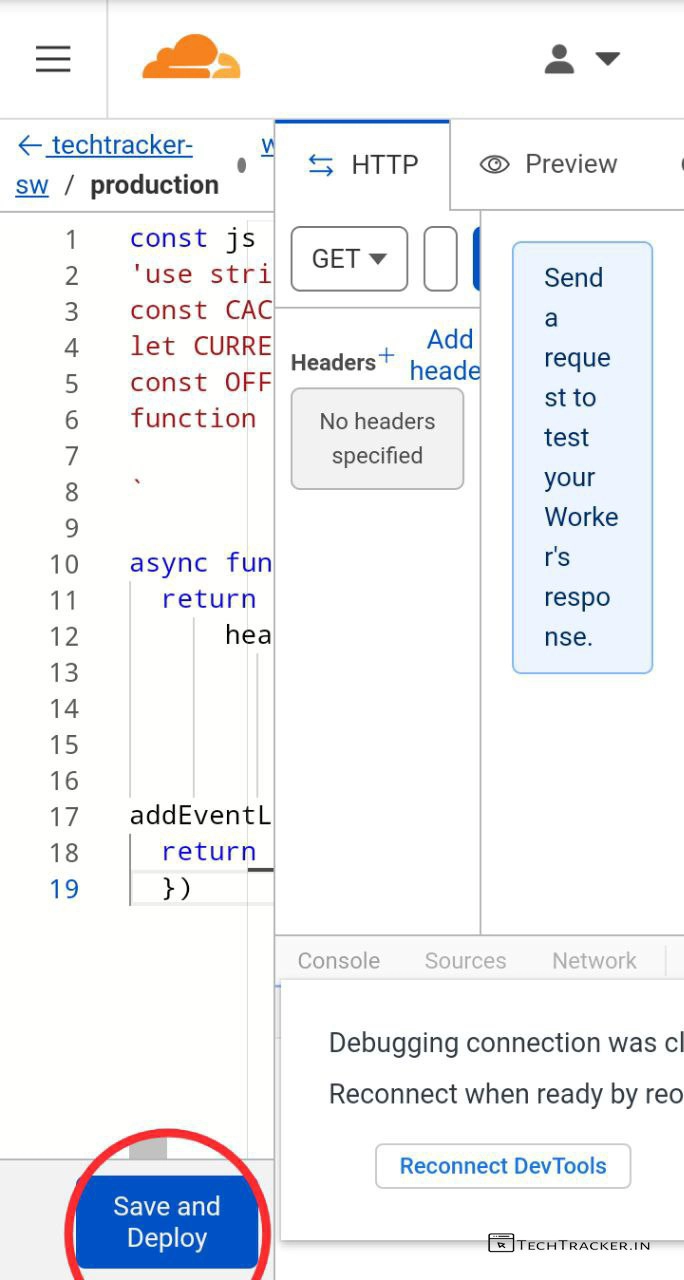
– Delete existing code then copy and paste this code from sw.js.txt
– Tap on Save and Deploy
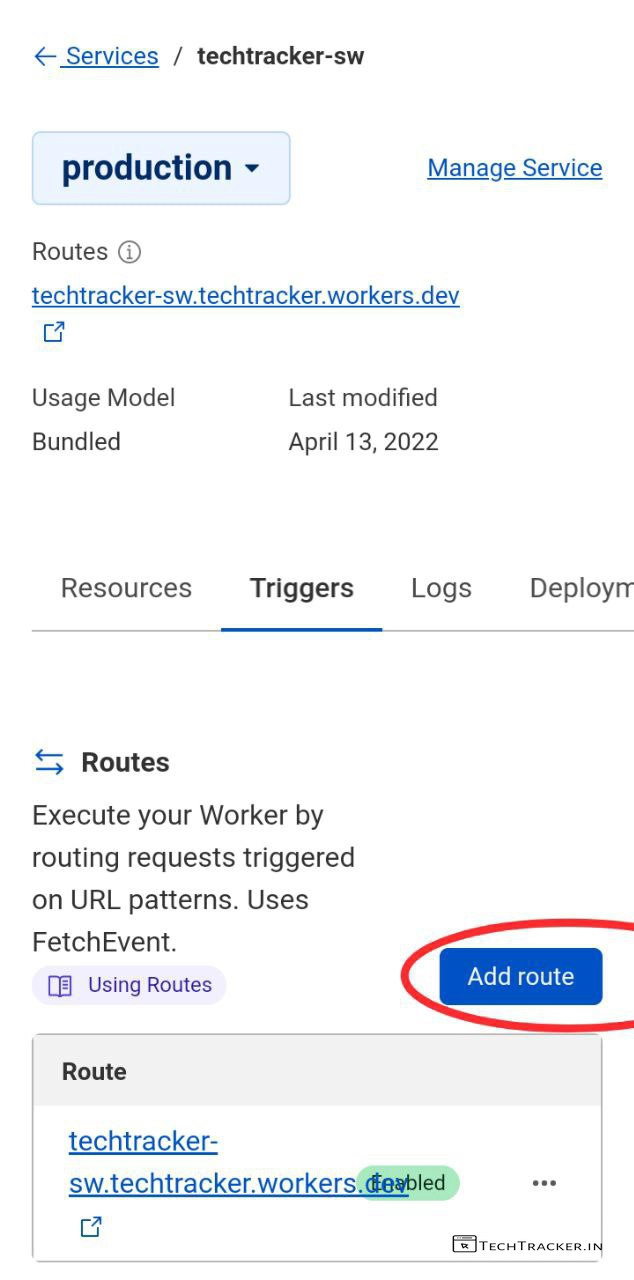
– Now go back, tap on Triggers then tap on Add route
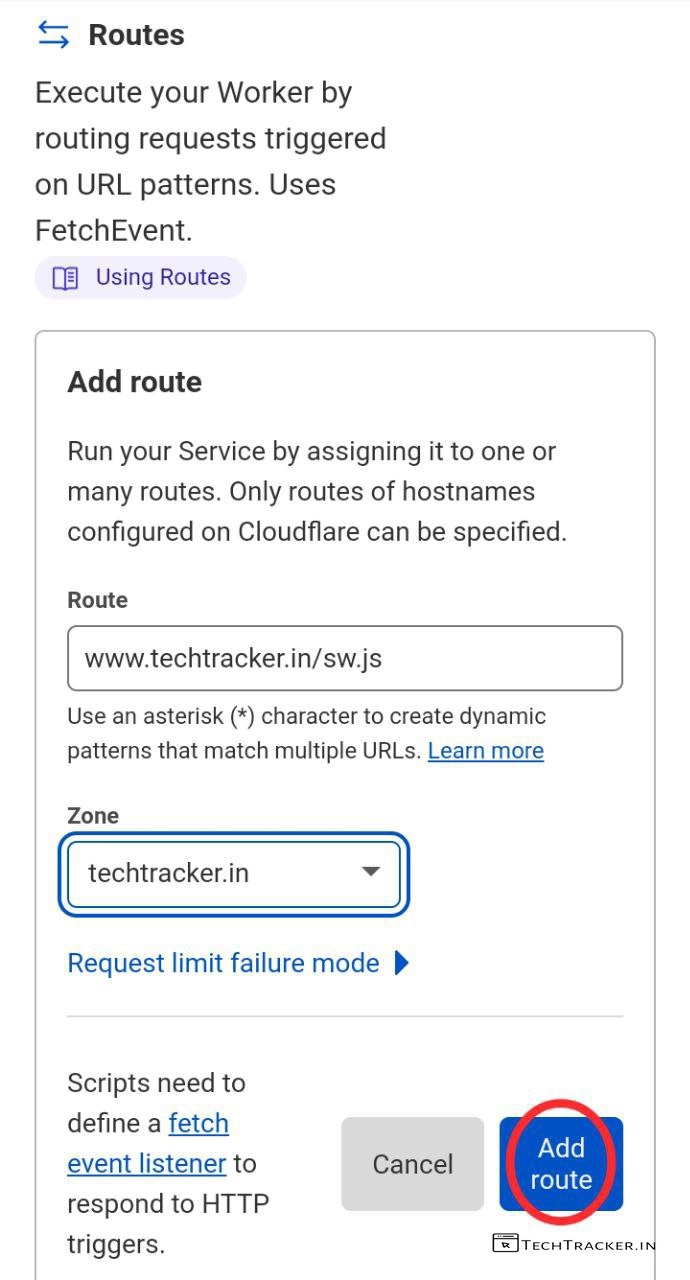
– Fill the details as shown above but replacemy website url with yours then tap on Add route
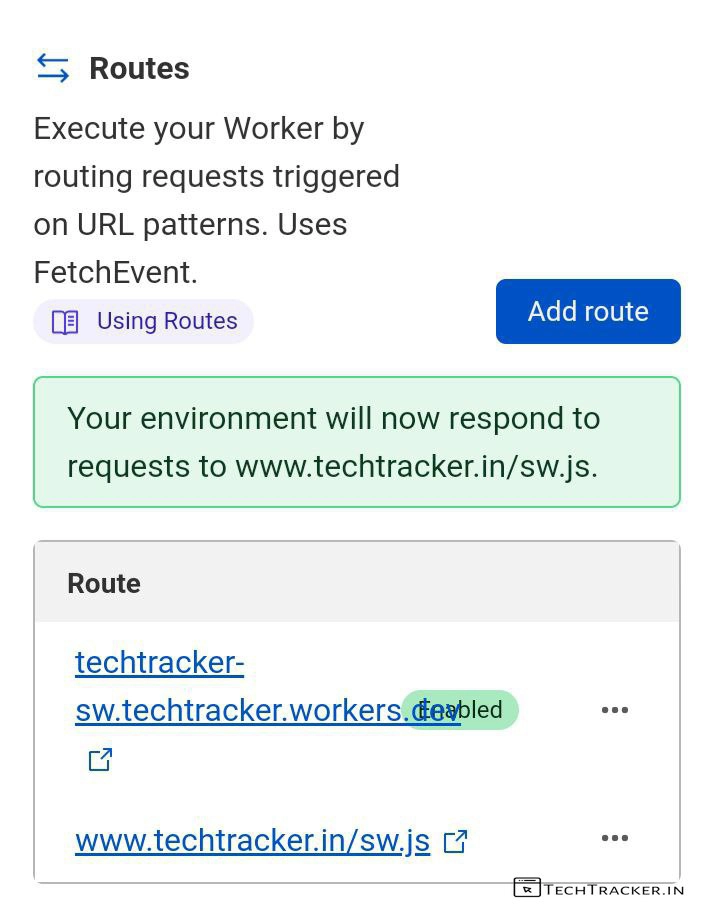
– Here, you can tap on sw.js to check either it’s working or not.
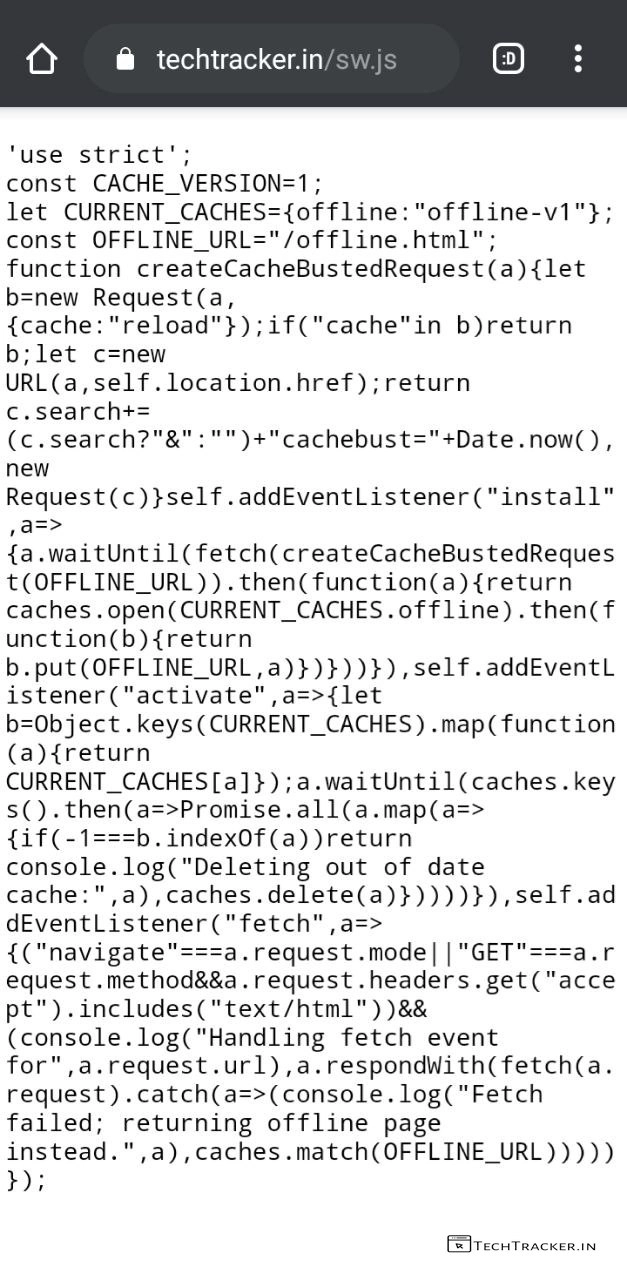
– If it’s working then it will show like this.
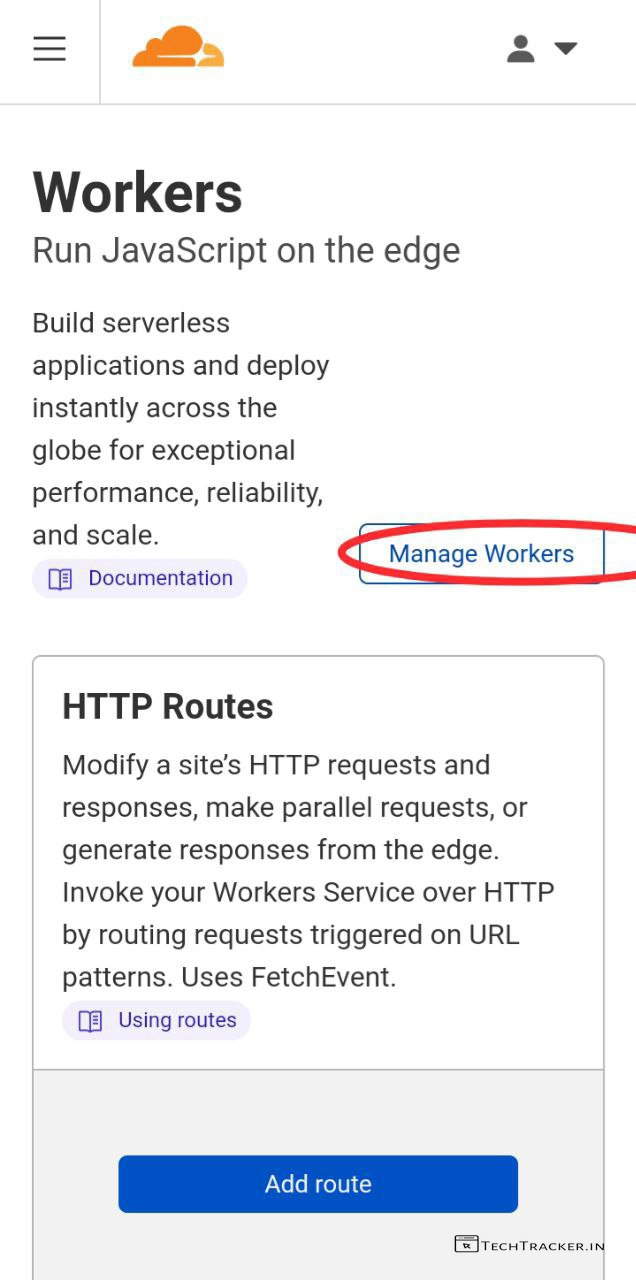
– Go back to Workers, then tap on Manage Workers.
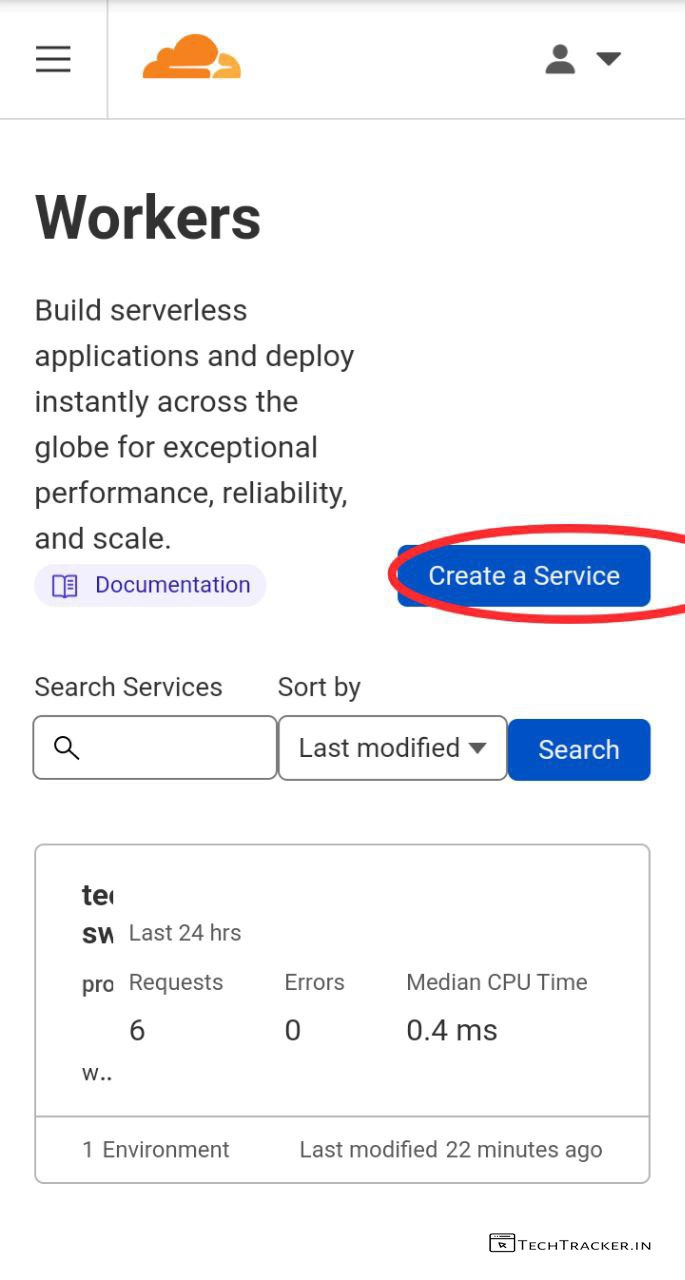
– Tap on Create a Service
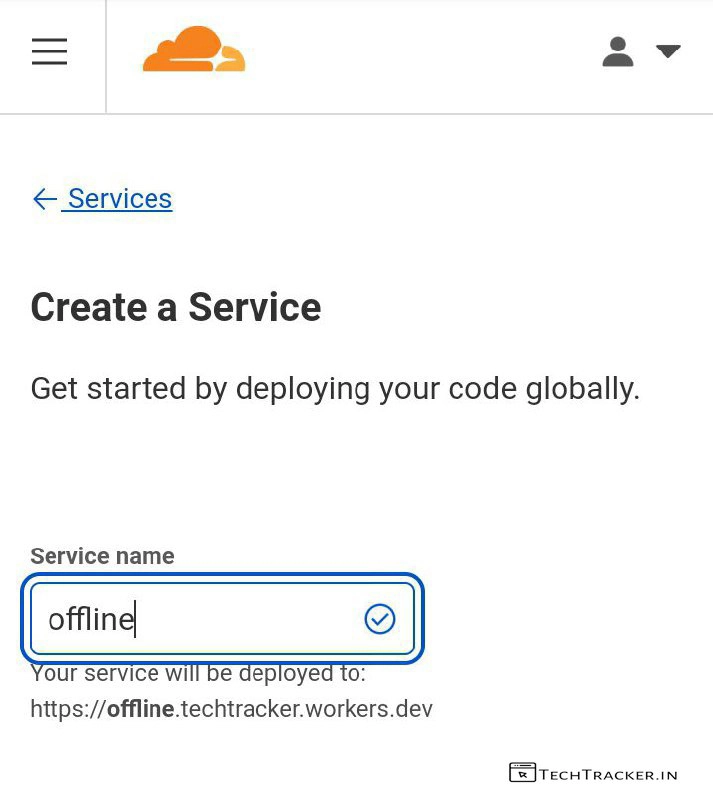
– Enter Service name, Here I entered offline as it’s easy to remember.
– Scroll down
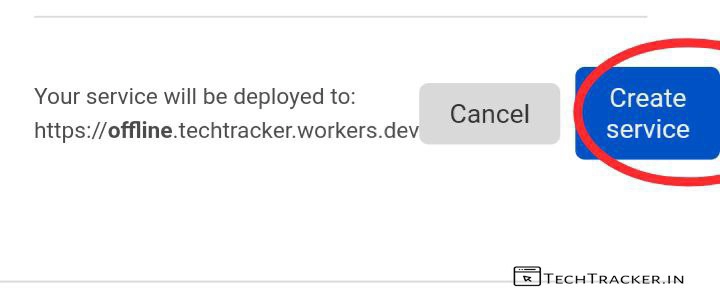
– Tap on Create service
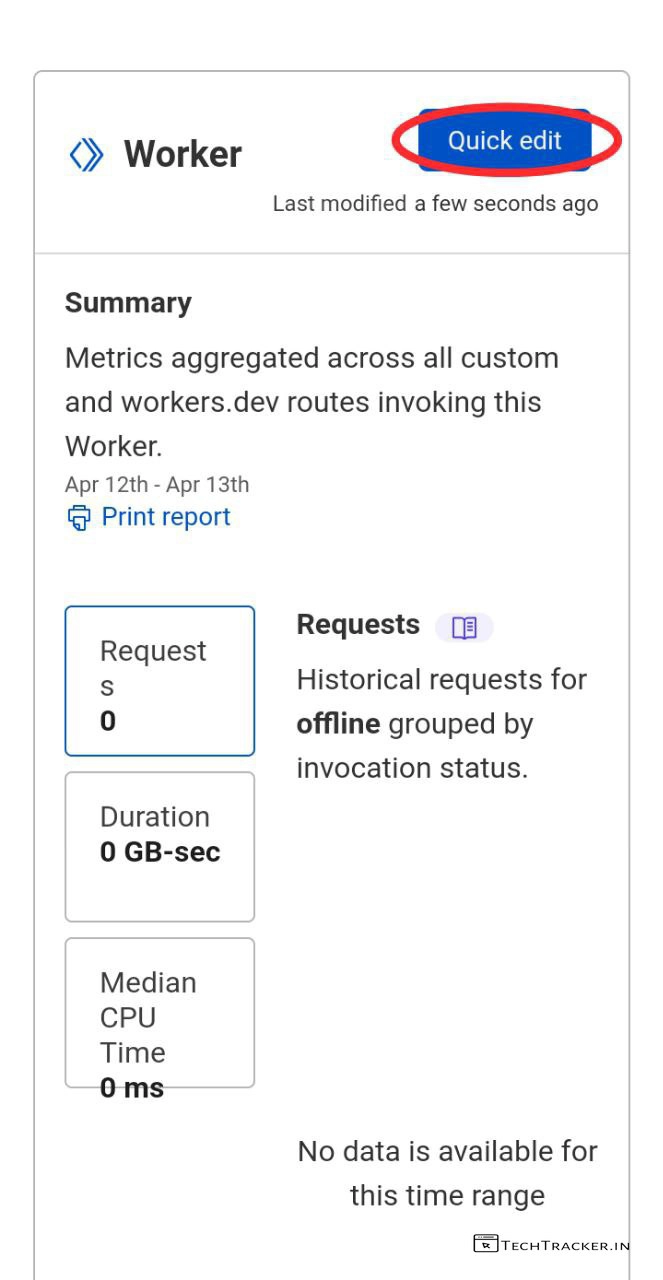
– Scroll down, tap on Quick edit
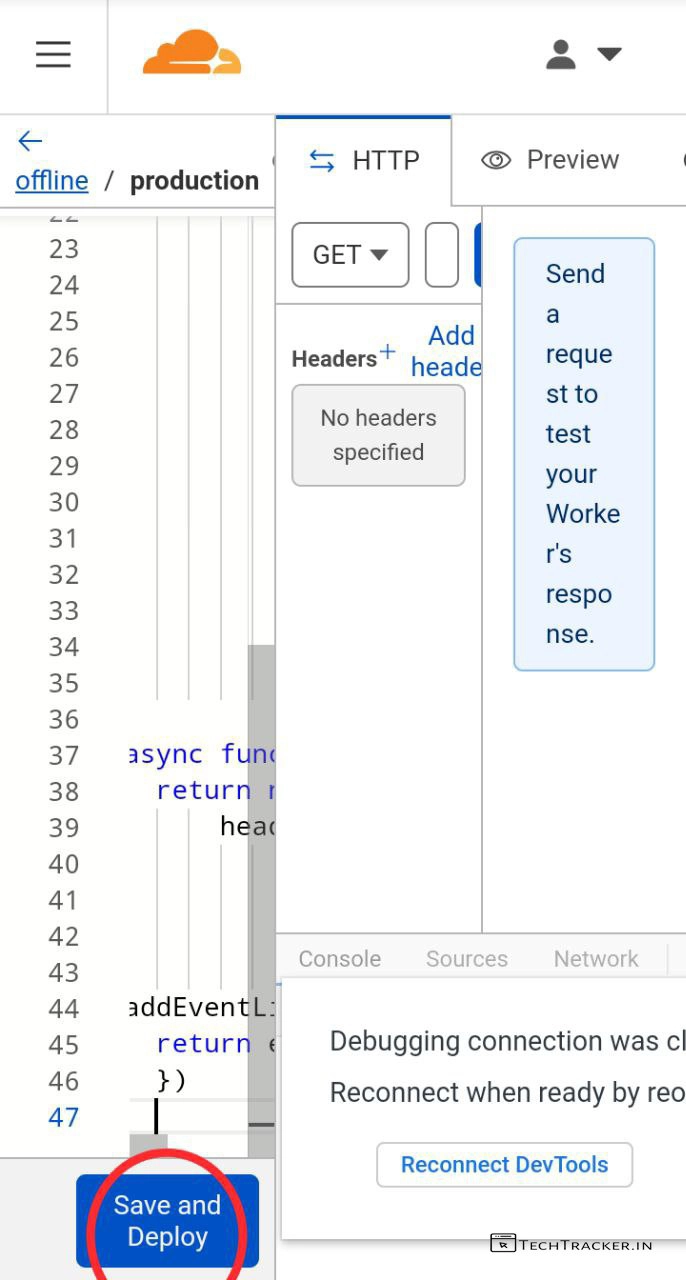
– Delete existing code then copy and paste this code from offline.html.upgraded.txt
– Tap on Save and Deploy
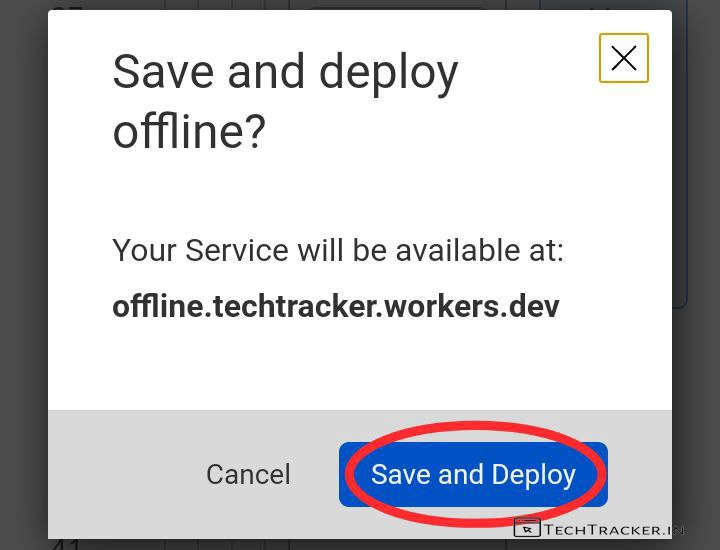
– Tap on Save and Deploy
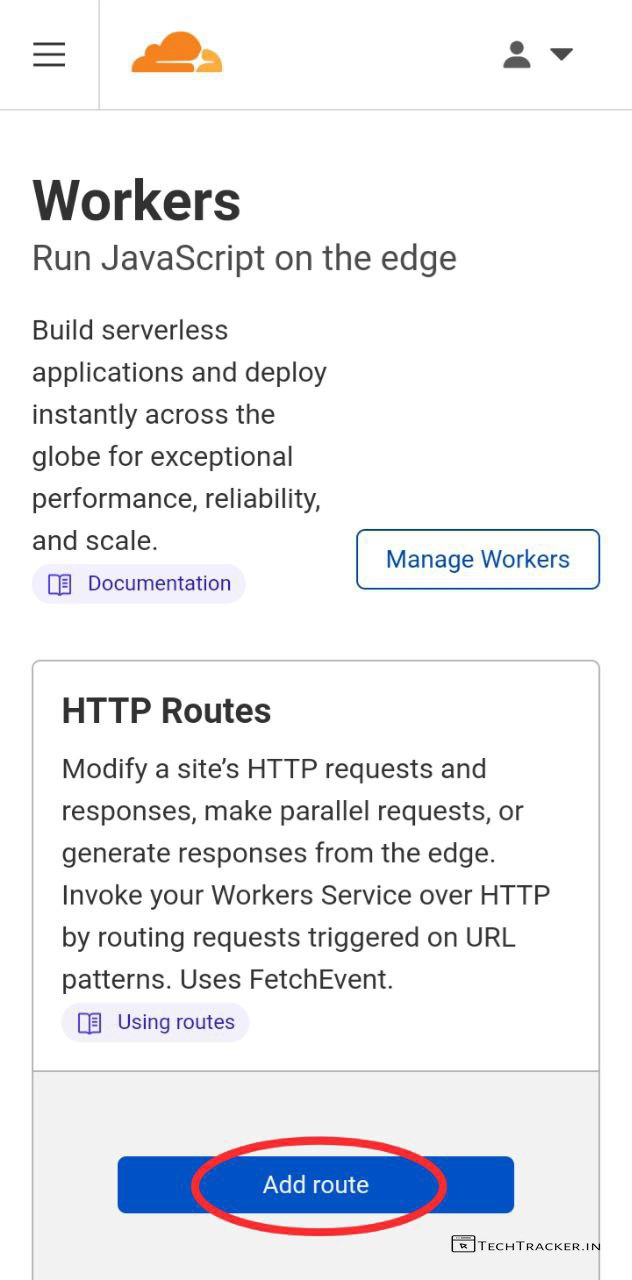
– Go back Workers, tap on Add route
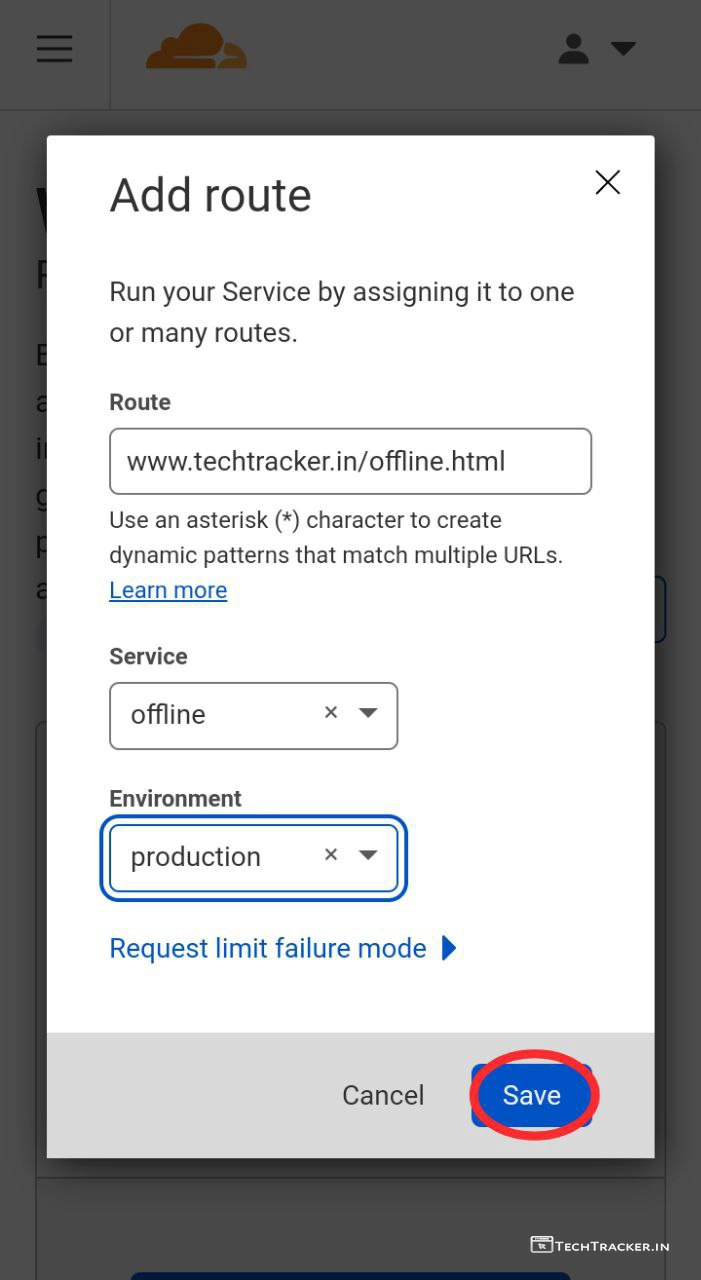
– Fill details as shown above but replace my website url with yours then tap on Save
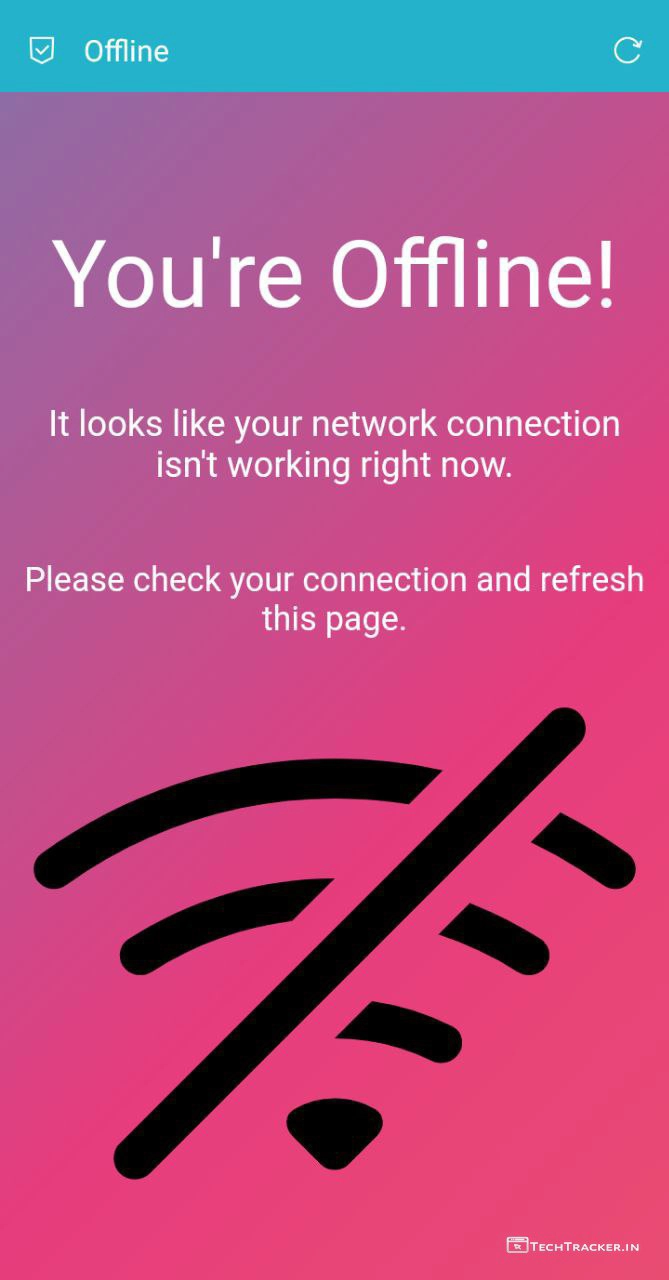
– Just to make sure check either that newly created offline.html url working or not.
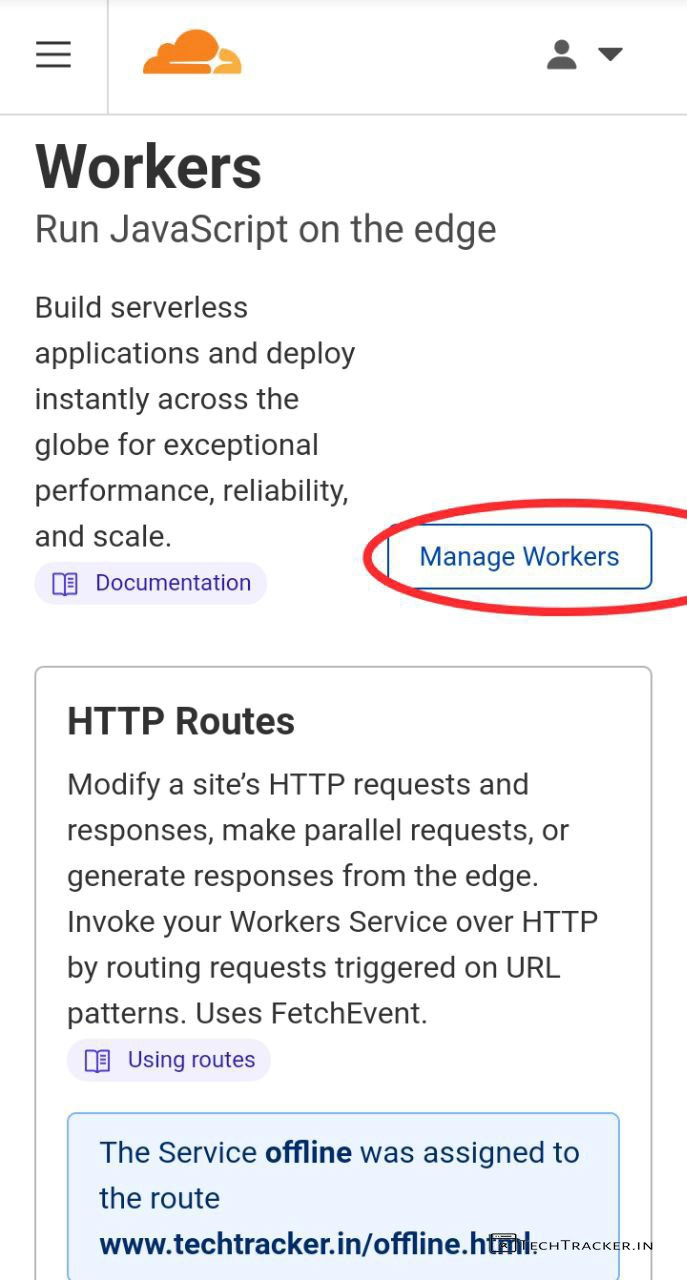
– If working, go back then tap on Manage Workers
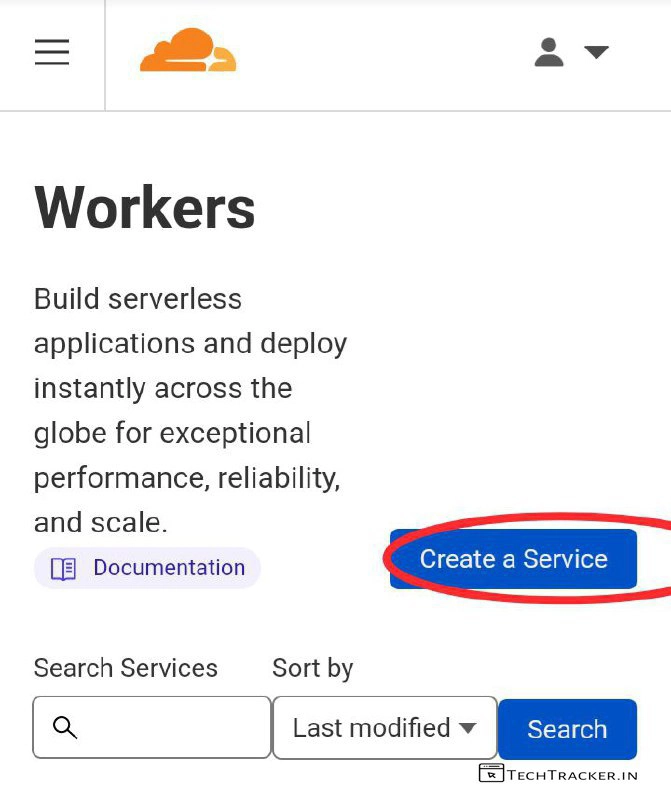
– Tap on Create a Service
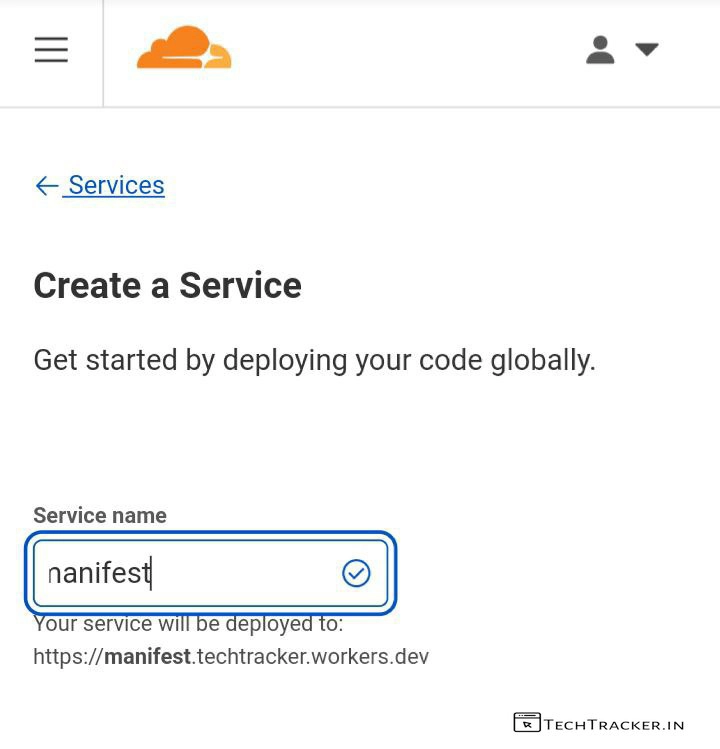
– Enter Service name : Manifest then Scroll down.
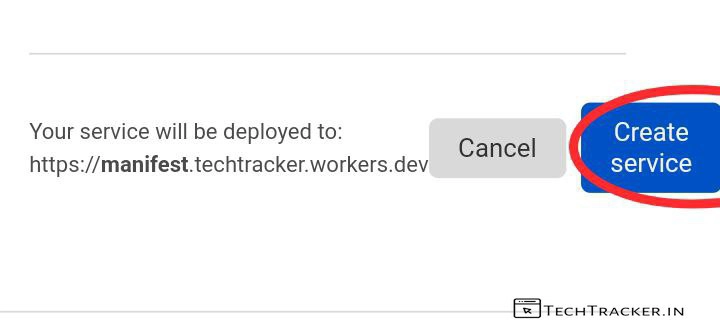
– Tap on Create service
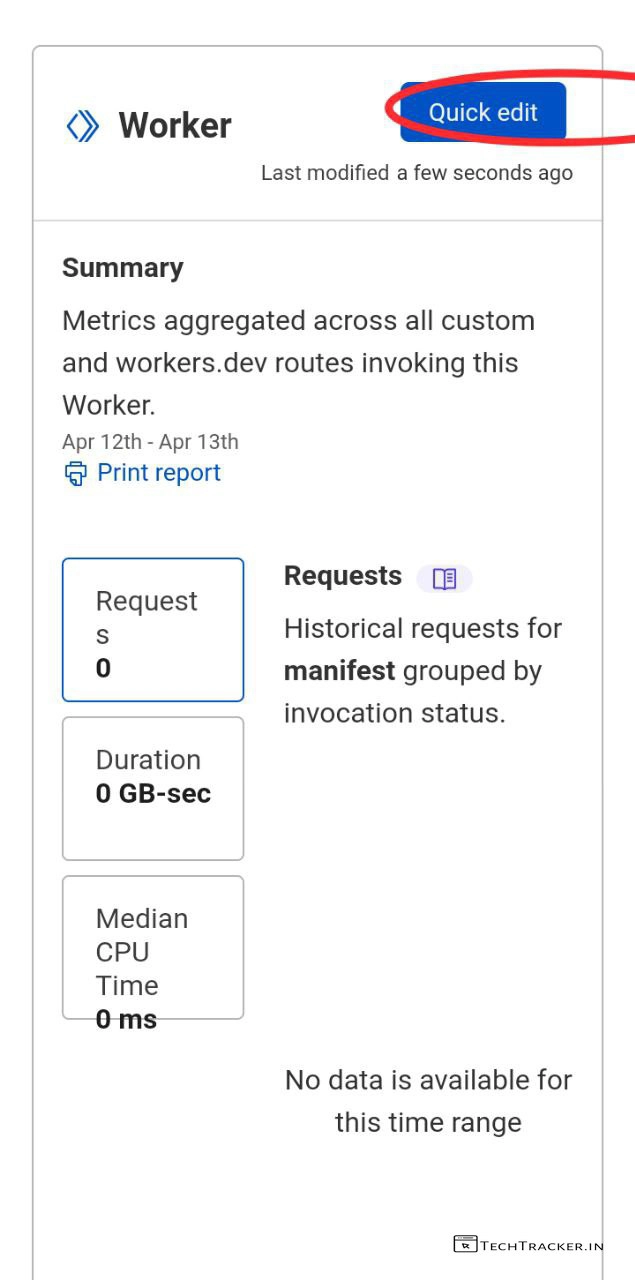
– Tap on Quick edit
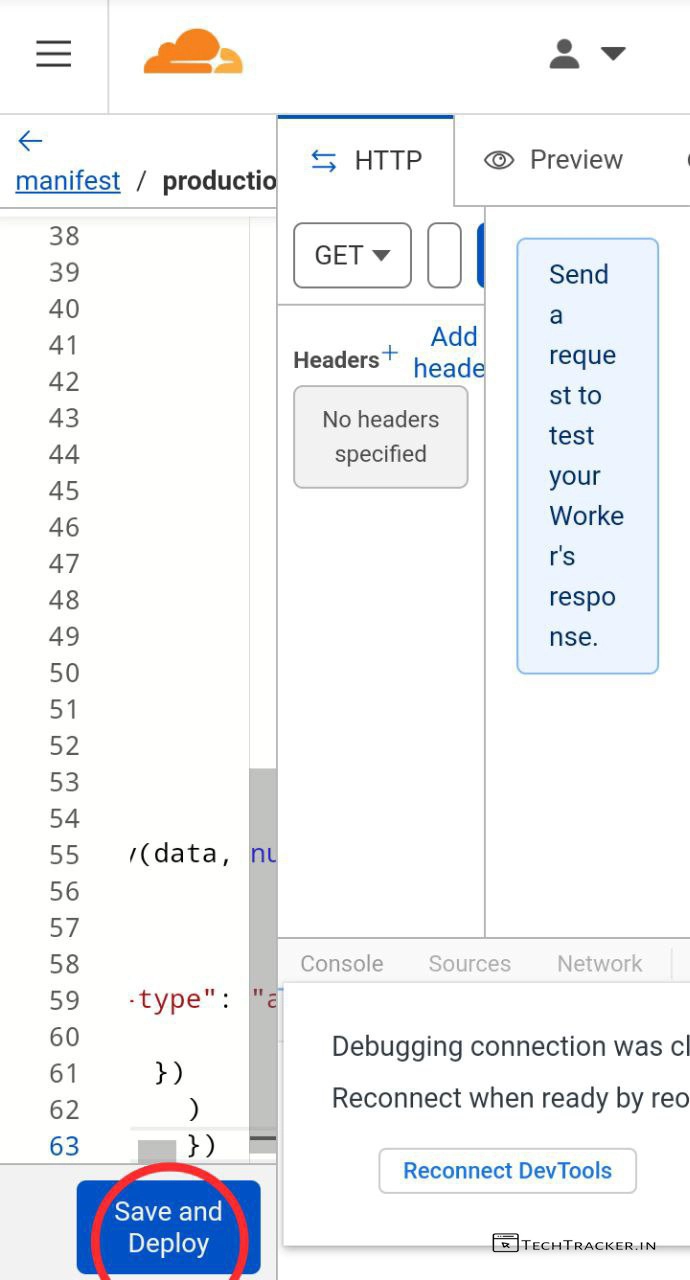
– Delete existing code then paste this code from Manifest.json-Advanced.text.
– Don’t forget to change Web app name, Short description, and logo urls with your logo urls in png format.
– Once done, Tap on Save and Deploy
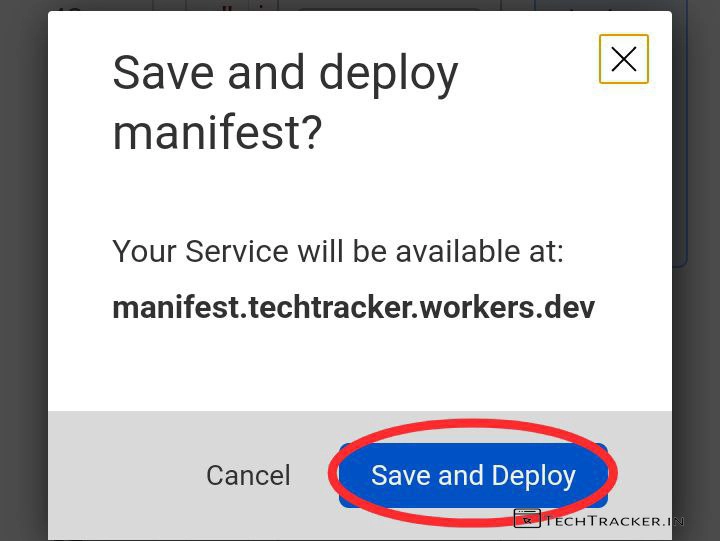
– Tap on Save and Deploy Again.
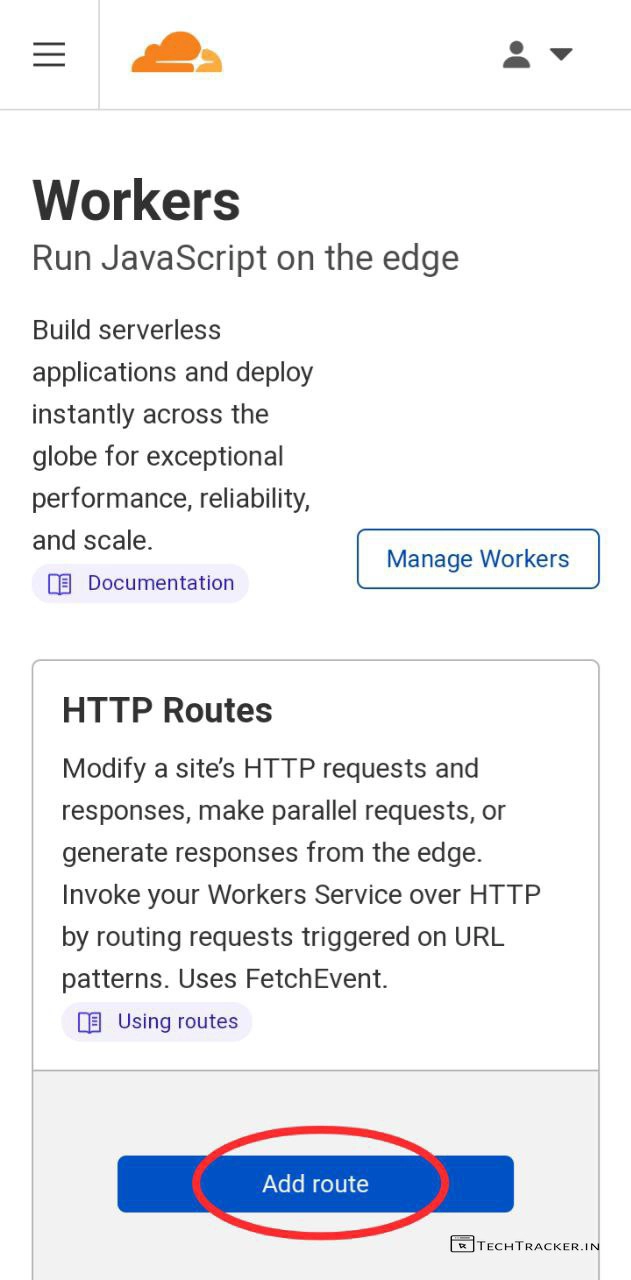
– Go back to Workers, Tap on Add route
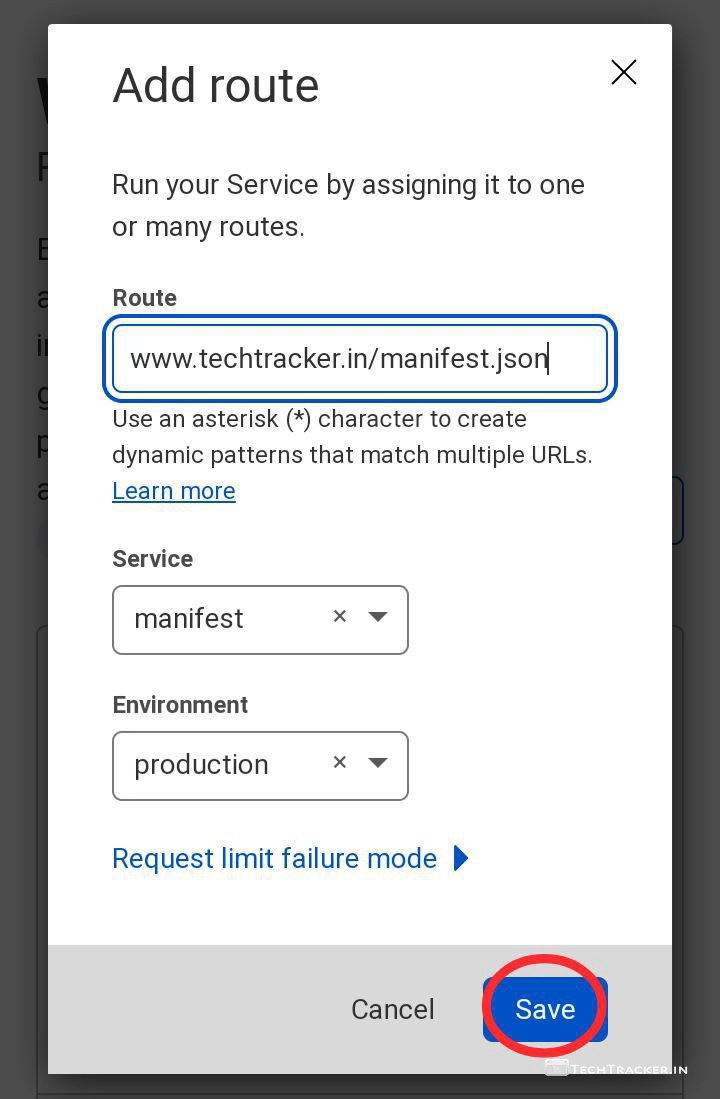
– Fill details as shown above but replace my website with yours then tap on Save
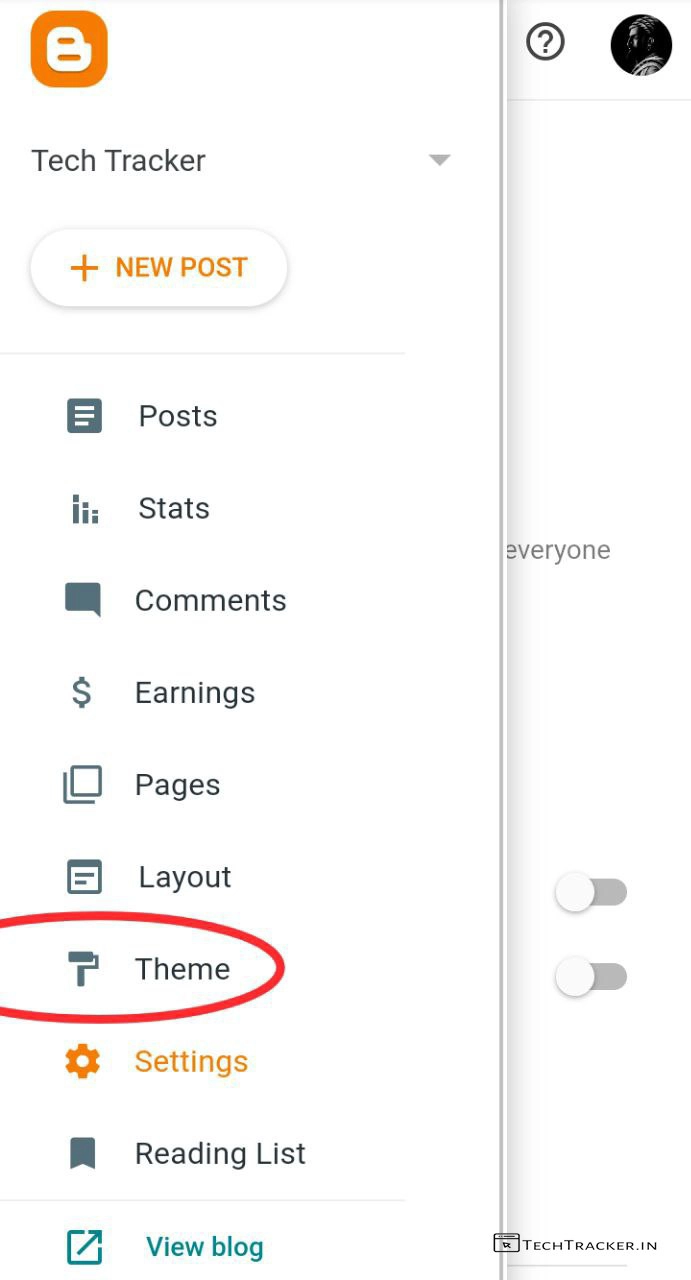
– It’s time, Go to blogger dashboard then tap on Theme
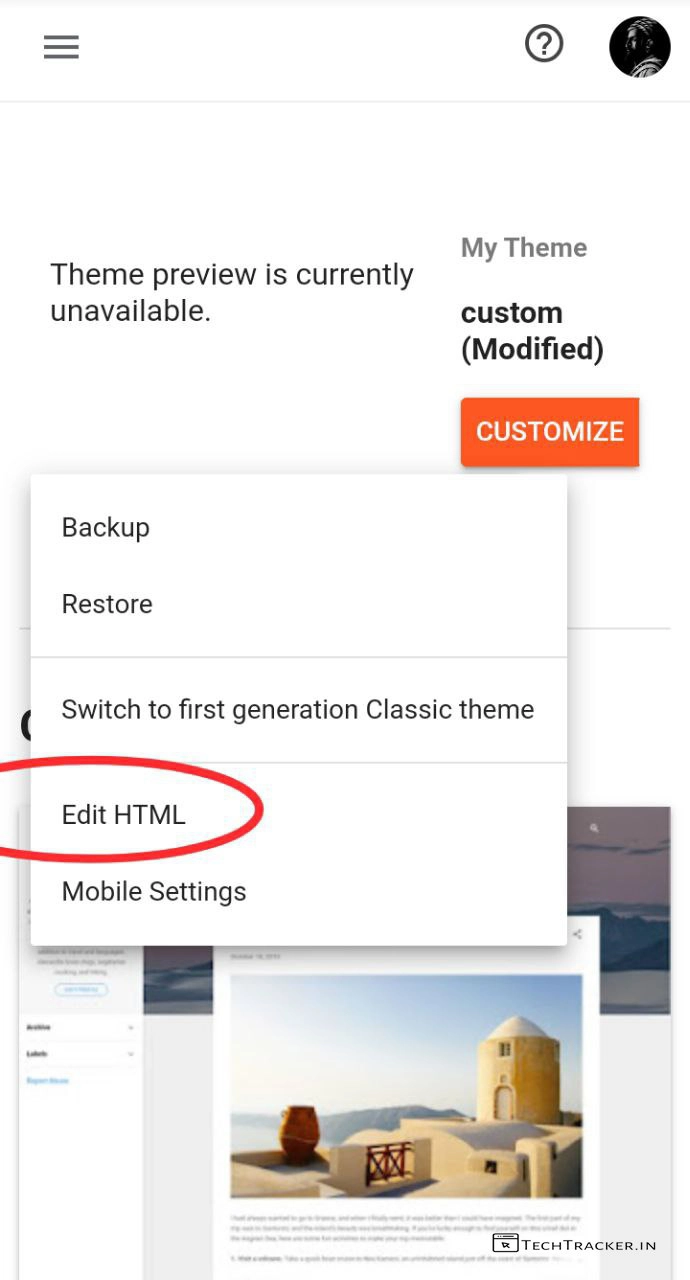
– Tap on below CUSTOMIZE then tap on Edit HTML
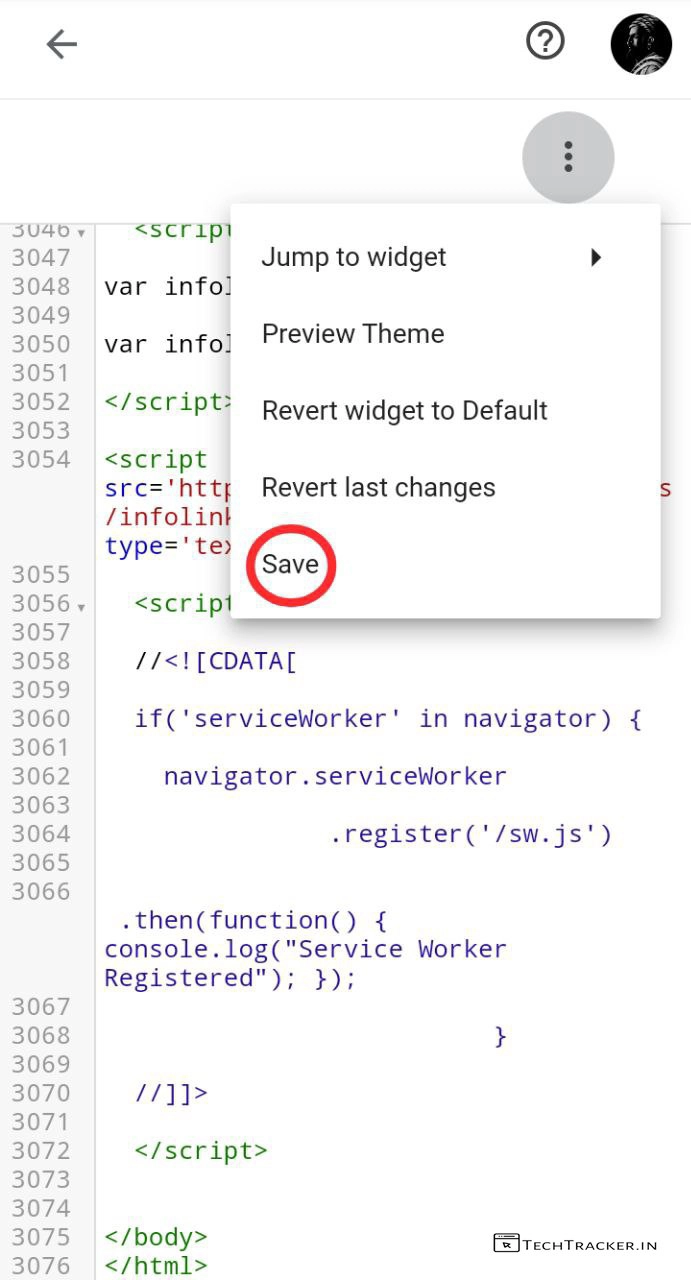
– Search or scroll and find </body> tag then right above it copy and paste this code from service-worker-body tag.txt
which only work on non-amp themes.
– For AMP themes copy and paste this code from service-worker-amp-js.text
– Once pasted, Tap on Save
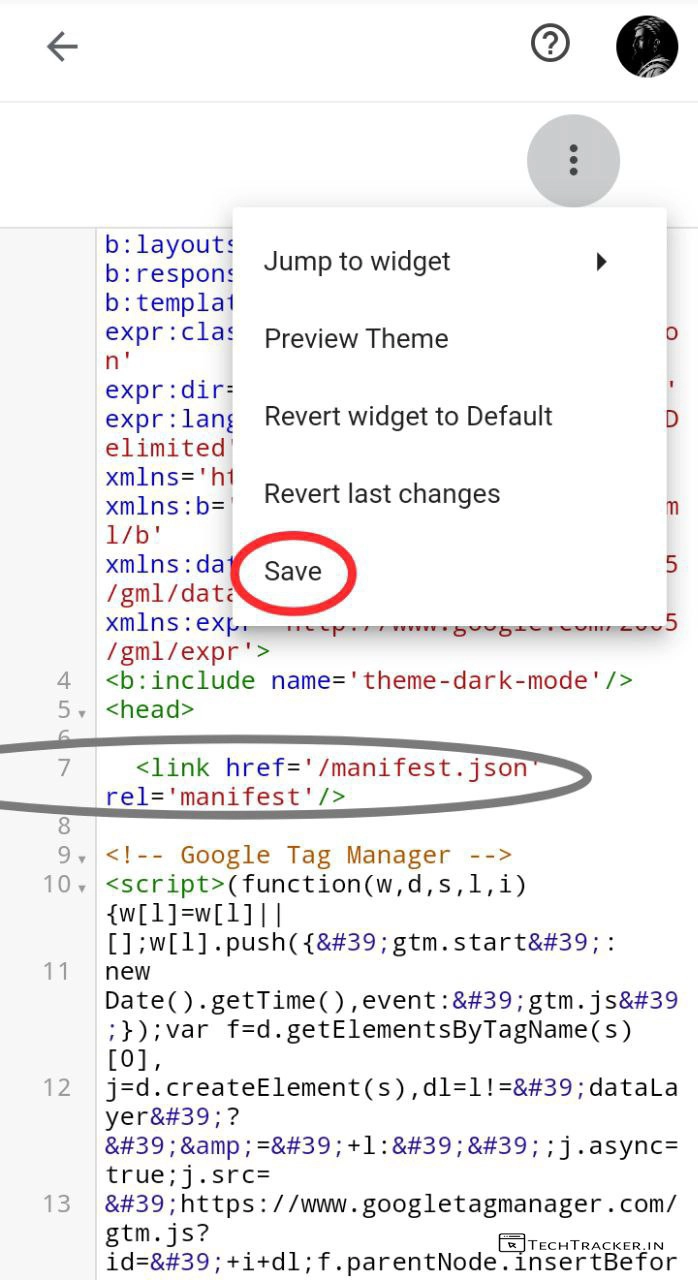
– it’s not over yet, search or scroll up and find <head> tag and right below it copy and paste this code from manifest-for-blogger.txt
Perfecto, you successfully created PWA app for blogger using Cloudflare.
Atlast, this are just highlighted features of Cloudflare there may be many hidden features in-build that provides you external benefits to give the ultimate usage experience, anyway if you want one of the best method to make PWA app for blogger site or blog then this check this out.
Overall, it is not easy to make PWA app you have to do alot of work to get PWA app on blogger, even though Cloudflare interface is user friendly on mobile yet you it’s better to do this process on desktop to complete this quick as on mobile it can take more time then average for example : I have to remove code manually as there is no CTRL F2 button on mobile keyboard, if you’re using mobile to do this process via Coders keyboard.
Moreover, it is definitely worth to mention this is the only method available out there on internet to make PWA app for blogger sites using Cloudflare, I hope there will be easier methods discovered in future even there is possibility Google may add option to make PWA app from Blogger dashboard itself if there is high demand for PWA app.
Finally, this is how you can make PWA app for blogger sites using Cloudflare for free, are you an existing user of this method? If yes do say either this method working for you or not? kindly say you experience and mention if you know any better methods? In our comment section below, see ya 🙂