
Telegram is rising social messaging app known for best privacy and security with 1billion downloads competing Instagram, when whatsapp changed it privacy policy and terms and conditions alot of people didn’t satisfied thus large percentage of whatsapp users shifted to telegram even though telegram is already popular social messaging before this event yet it helped telegram to spike it’s users at large scale.
Telegram is founded by pavel durvov and Nikoloi durov, grows to popularity because of useful un-official bots, groups, channels which supports upto 200,000 members, so due to numerous exciting features offered by telegram alot of people already created bots, groups, channels on telegram, but on telegram like other social messaging apps you can’t automatically publish new posts of telegram channel or group on any other social messaging platforms, networks etc as thier is no feature available by default.
How ever, Telegram is not like other social messaging apps, you can’t even compare with any other platform as on Telegram you will get numerous advanced and futuristic features that you won’t find in any other social messaging platforms, telegram is known for innovation and updating it’s platforms regularly to give best experience to it’s users, so unlike other social messaging apps on Telegram you can auto publish telegram channel or group posts to other social messaging and network platforms etc, yeah it is possible but using verified telegram bot named IFTTT – if this then that platform.
IFTTT is a platform where you can simply and automatically connect your favourite apps and devices with no code interface, you can integrate telegram channel with any other platform available on IFTTT like facebook, twitter, etc, now we will show how to connect telegram and blogger on IFTTT to automatically publish new posts of Telegram channel on blogger website for free to increase productivity and save time, so do you like it? are you interested in IFTTT? If yes let’s know little more info about it before we explore more.
• IFTTT official support •
Email : support+android@ifttt.com
Website : Ifttt.com
• How to download Telegram •
It is very easy to download Telegram from these platforms for free.
– Google Play / App Store
• How to download IFTTT •
It is very easy to download IFTTT from these platforms for free.
– Google Play / App Store
• How to auto publish new telegram posts of Telegram channel on blogger site using IFTTT •
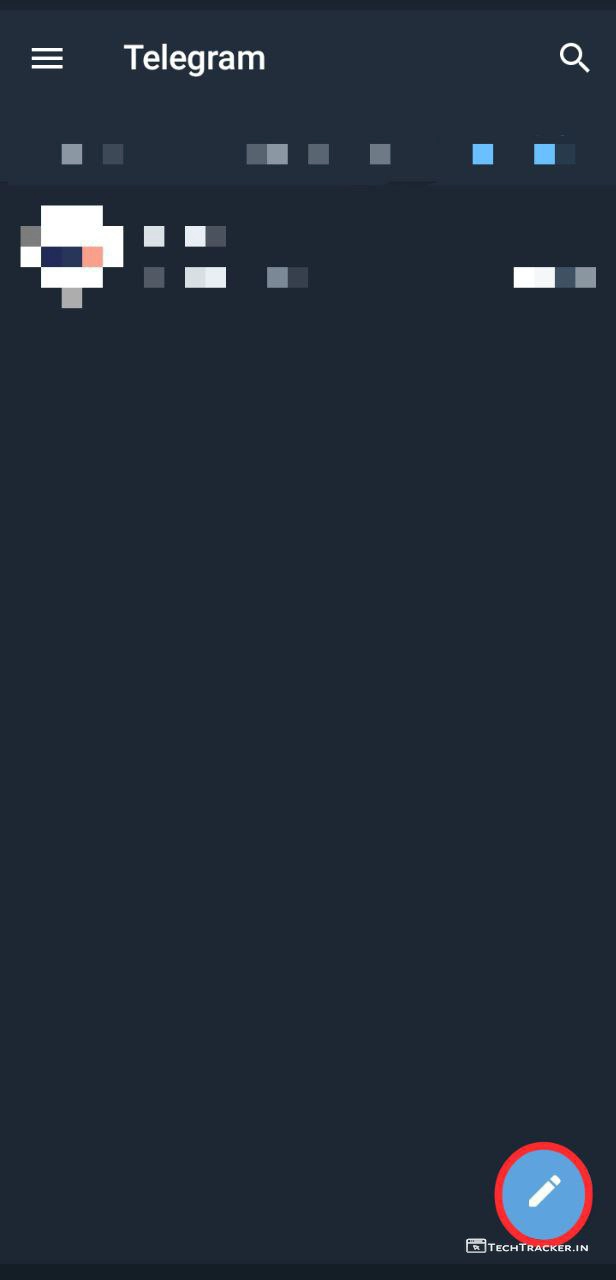
– Register on Telegram, then tap on ✏️
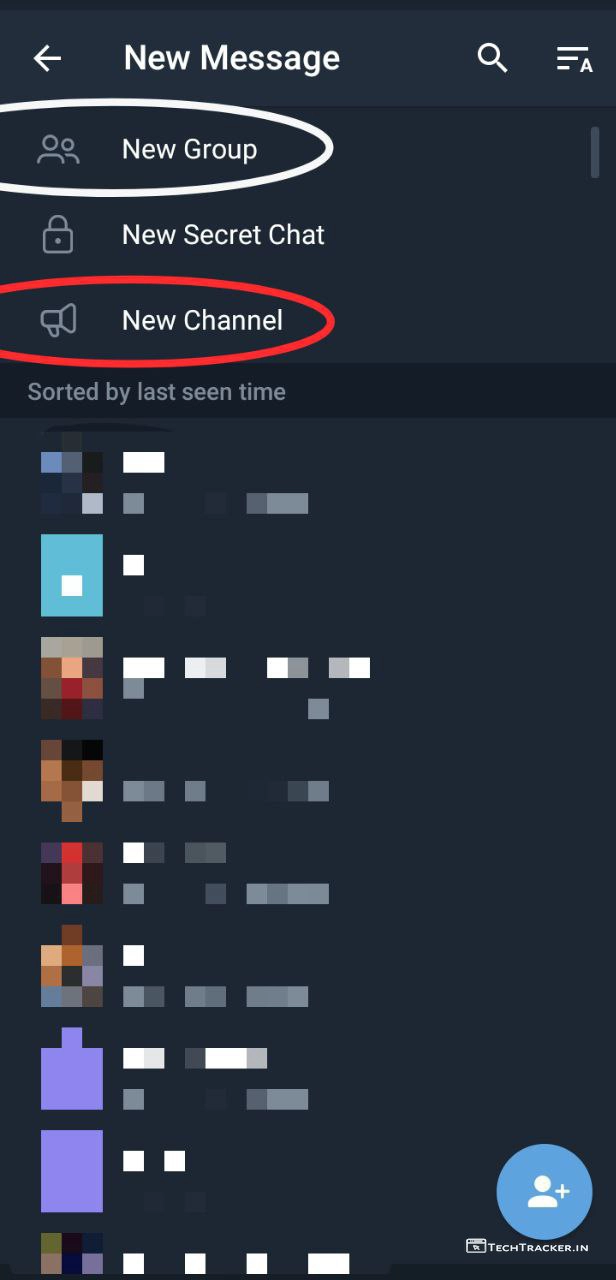
– Tap on New Group or New Channel.
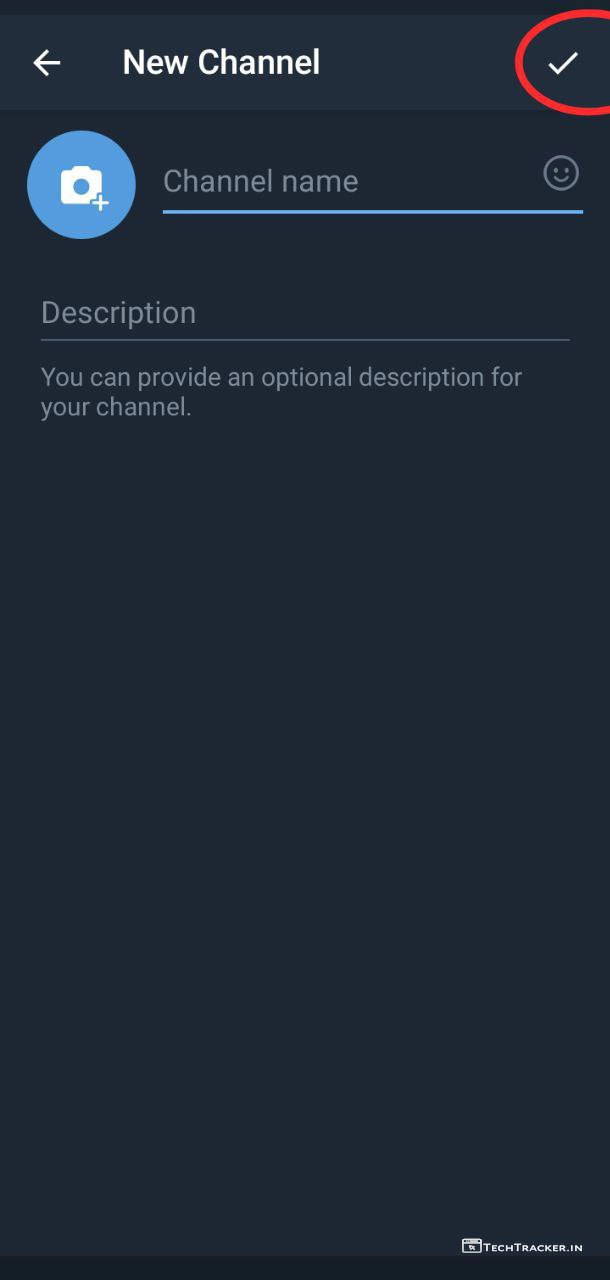
– Add Profile picture, Enter Channel name, Description then tap on ✓
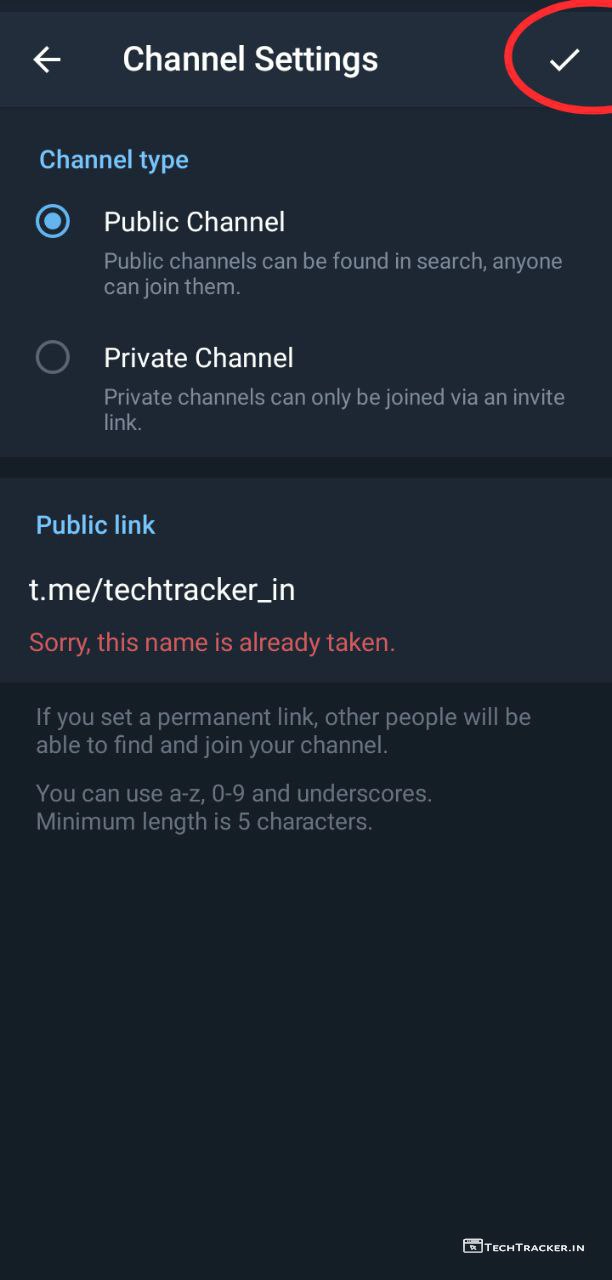
– Enter channel public username then tap on ✓
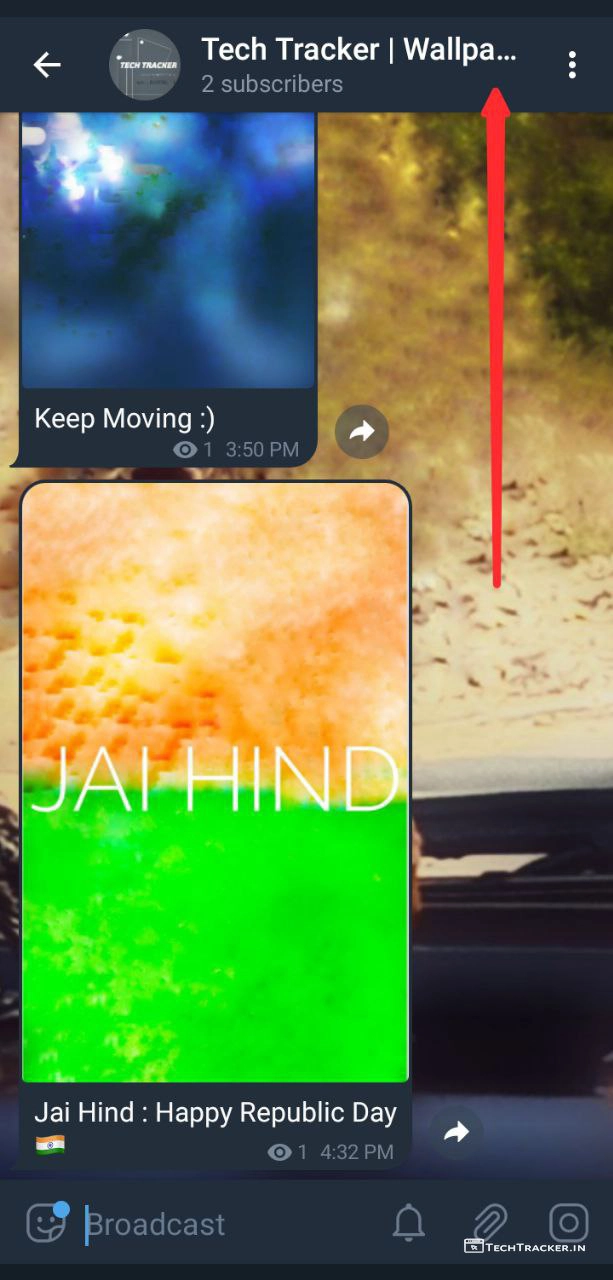
– Done, you successfully created Telegram channel or group.
– Just tap on Telegram channel or group name.
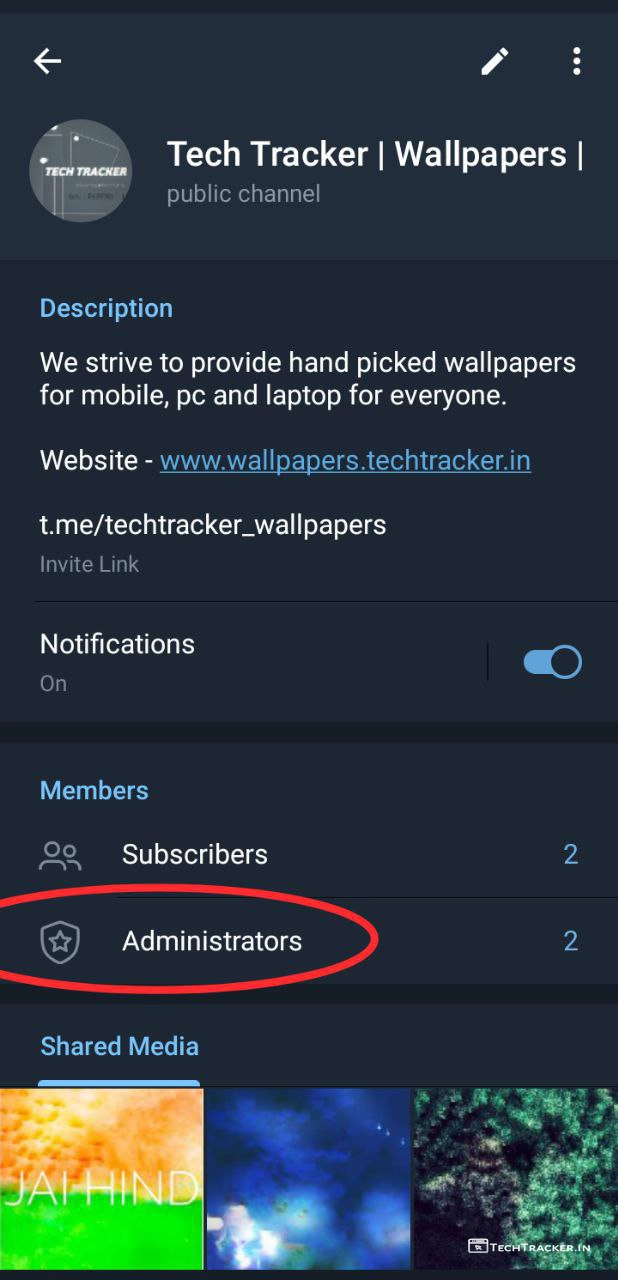
– Tap on Administrators
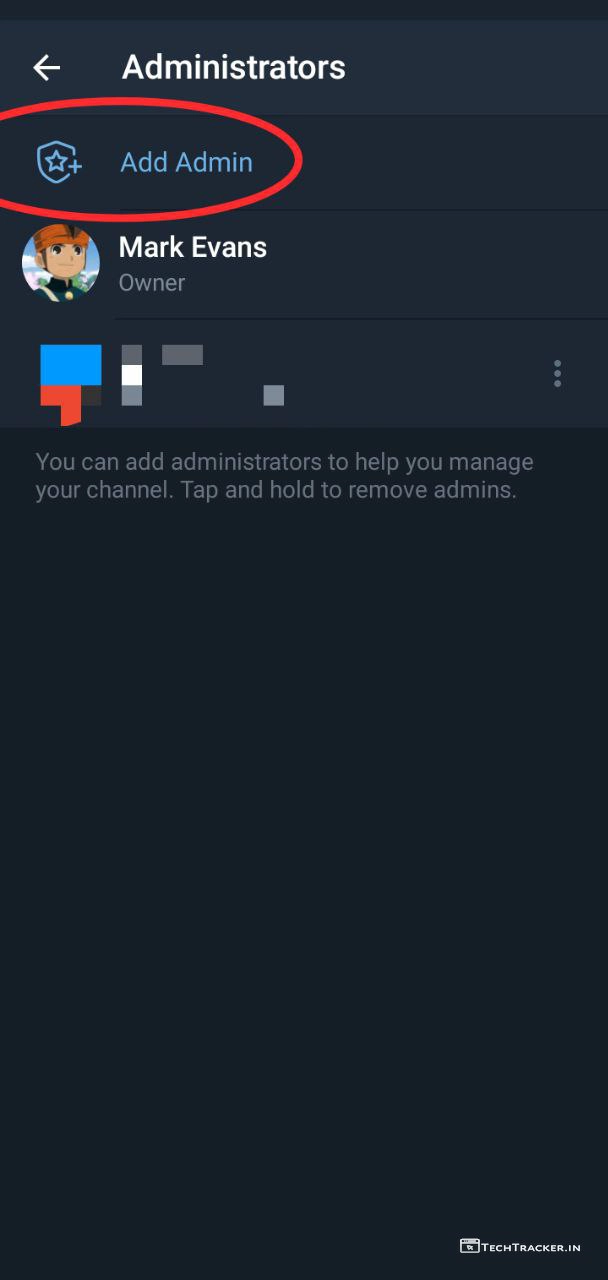
– Tap on Add Admin
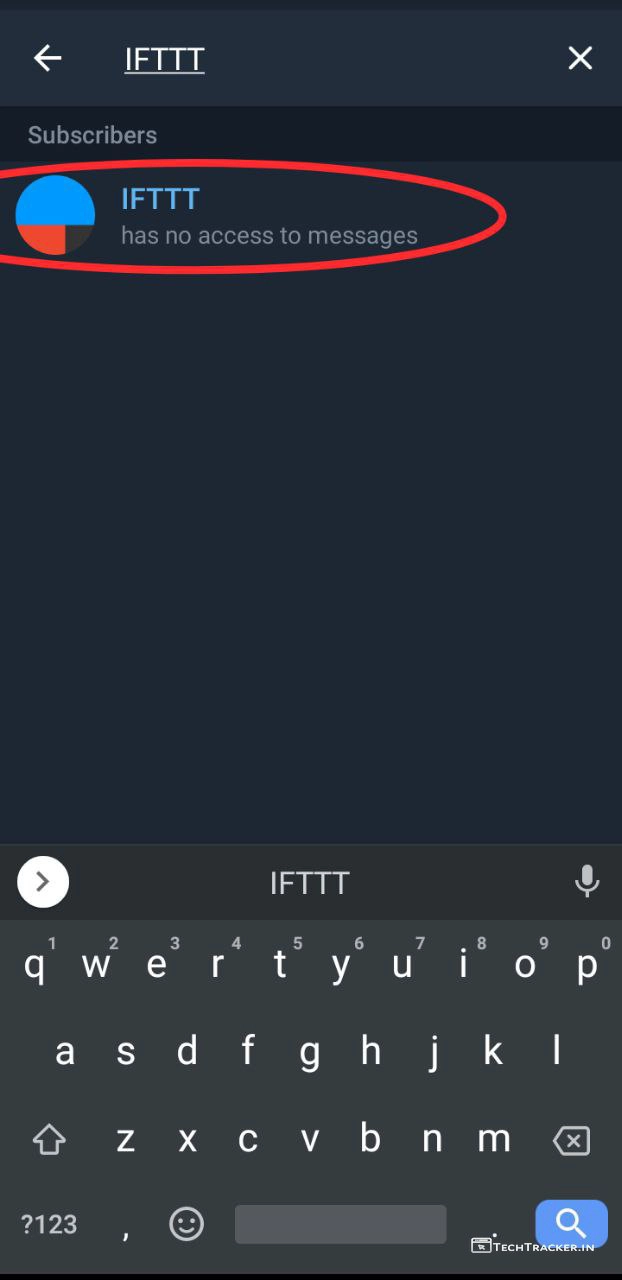
– Enter IFTTT Tap on IFTTT bot.
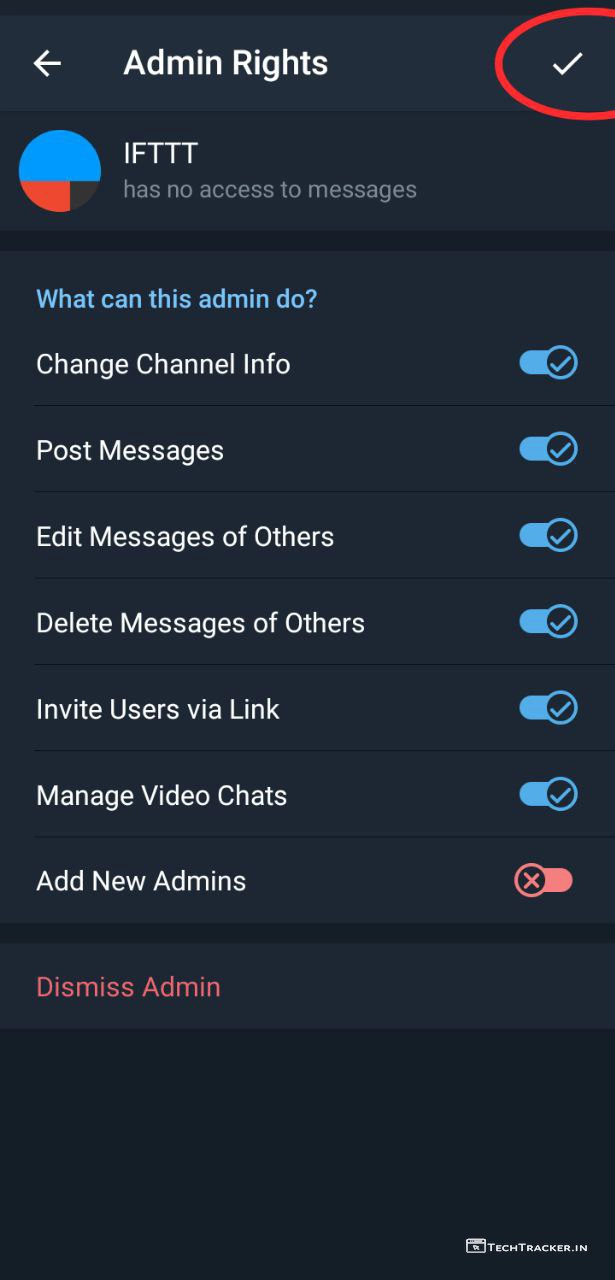
– Enable all Admin rights then tap on ✓
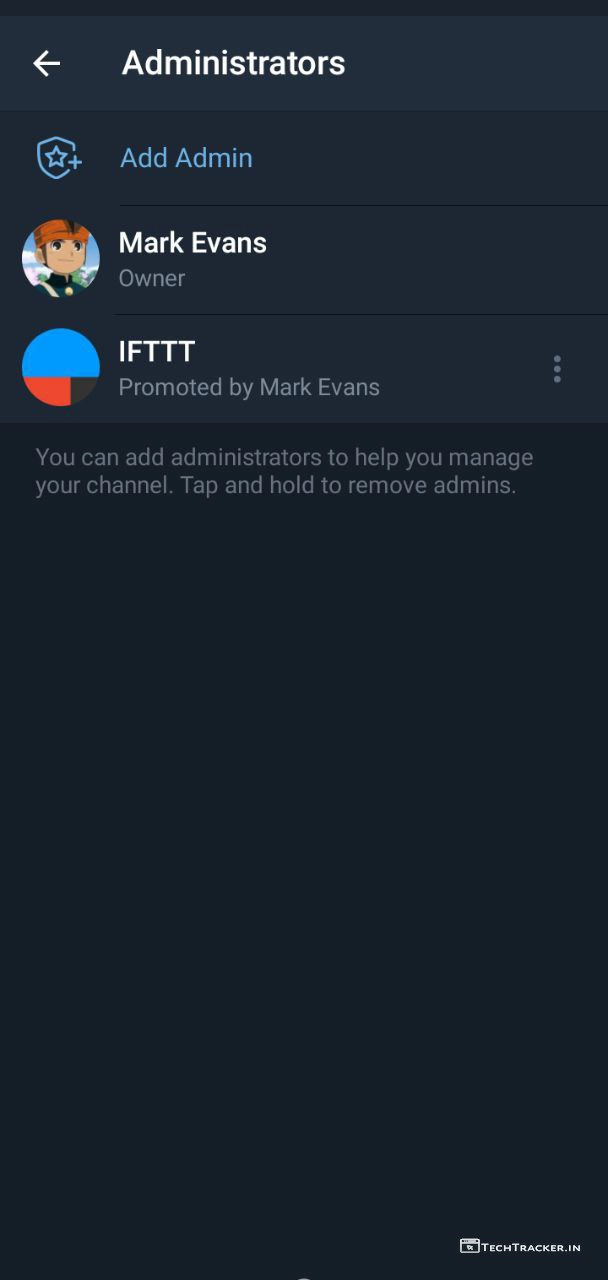
– You added IFTTT bot to your Telegram channel or group, now open IFTTT bot.
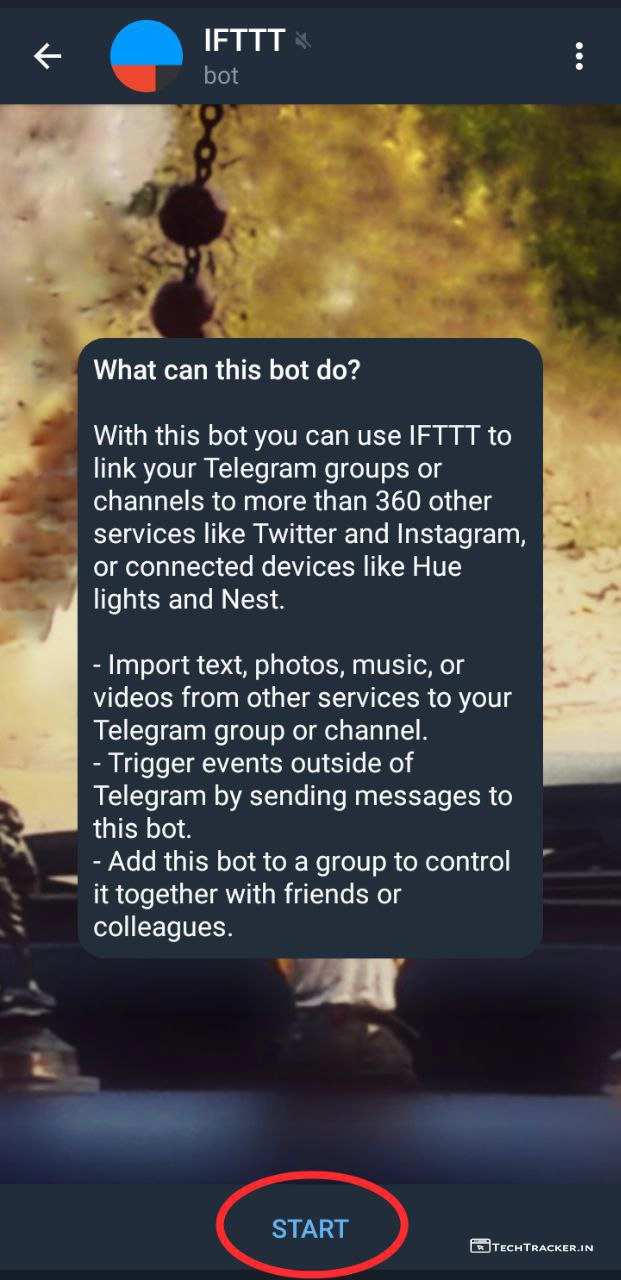
– Tap on START
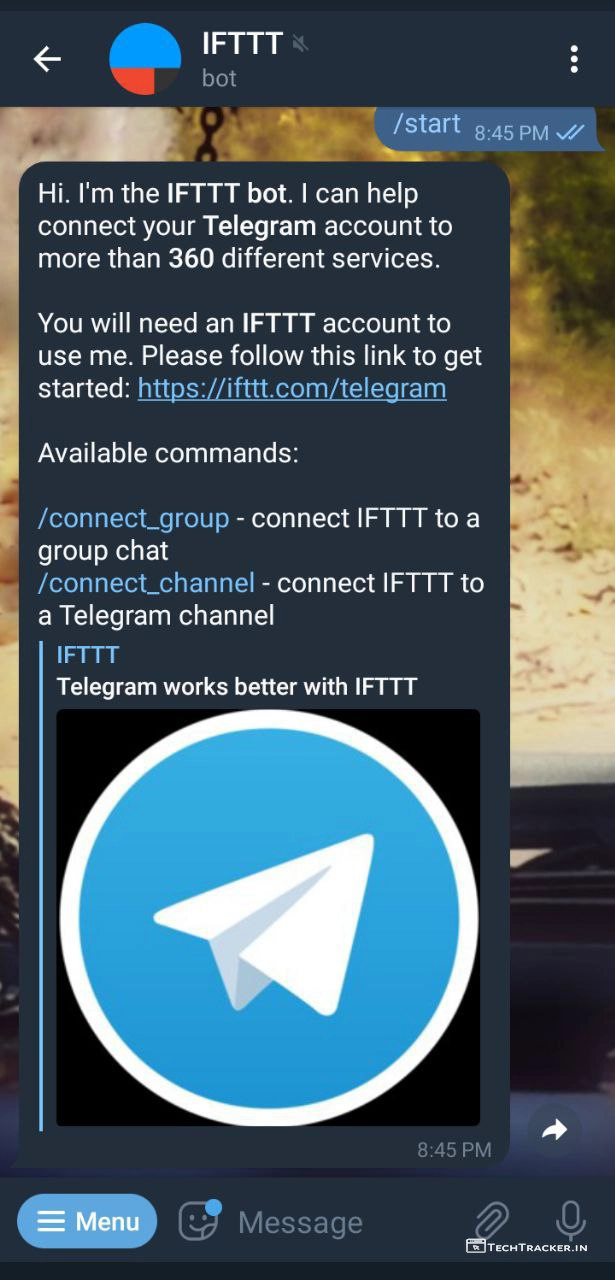
– if you have group tap on /connect_group else if channel tap on /connect_channel.
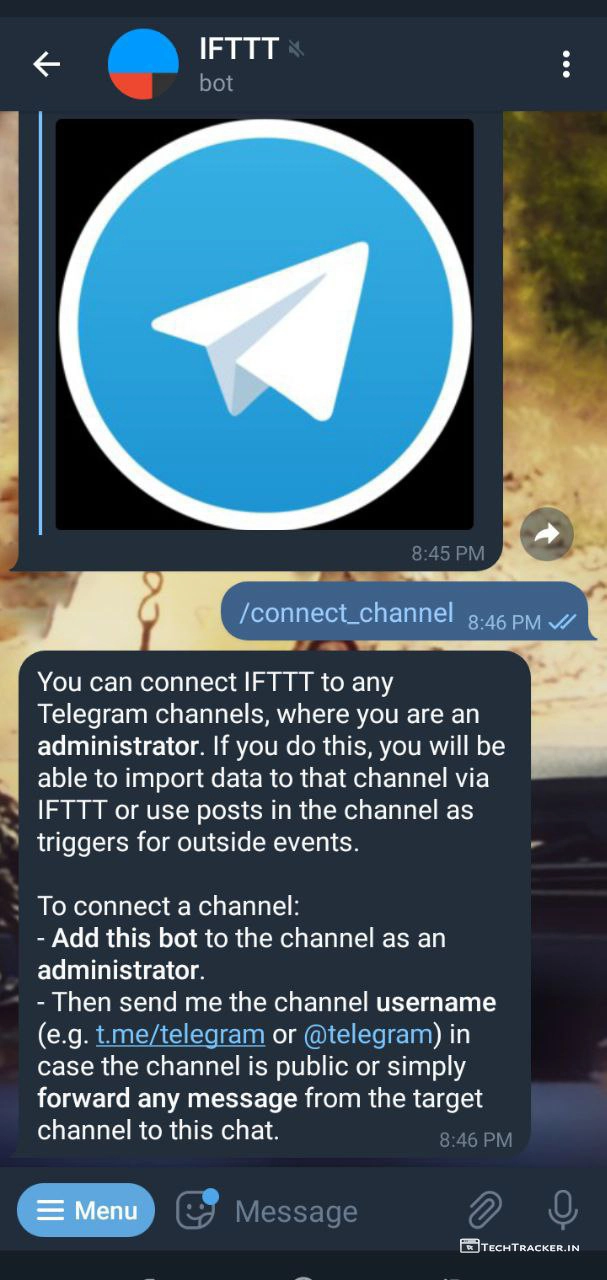
– Now, send your telegram channel or group username or link to IFTTT bot.
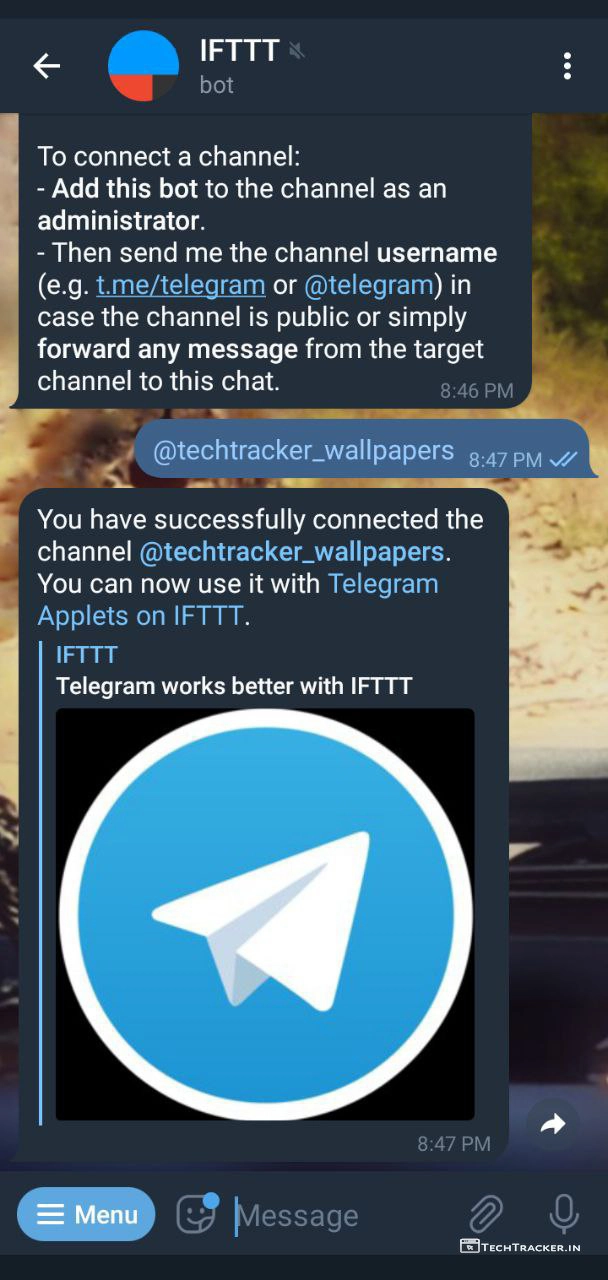
– Once sent, You successfully connected Telegram channel or group to IFTTT bot.
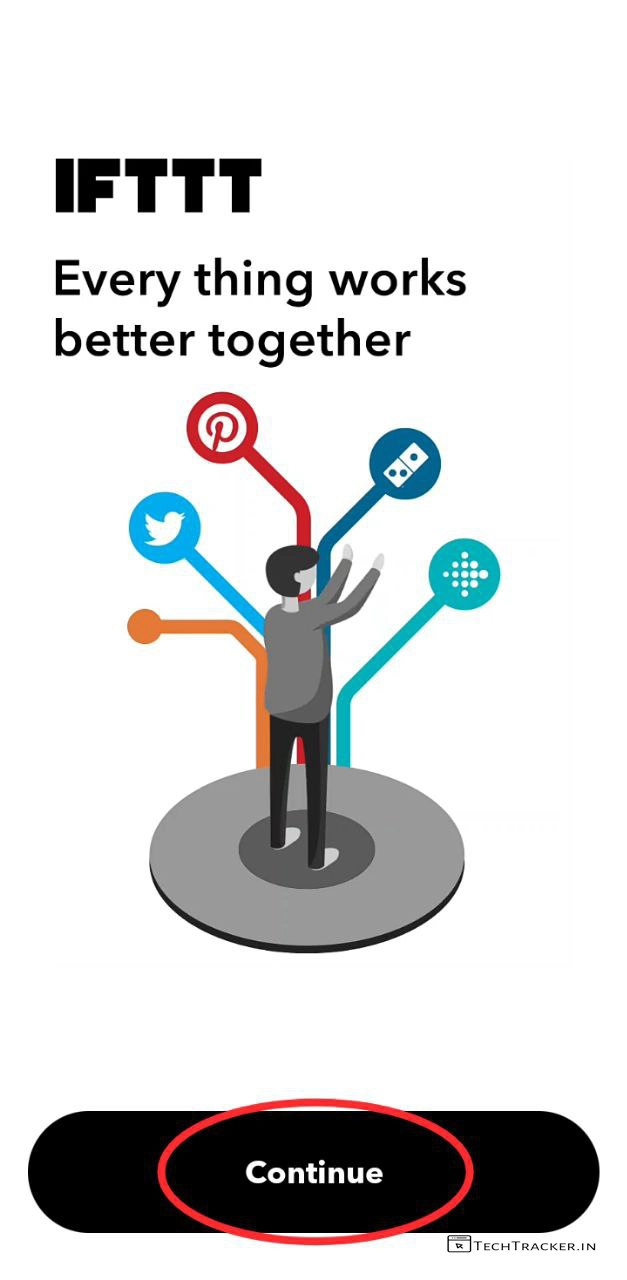
– it’s time, open IFTTT app then tap on Continue
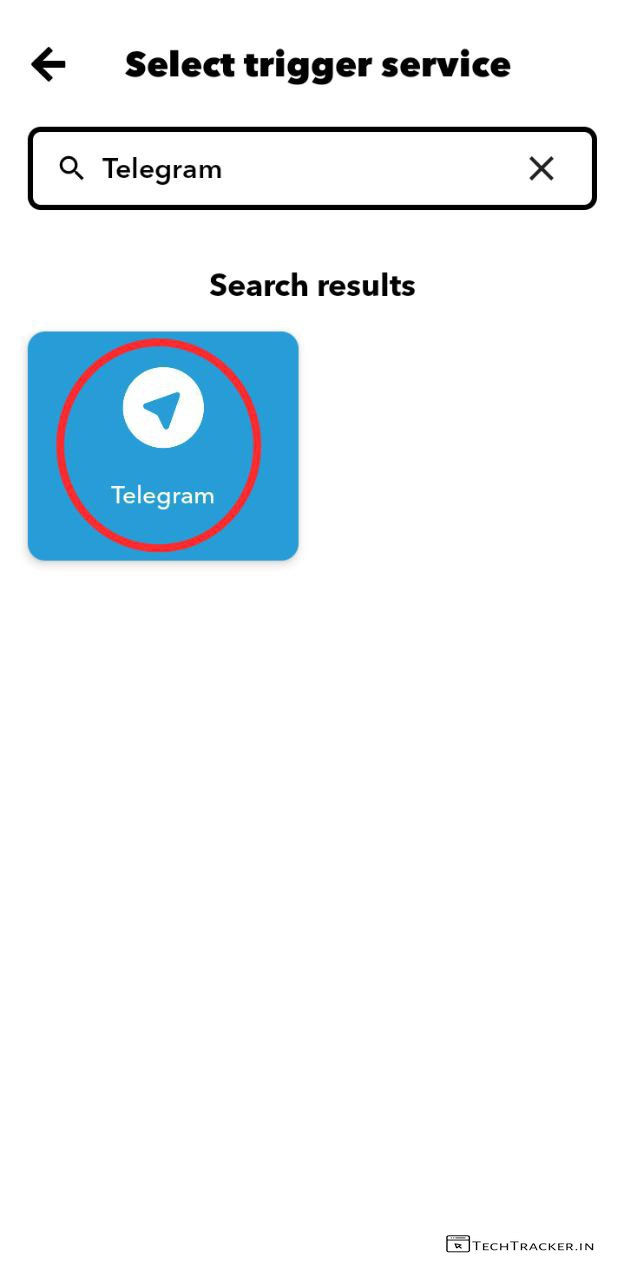
– Enter and search for Telegram then tap on Telegram.
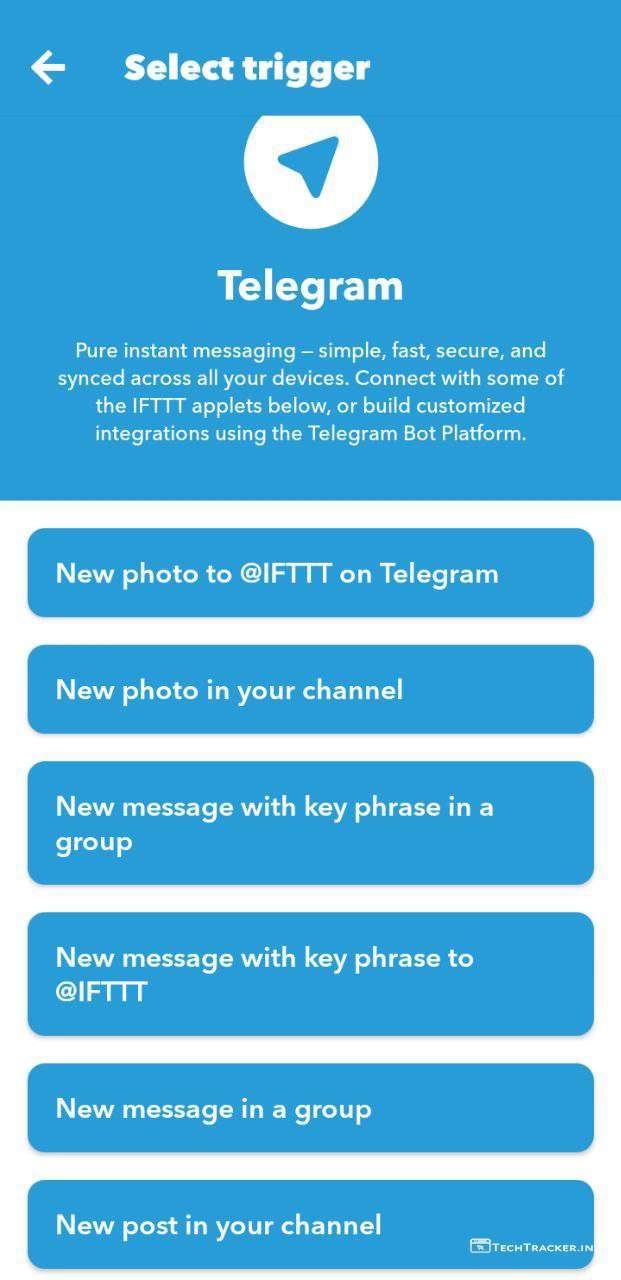
– You can choose whichever trigger you like based on your requirements.
– I selected New photo in your channel.
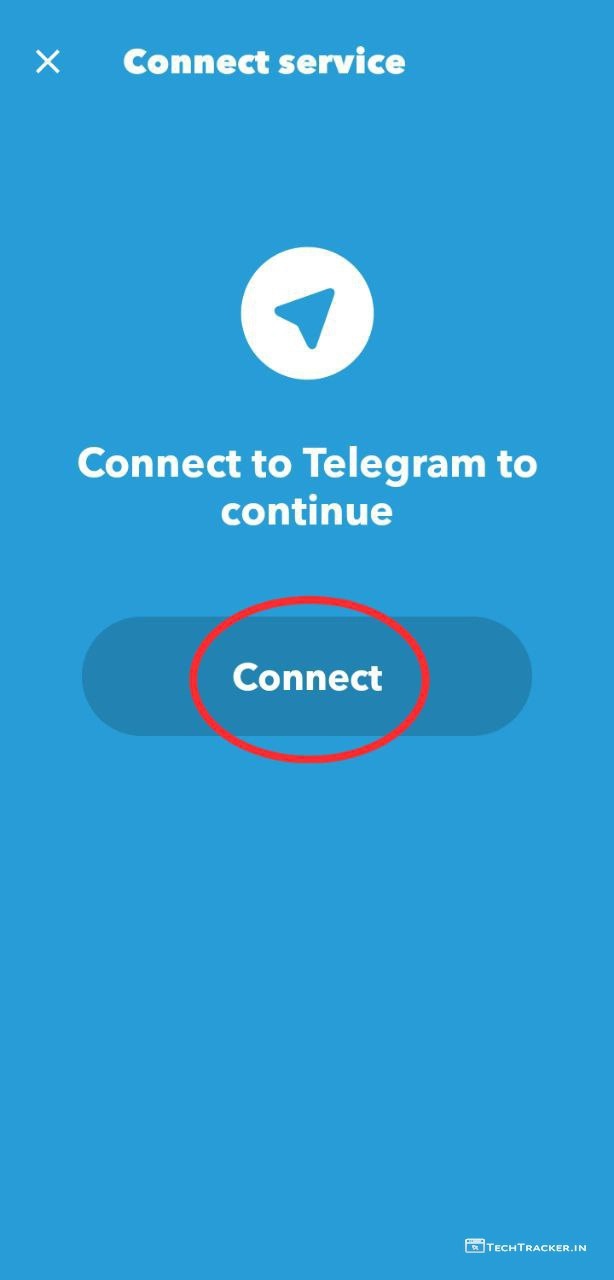
– Tap on Connect
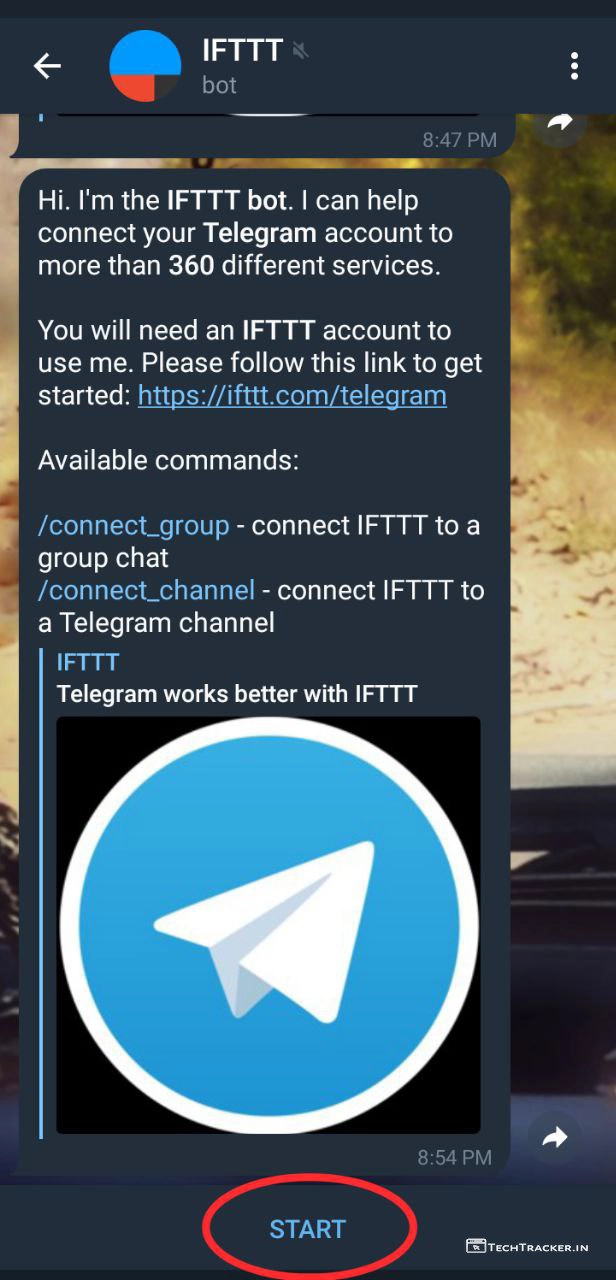
– You will be redirected to IFTTT bot, just tap on START
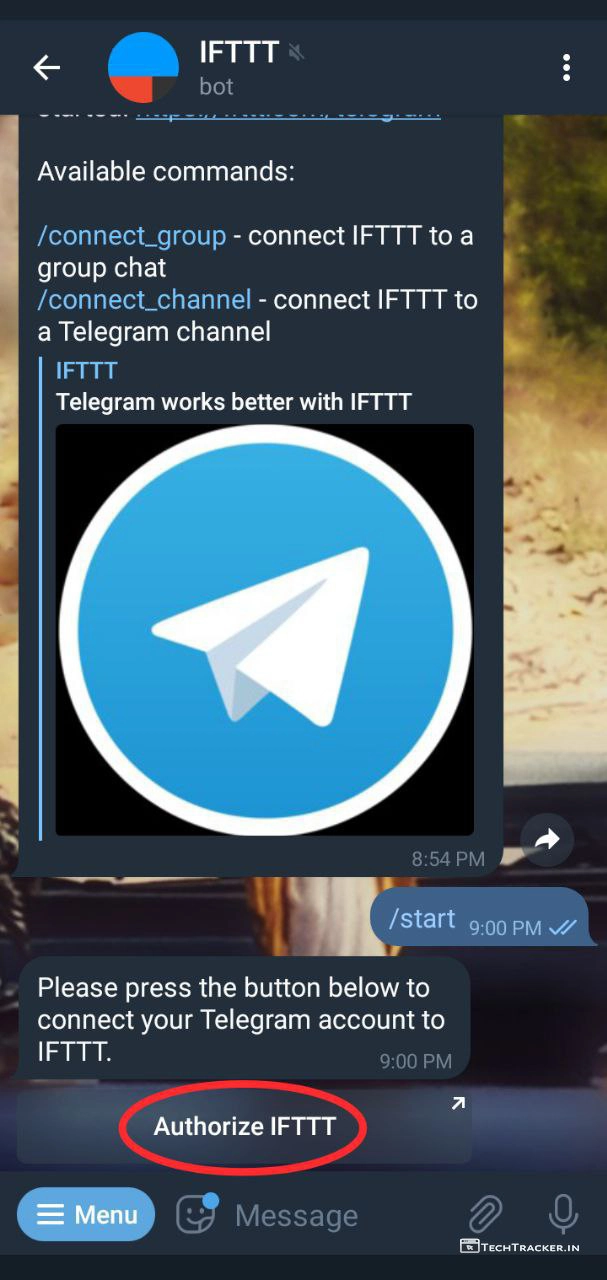
– Tap on Authorize IFTTT
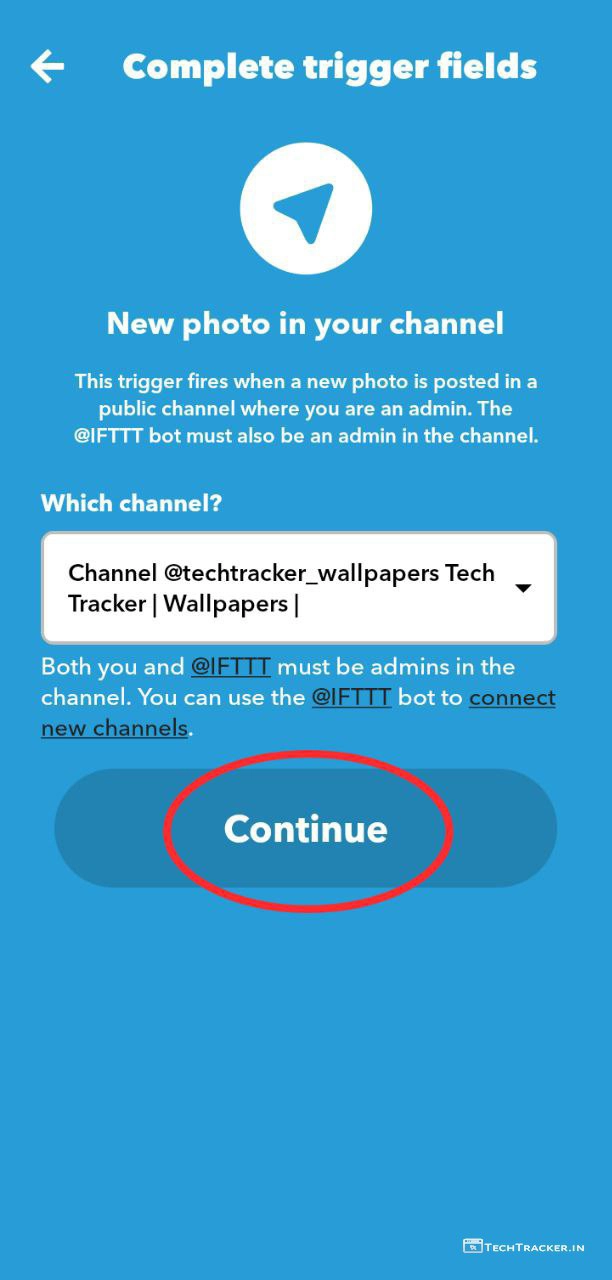
– Select the channel that you earlier created from list and tap on Continue
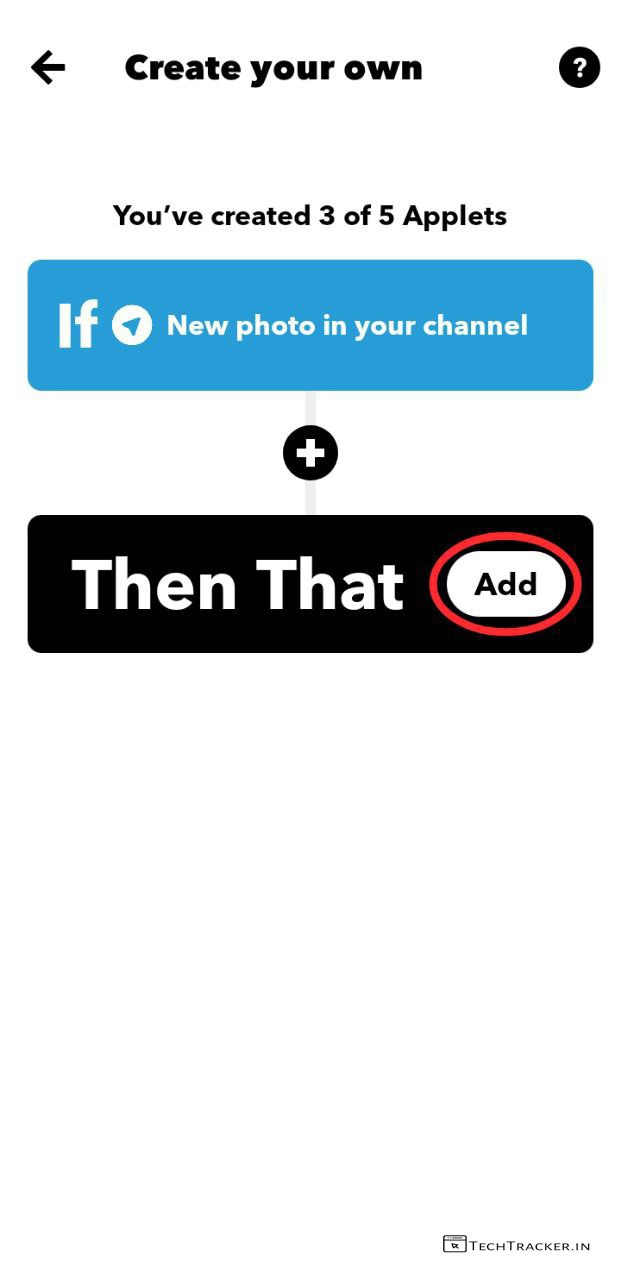
– Tap on Add
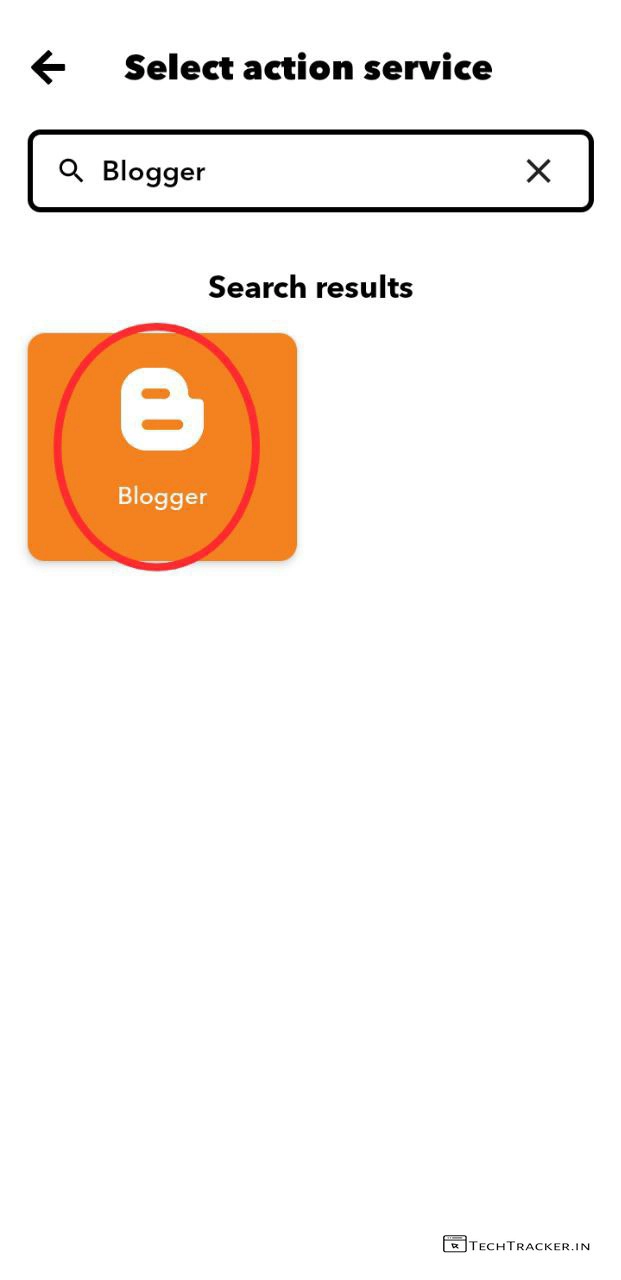
– Enter and search for blogger and tap on Blogger.
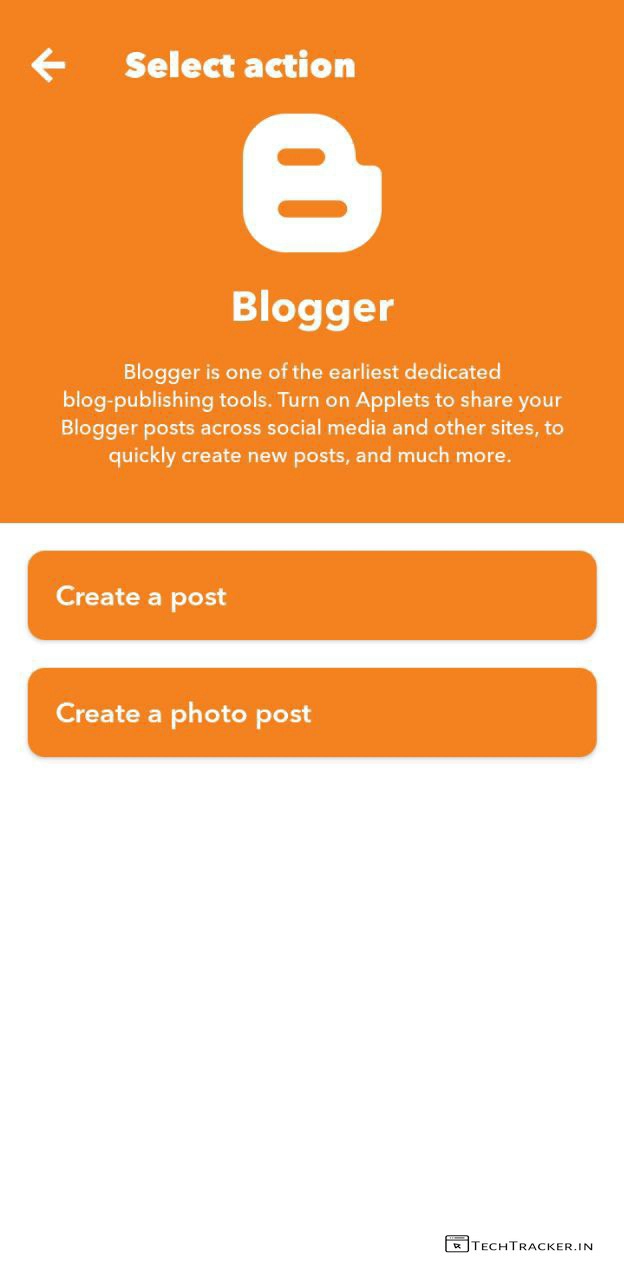
– Tap on Create a post or Create a photo post based on your requirements.
– I suggest you to select Create a post.
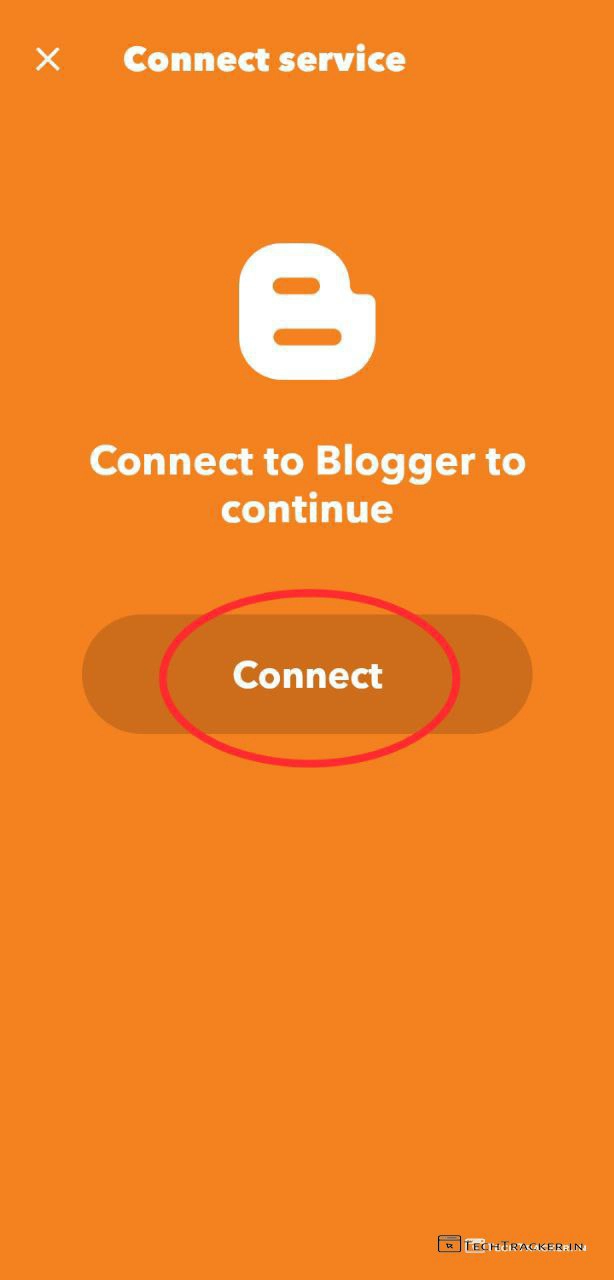
– Now, you have to connect your blogger site with IFTTT, tap on Connect
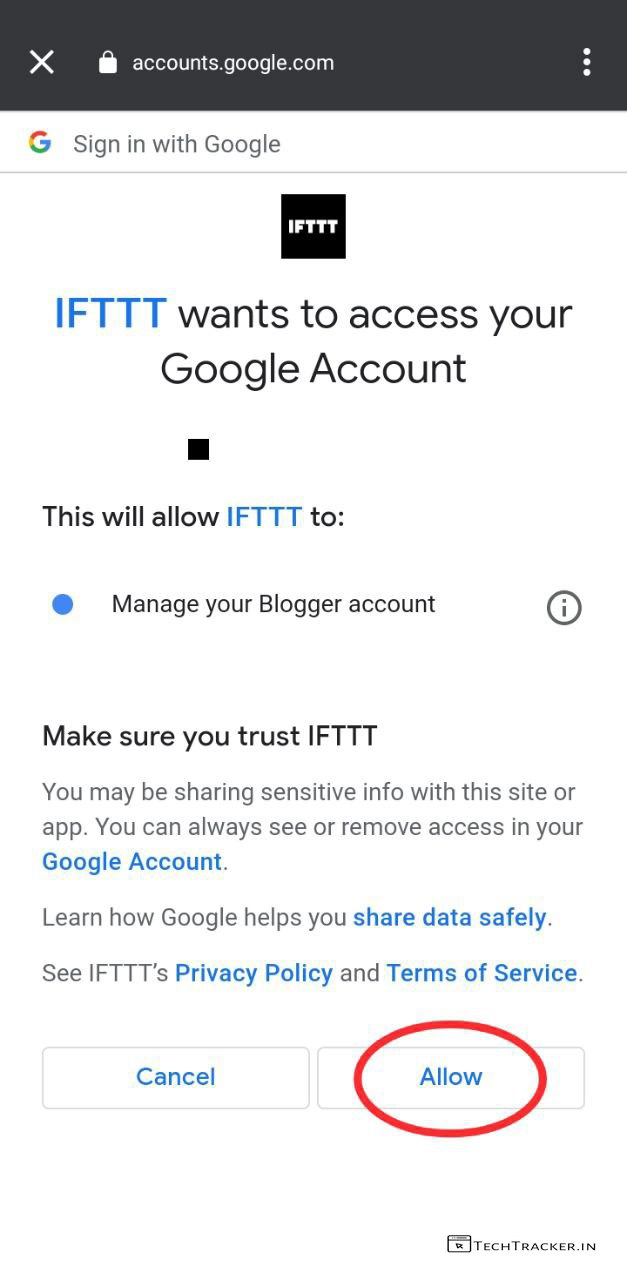
– Select your blogger site gmail id and give access to IFTTT, tap on Allow
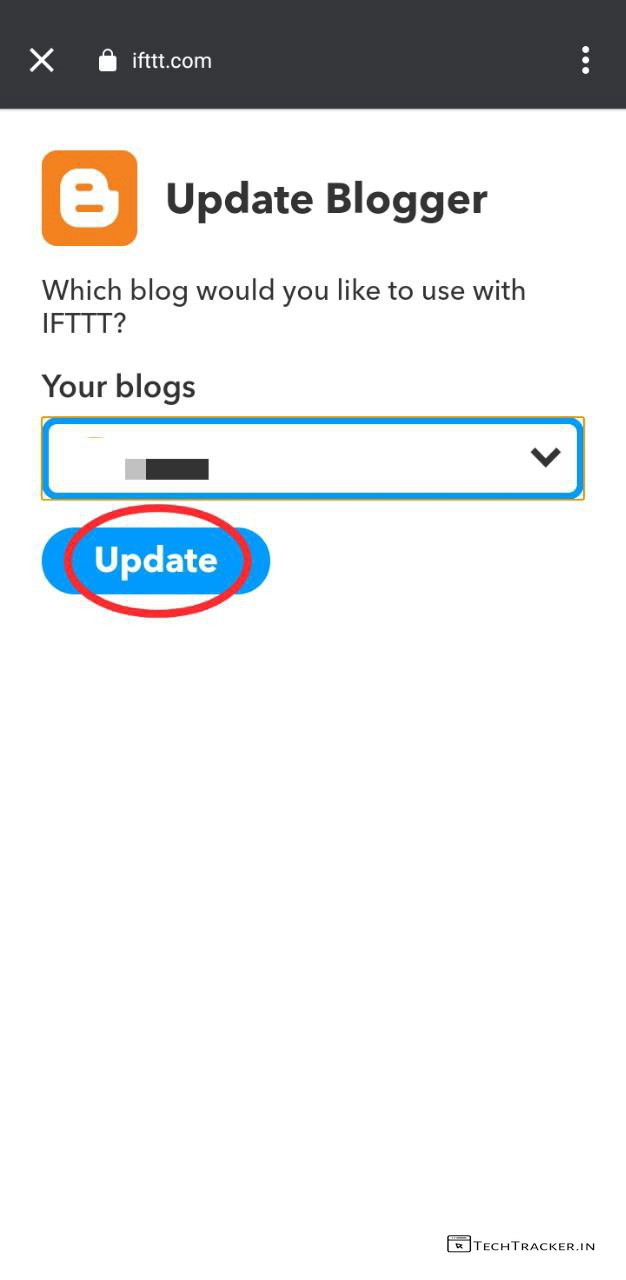
– Select your blogger site from list.
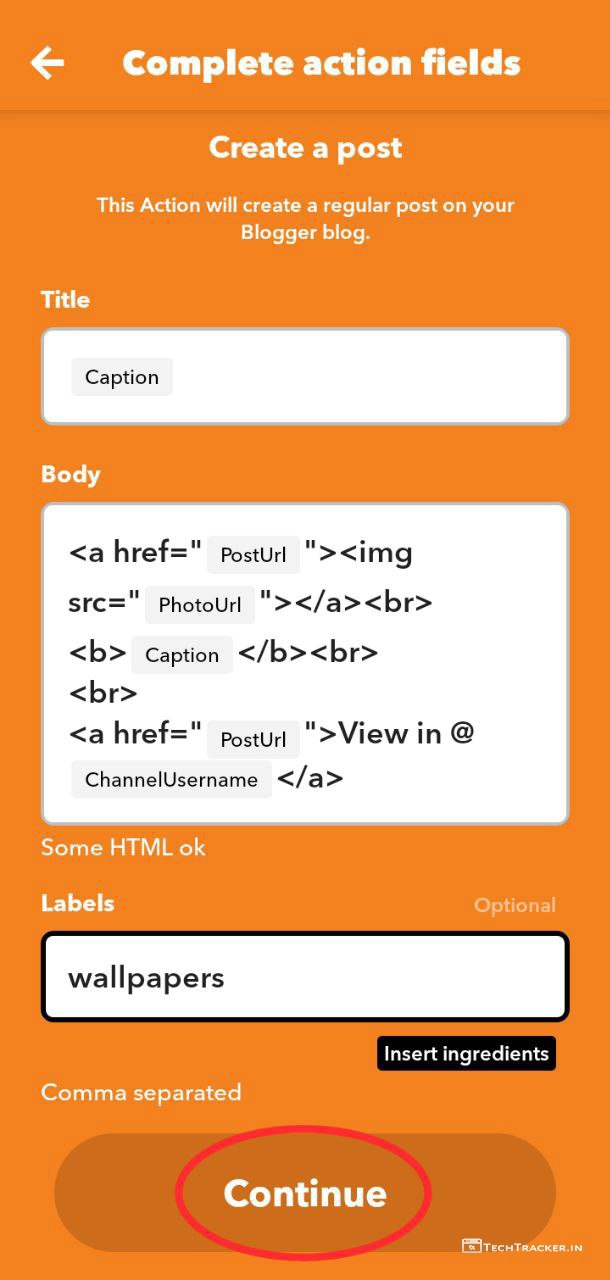
– Customize Title, Body, Labels then tap on Continue.
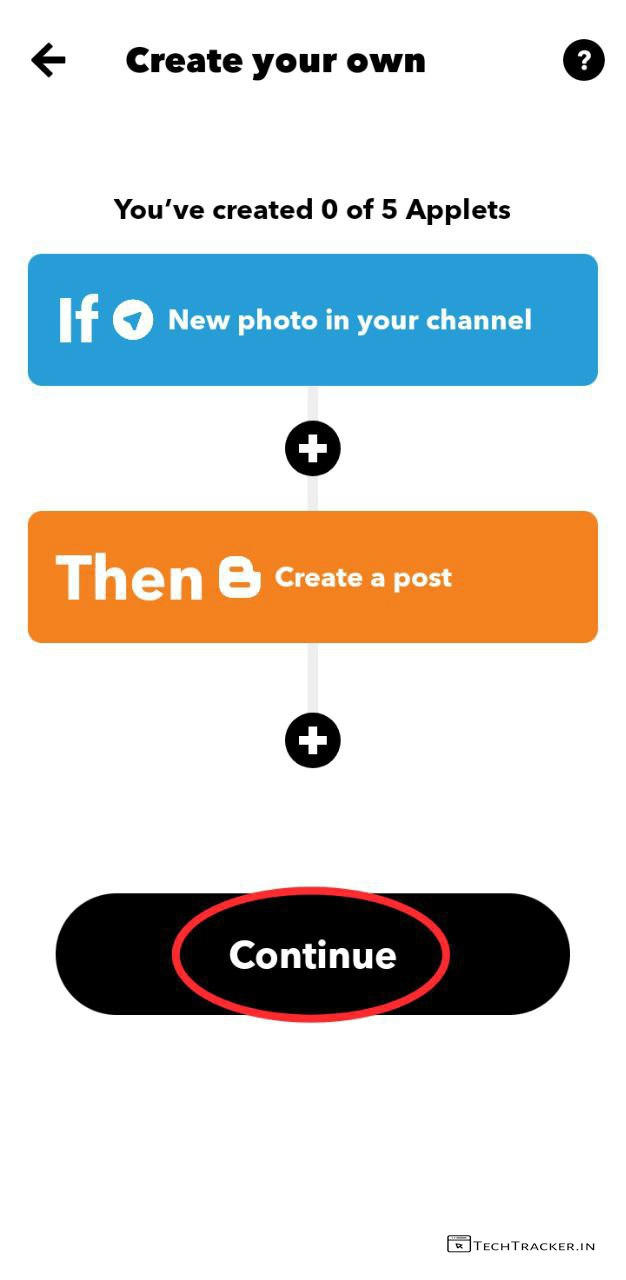
– Tap on Continue
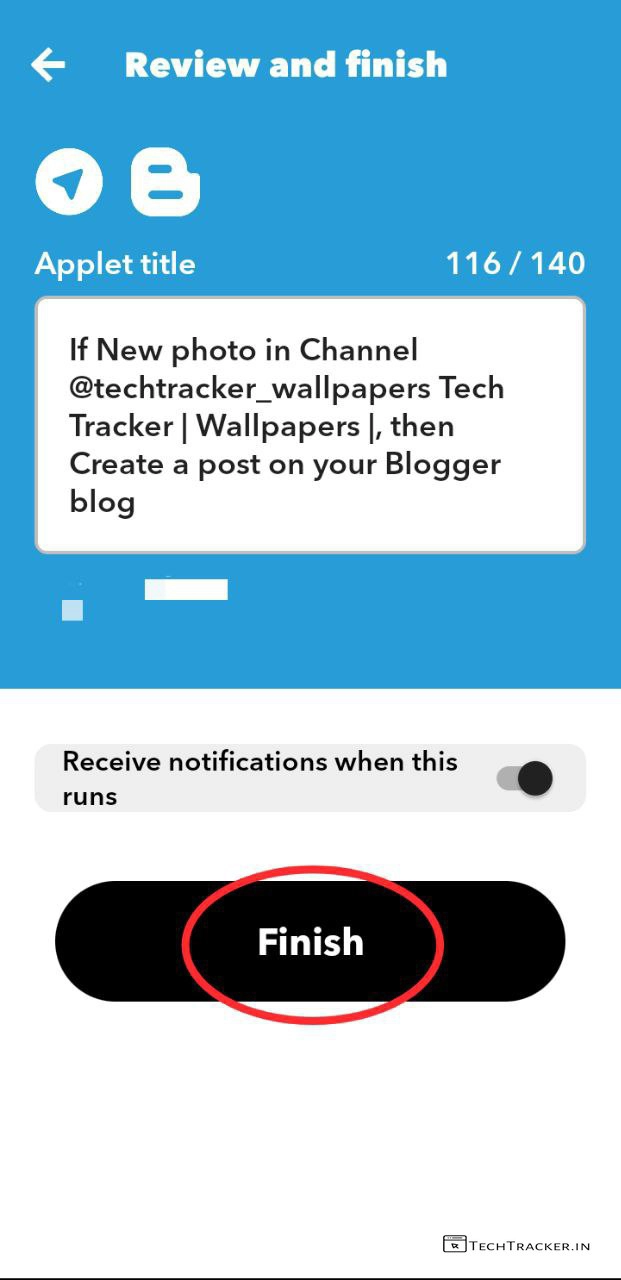
– Enable : Receive notification when this runs to check either it’s working or not.
– Tap on Finish
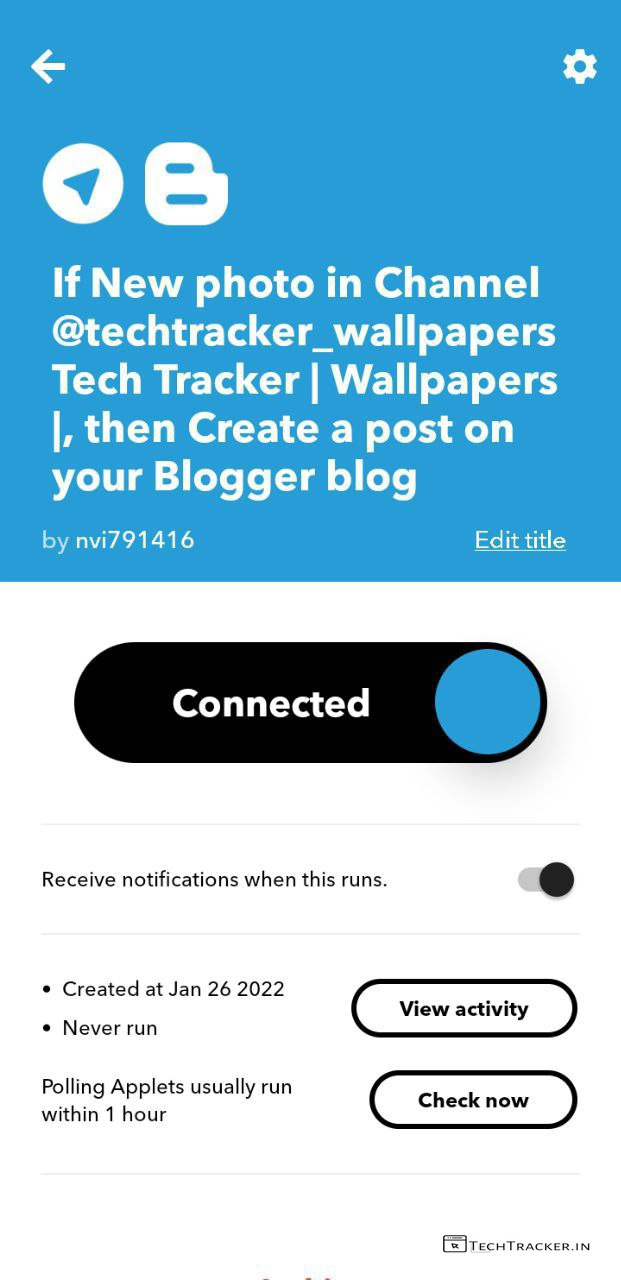
– Voila, Connected now onwards whenever you add a new post in your telegram group or channel, IFTTT automatically publish it on your blogger site Instantly.
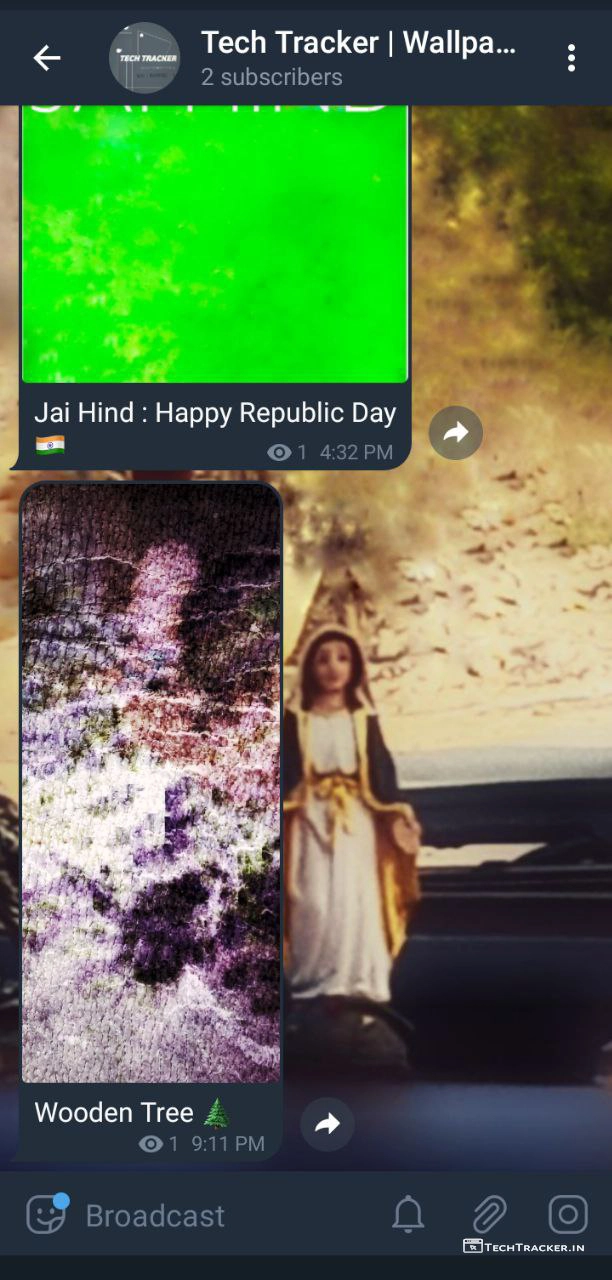
– Let’s test, Go to your Telegram group or channel where you connect IFTTT bot and sent any photo or post with text.
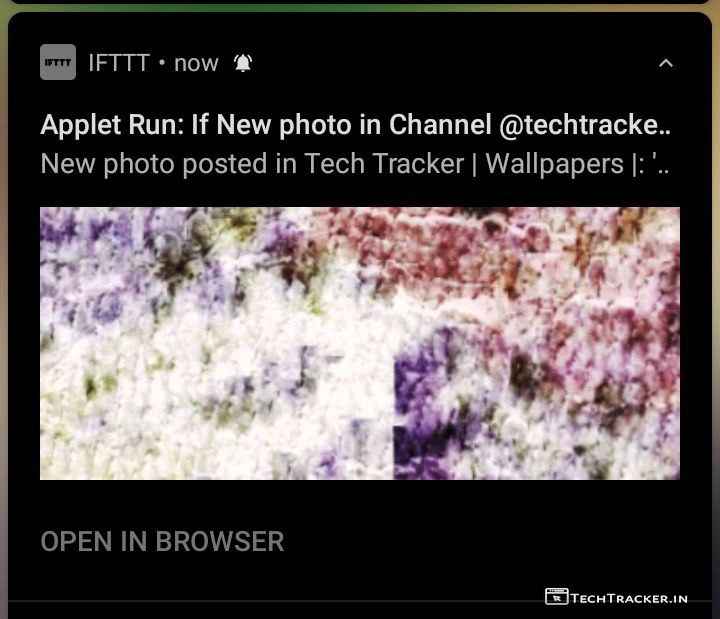
– if IFTTT is working then you will get this Applet run notification on your device.

– Go to your blogger site to check new post, I use IFTTT service on my wallpaper website, you can check it out.
Atlast, this are just highlighted features of IFTTT tgere may be many hidden features in-build that provides you external benefits to give the ultimate usage experience, so if you want to automatically publish new posts of Telegram channel or group on blogger website then IFTTT can do the work for you in ease.
Overall, you can easily connect telegram with blogger using IFTTT thanks to well designed intuitive design with clean and simple interface that ensures user friendly experience on every corner, but in any project there is always space for improvement so let’s wait and see will IFTTT get any major UI changes in future to make it even more better, as of now IFTTT is super cool.
Moreover, it is very important to mention IFTTT supports 360+ apps for automation and IFTTT. Is one of the very few platforms where you can connect Telegram to blogger, yes indeed if you’re searching for such platform then IFTTT has potential to become your new favorite.
Finally, this is how you can connect Telegram with blogger to automatically publish new posts of telegram channel on blogger site, are you an existing user of IFTTT? If yes do say your experience and mention which feature you like the most in our comment section below, see ya 🙂