

Cloudflare is popular global network where you can add your website and protect it from DDoS attacks, bots, malwares, viruses etc even speed up your website and make it more secure with cloudflare fast servers which are available world wide 24/7 with best uptime due to this facility majority of bloggers and developers use Cloudflare to get numerous benefits and features from Cloudflare.com
However, Cloudflare technology is only limited to protecting websites, apps etc prior 2018 but after that Cloudflare created a VPN named 1.1.1.1 which encrypts dns requests and all device traffic through Cloudflare modern protocol technology to protect and secure Andriod, iOS, Mac, Linux device users from hackers malwares, phishing, crypto mining etc, this is why millions of users use 1.1.1.1 vpn every day.
Cloudflare 1.1.1.1 with warp mode provide faster and safer internet for privacy so no one should be able to snoop on your internet usage, but recently in india especially customers of Jio network were unable to connect 1.1.1.1 warp mode as Jio a telecom company owned by reliance conglomerate for some reason blocked 1.1.1.1 warp mode on its network.
While other india telecom networks like Airtel, Vi etc seems working due to this millions of Jio users has no choice other then use some other VPN to protect and secure themselves on Internet as there is no update or resolution from Cloudflare on this matter to fix this issue, so some users started complaining to Cloudflare on forums, but there is no progress yet.
Even though, 1.1.1.1 warp mode is not working but still you can connect to 1.1.1.1 warp+ mode using Cloudflare teams which is free and take few minutes to setup and get 1.1.1.1 warp+ on all your devices, alot of people were unaware of Cloudflare teams that’s why when ever they face issues with 1.1.1.1 warp mode they switch to 1.1.1.1 dns mode.
Now, to fix this 1.1.1.1 app warp mode not connecting issue we are going to show you detailed step by step instructions below on how to setup Cloudflare Teams for 1.1.1.1 app just follow them, so do you like it? wanna fix 1.1.1.1 warp mode using Cloudflare Teams? If yes let’s know little more info about it before we get started.
• Cloudflare official support •
– YouTube
Website – cloudflare.com
Email – mobile@cloudflare.com
• How to download 1.1.1.1 •
It is very easy to download 1.1.1.1 from these platforms for free.
– macOS
– Linux
– Windows
• How to setup Cloudflare for Teams and fix 1.1.1.1 warp mode not connecting error •
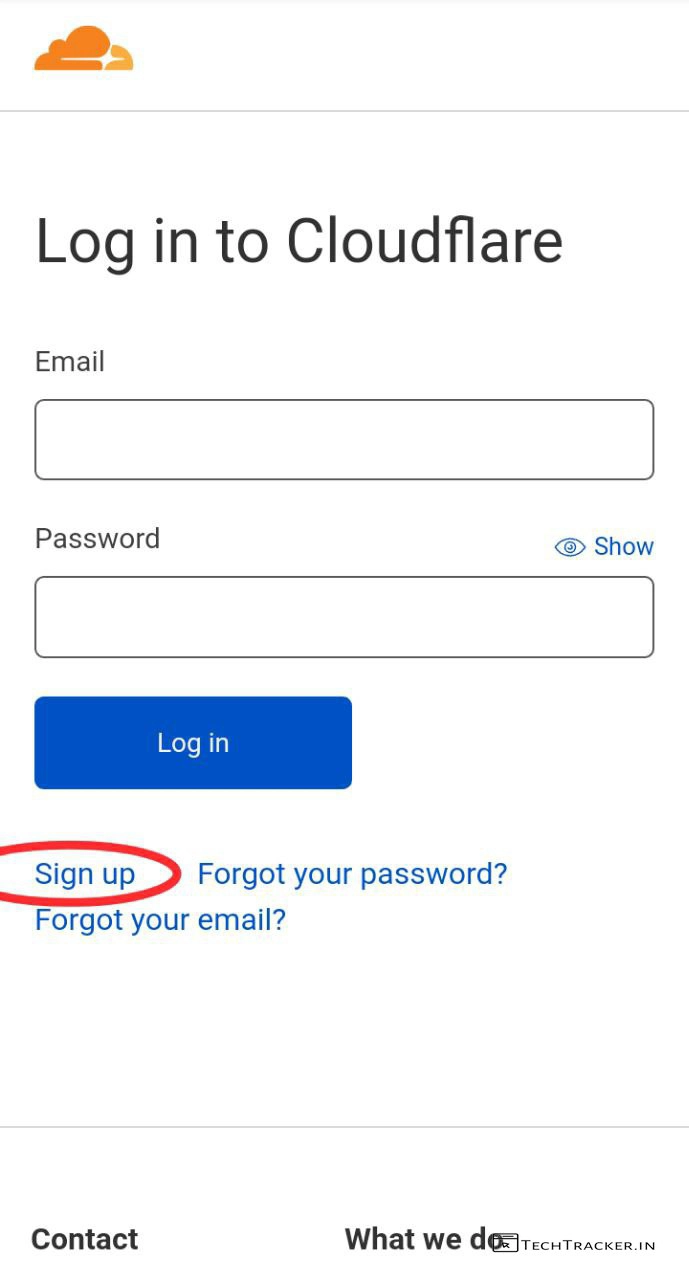
– Go to Cloudflare Teams and tap on Sign up.
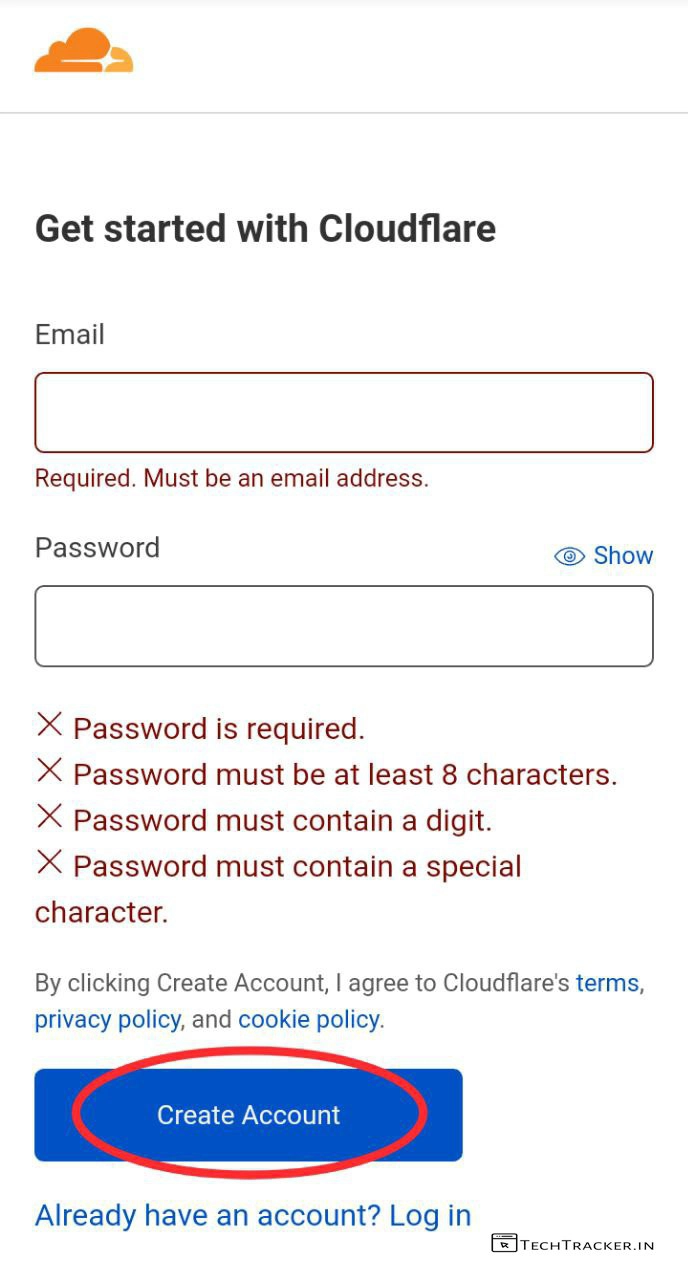
– Enter email, password and tap on Create Account.
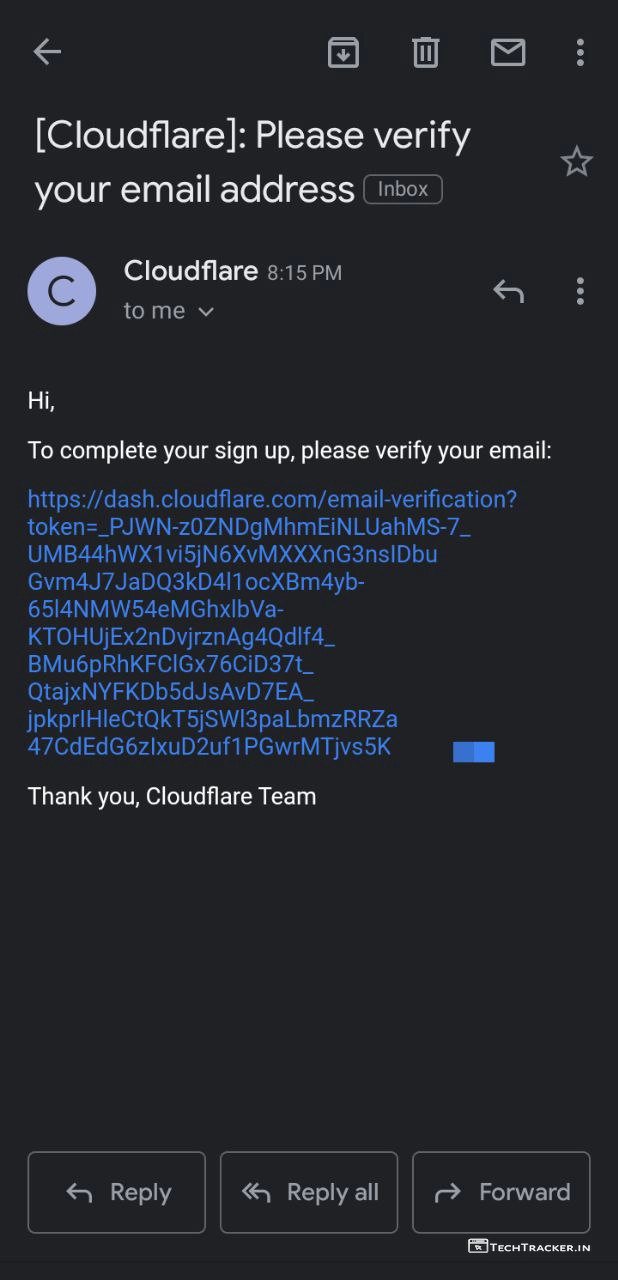
– You will receive verification link to your email, just find it and tap on link.
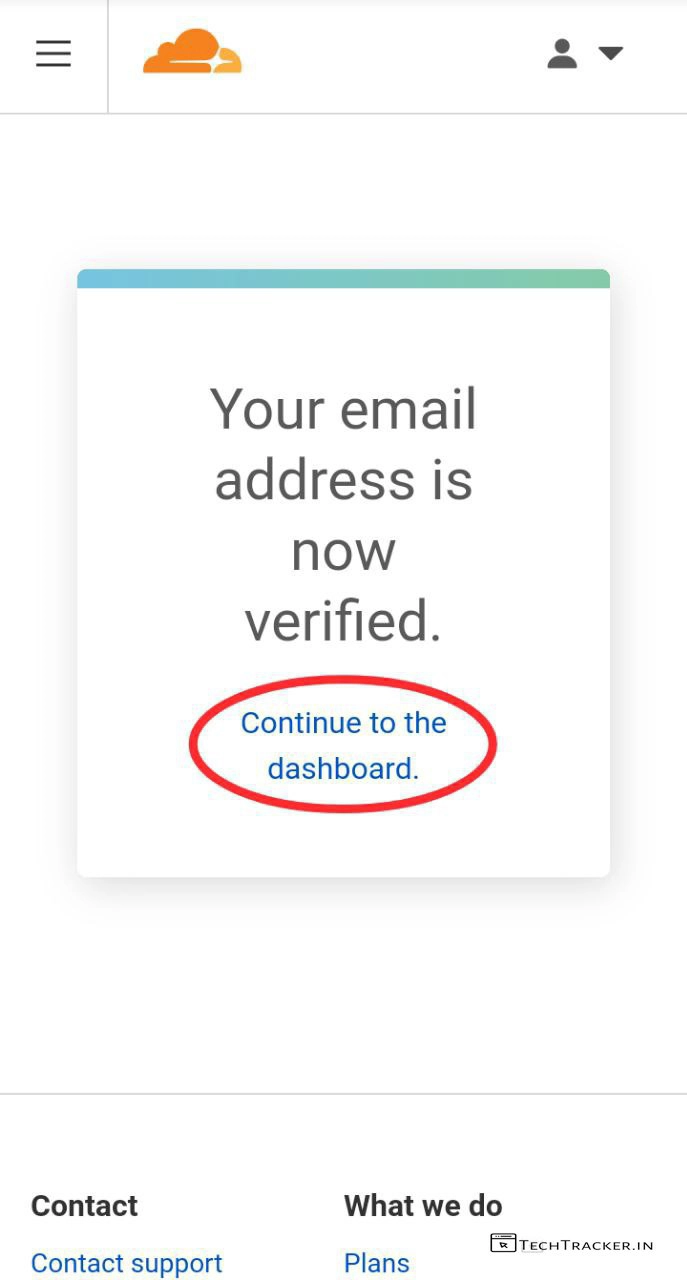
– Your email is successfully verified, tap on Continue to dashboard.
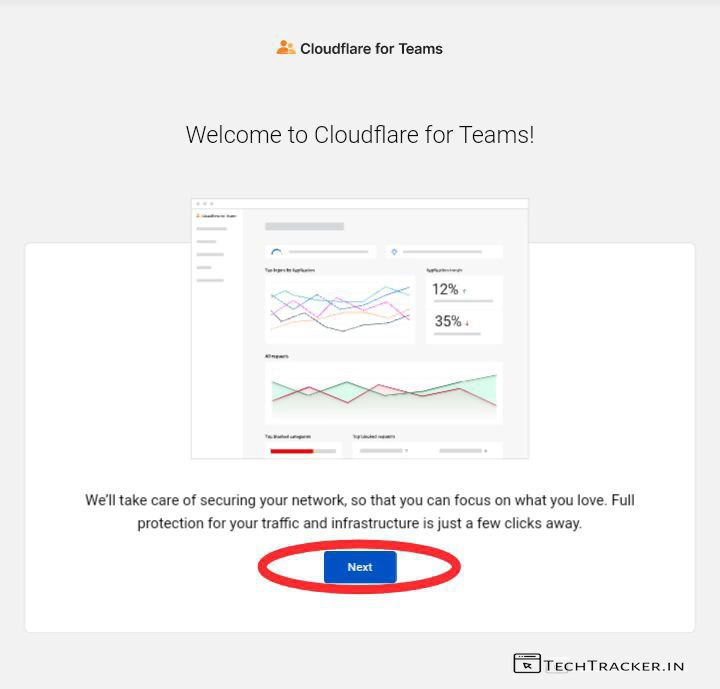
– Welcome to Cloudflare for Teams! Just tap on Next
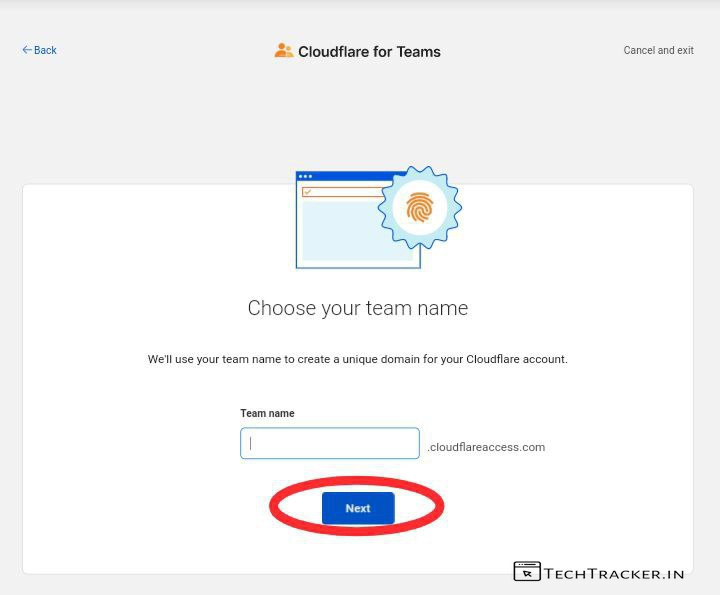
– Enter Team name and tap on Next
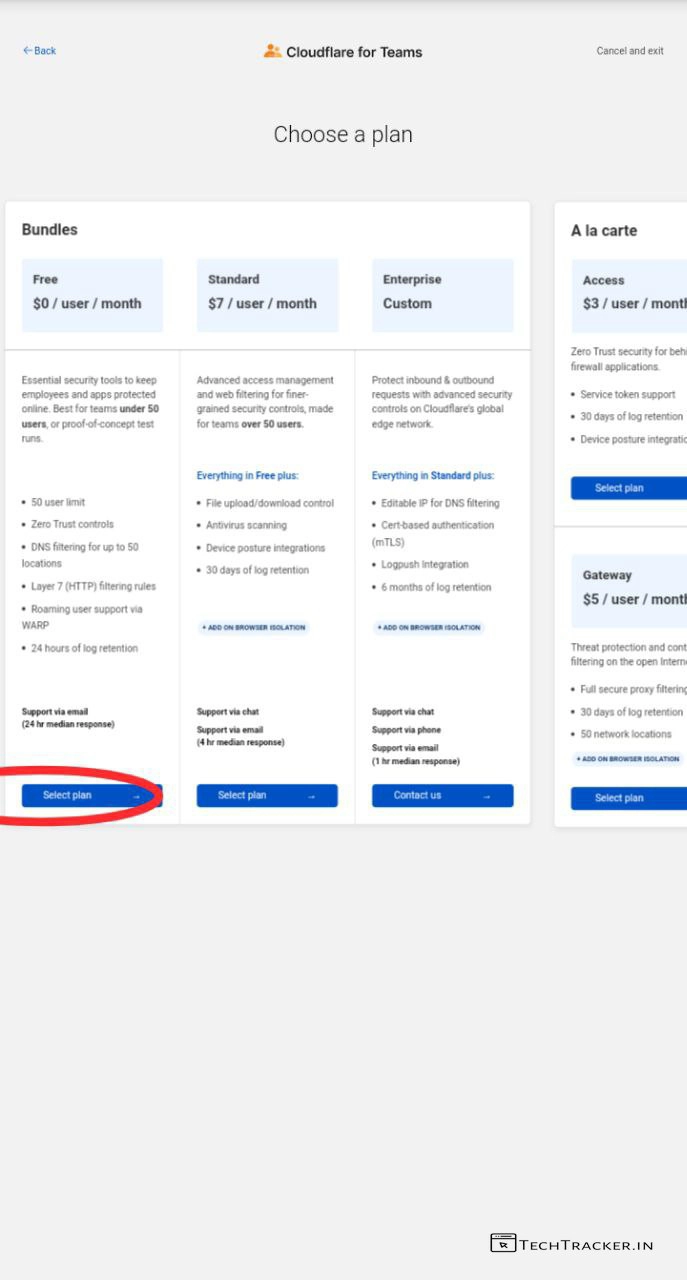
– Select 0$ free plan, which is enough!
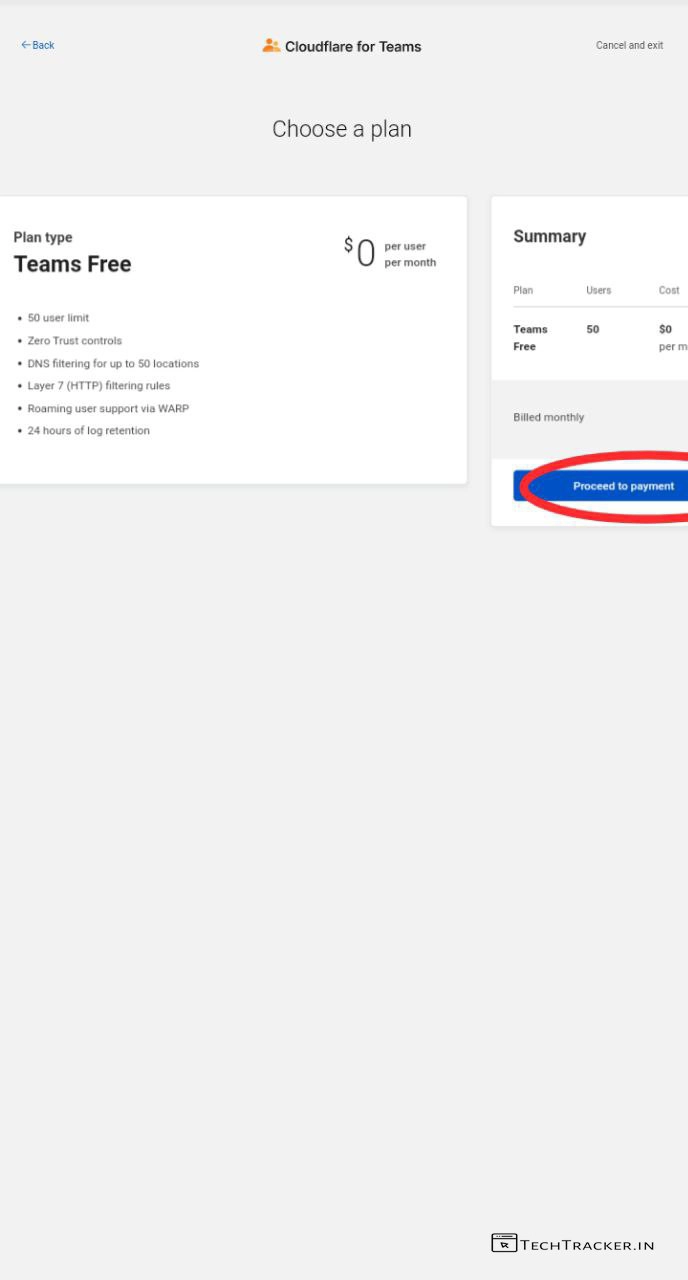
– Tap on Proceed to payment
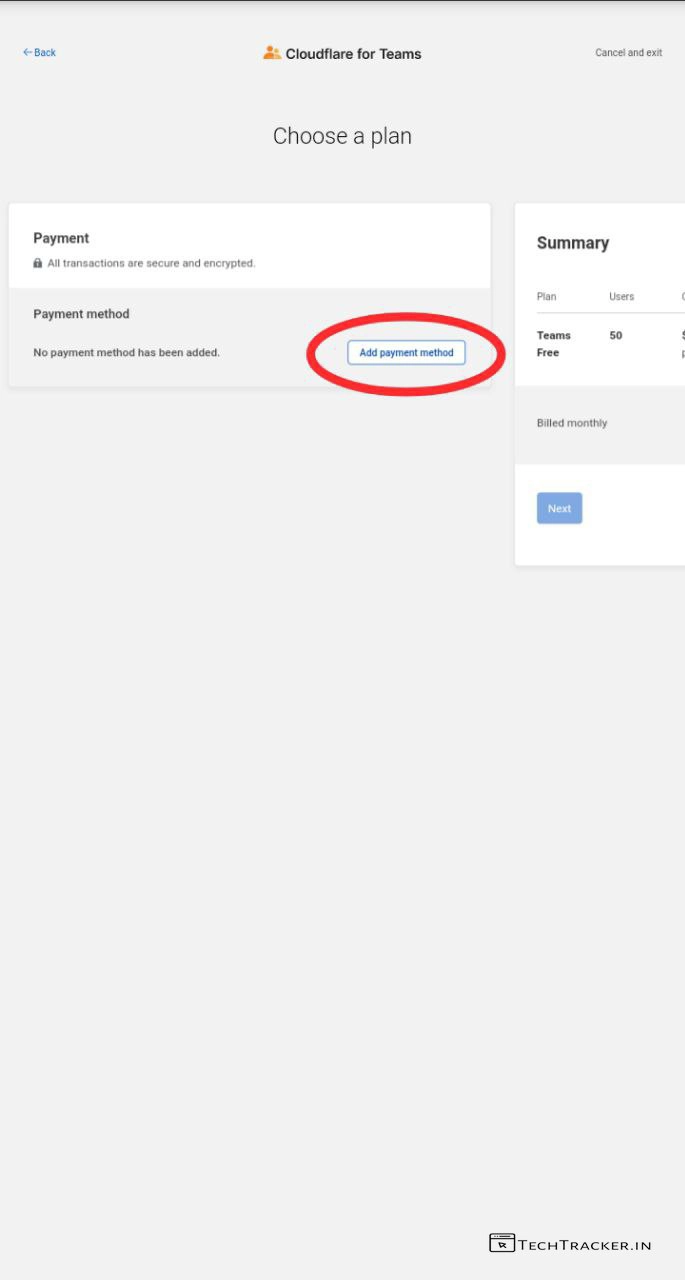
– Tap on Add payment method
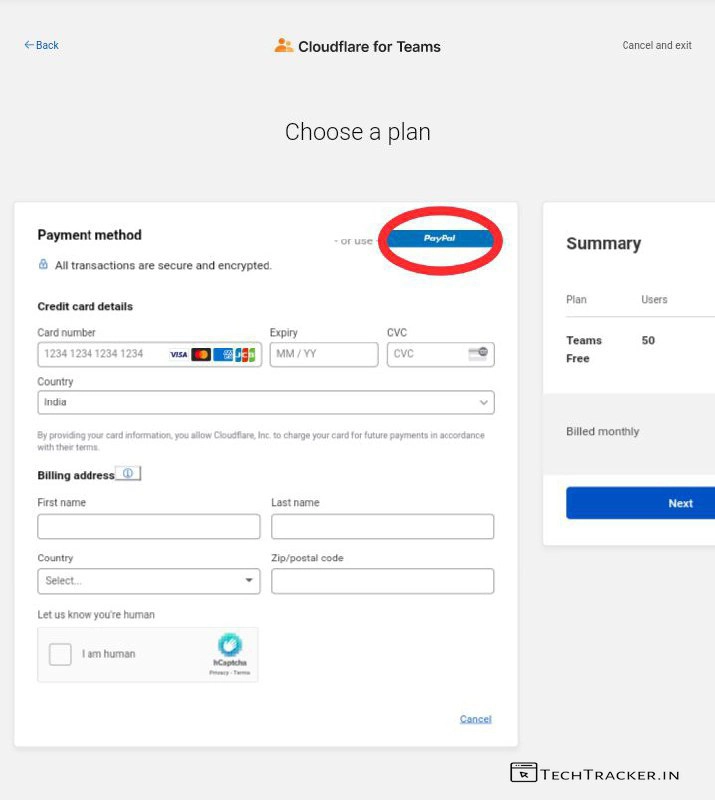
– Here you can add credit card details or Payal choose which ever you like and tap on Next
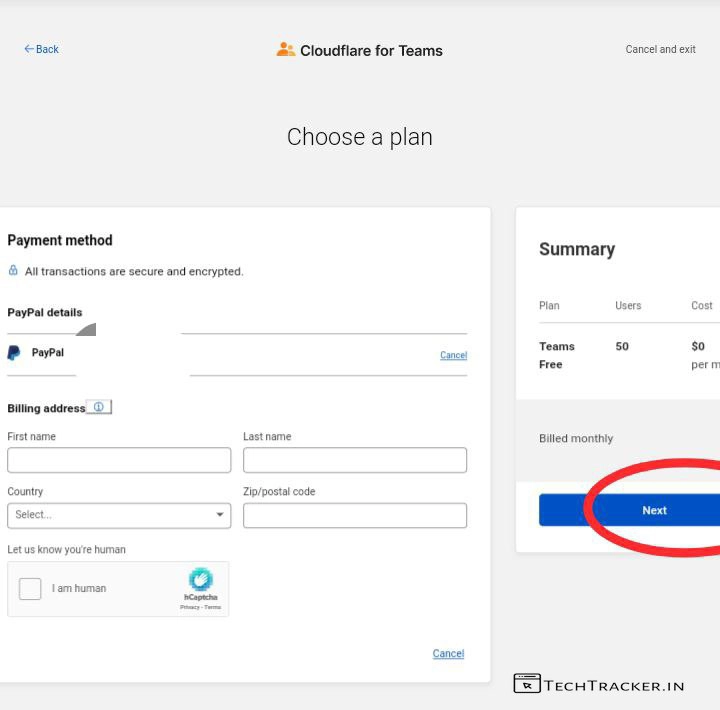
– Once payment method is added, Enter Billing address details and check I’m am human captcha and tap on Next
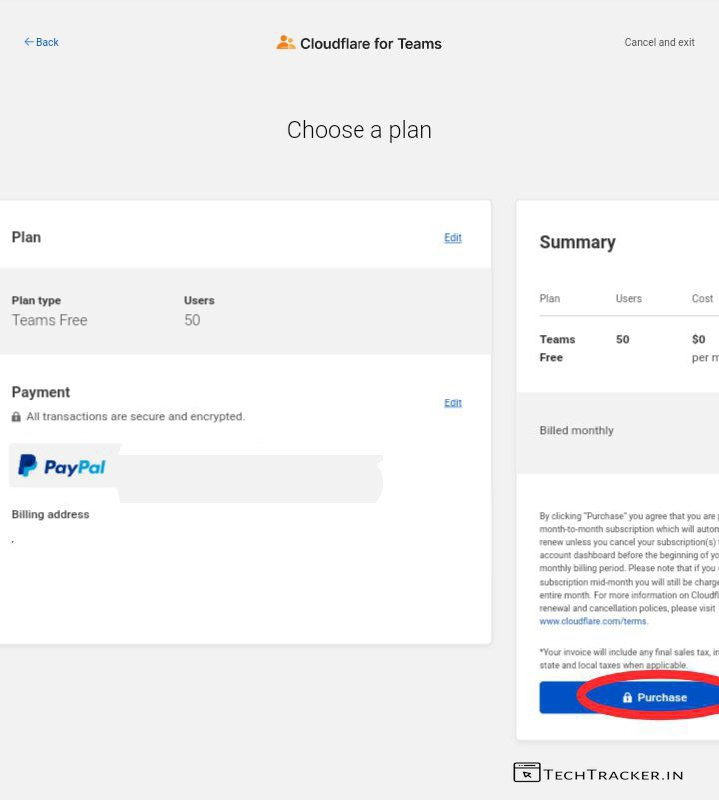
– Tap on Purchase
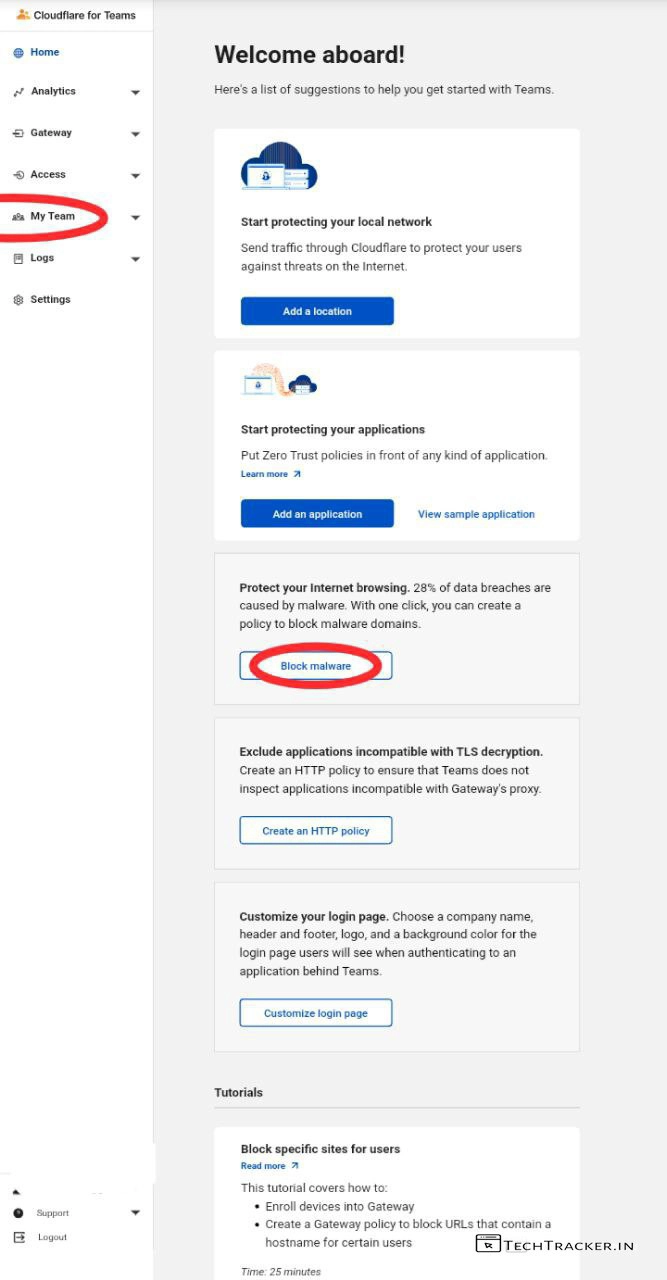
– Tap on Block malware and My Team.
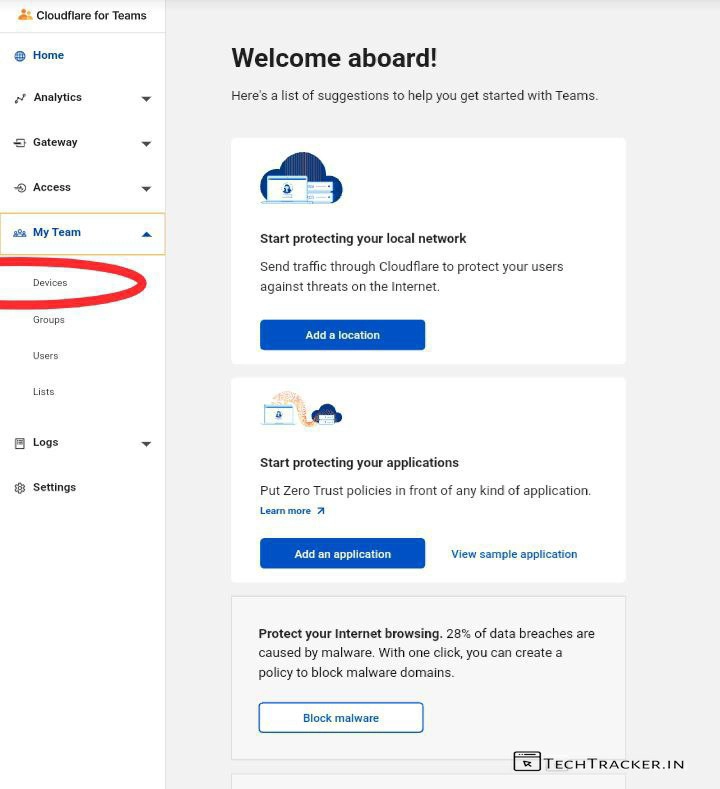
– Tap on Devices.
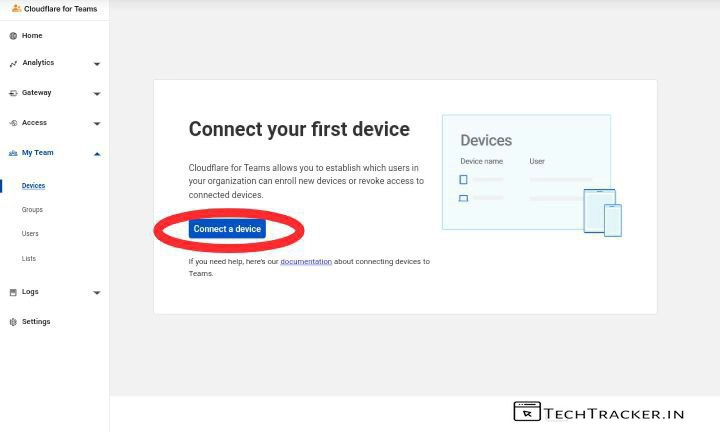
– Tap on Connect a device.
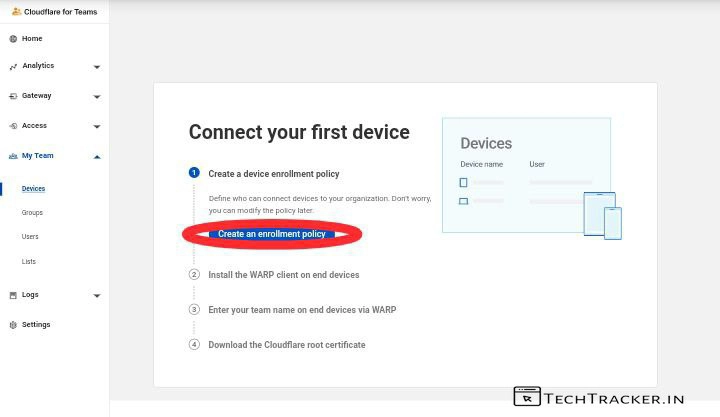
– Tap on Create enrollment policy.
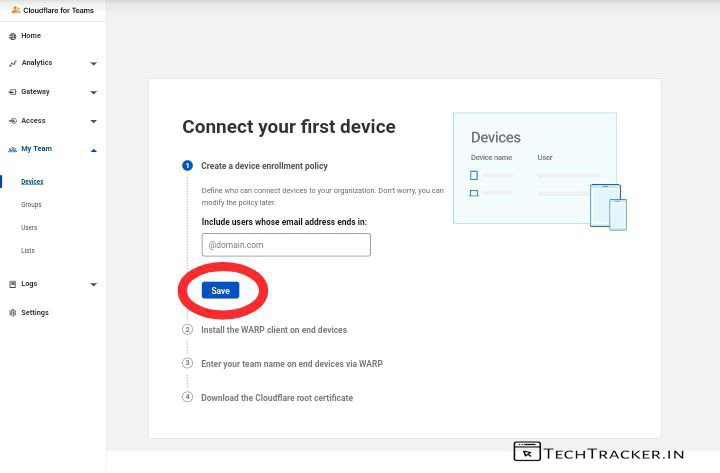
– Enter you email and tap on Save.
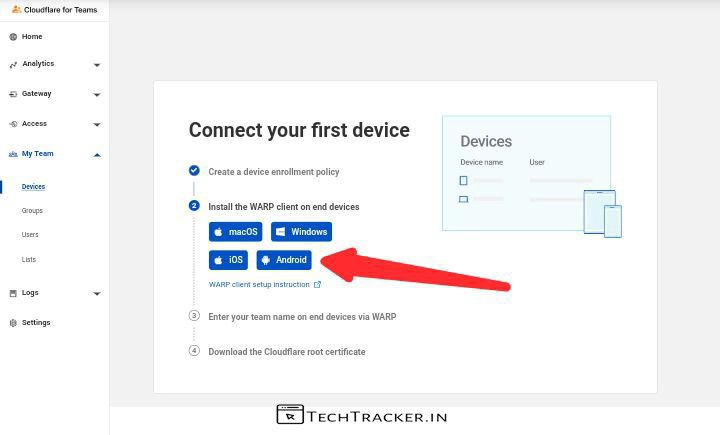
– Select the device type where you want to add cloudflare team on 1.1.1.1
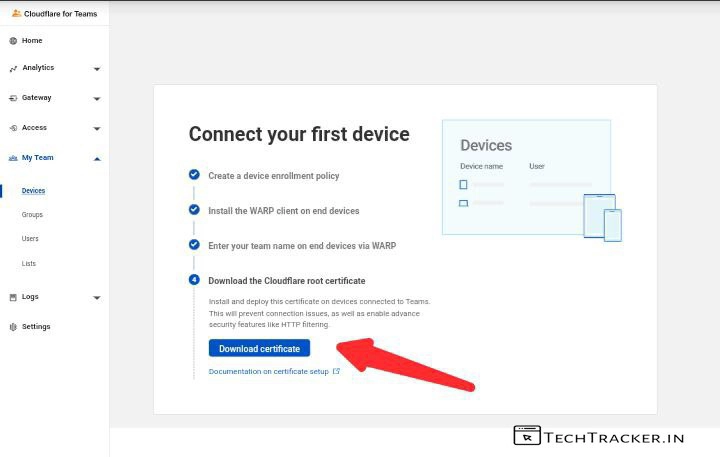
– Tap on Download certificate, and open it and add it on your device, it can be useful in future.
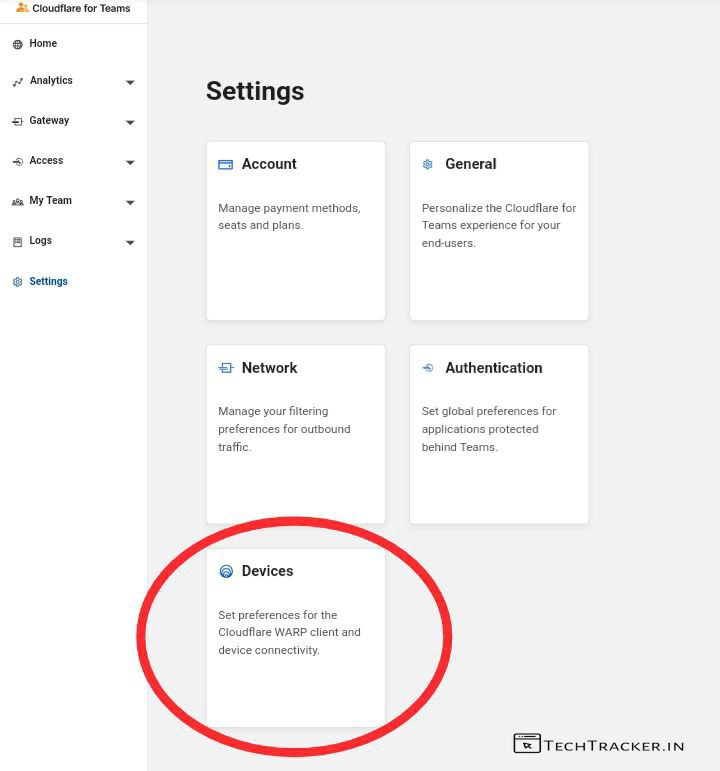
– In settings, Tap on Devices.
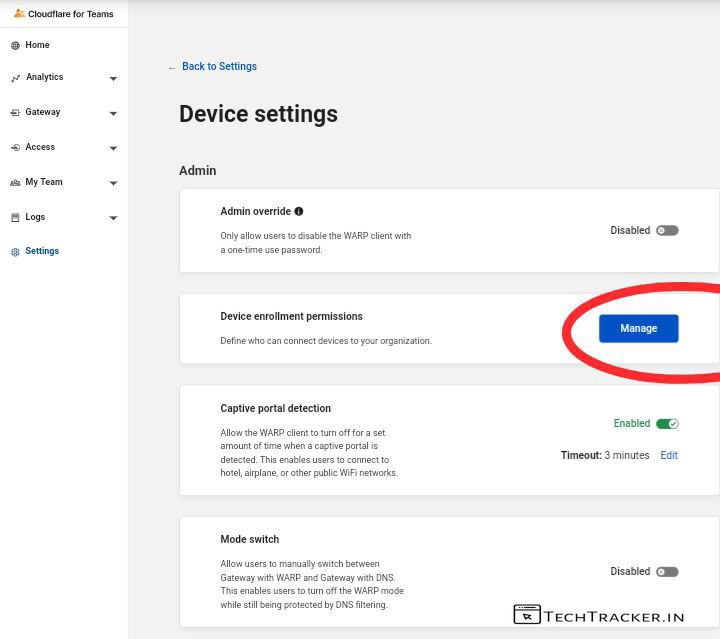
– Tap on Manage
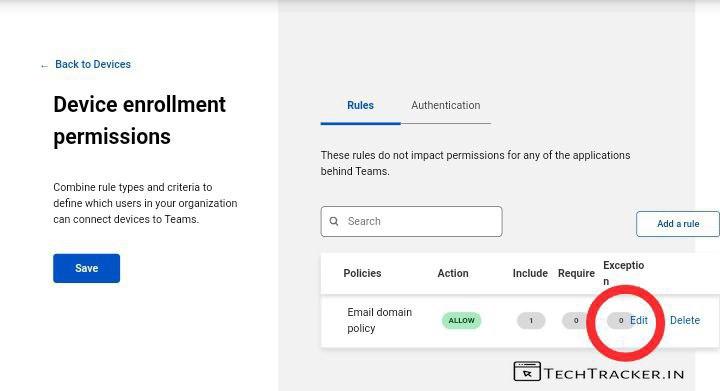
– Tap on Edit
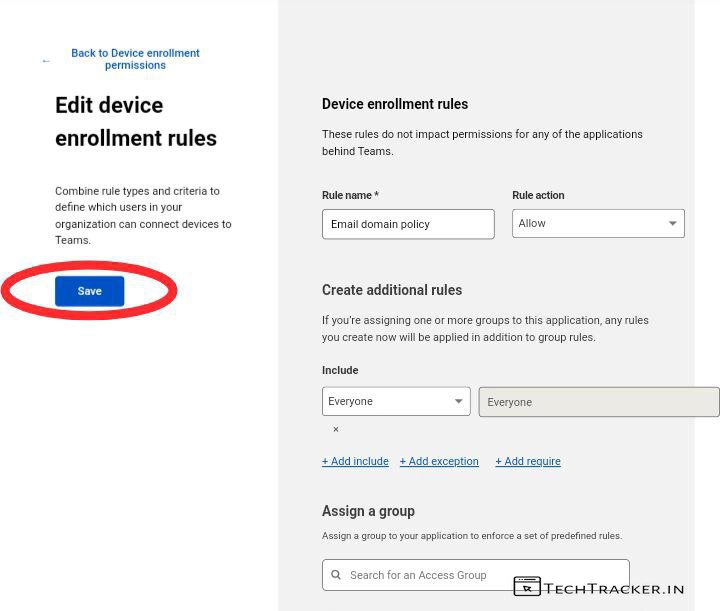
– Apply this settings show above, include Everyone if you want to access Cloudflare team on any email.
– But, I suggest you in My Team, Groups, add your special Email so that you can assign a group and login with that Email only for future logins, it’s up to you.
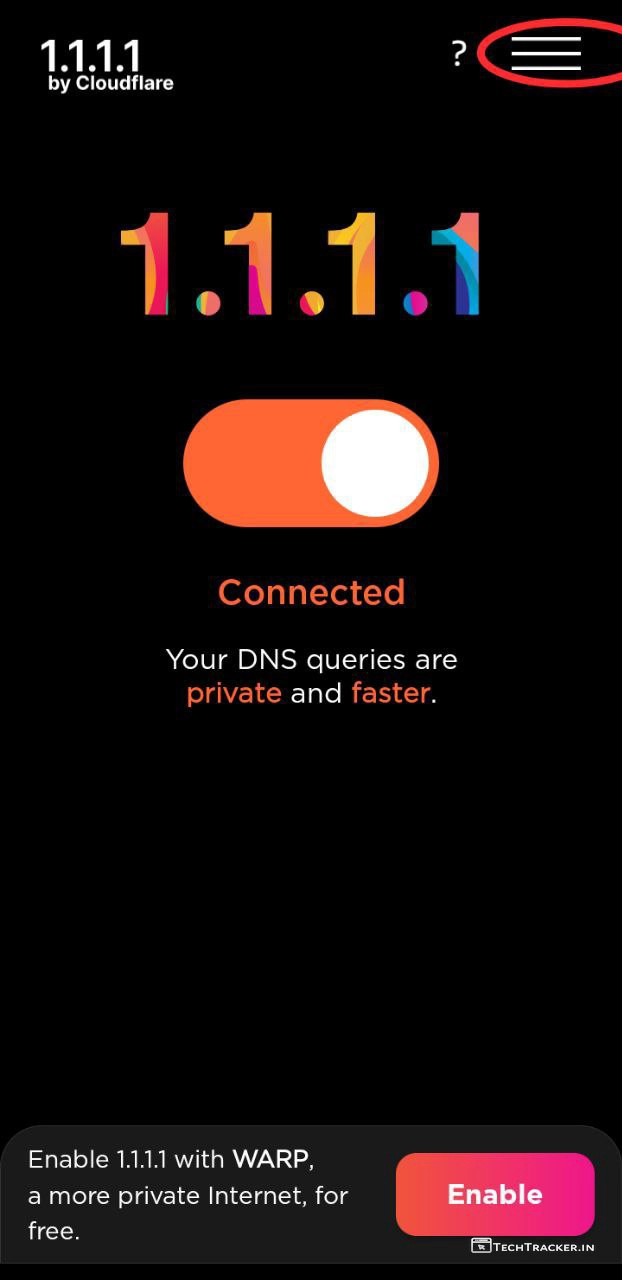
– It’s time, open 1.1.1.1 app and tap on ≡
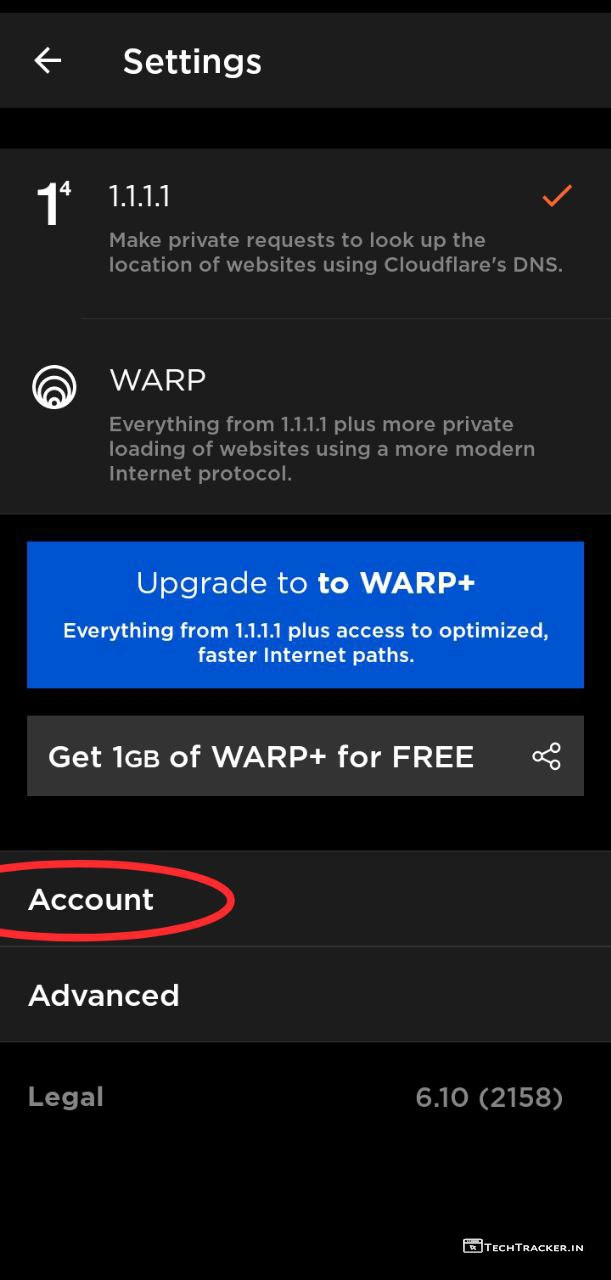
– Tap on Account
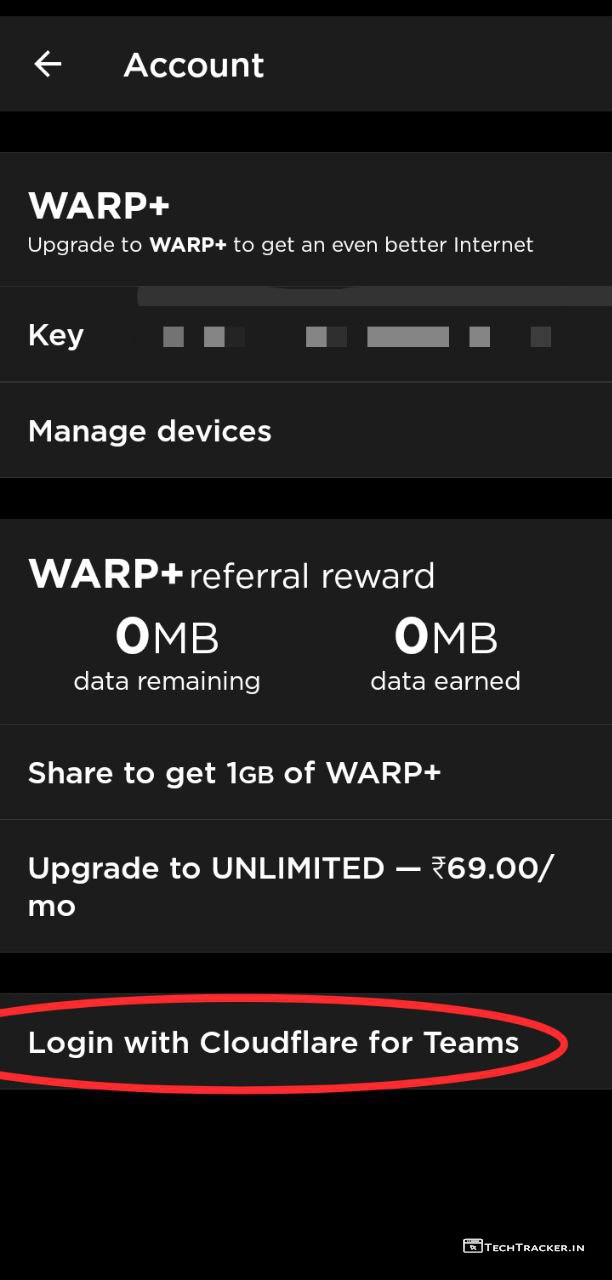
– Tap on Login with Cloudflare for Teams.
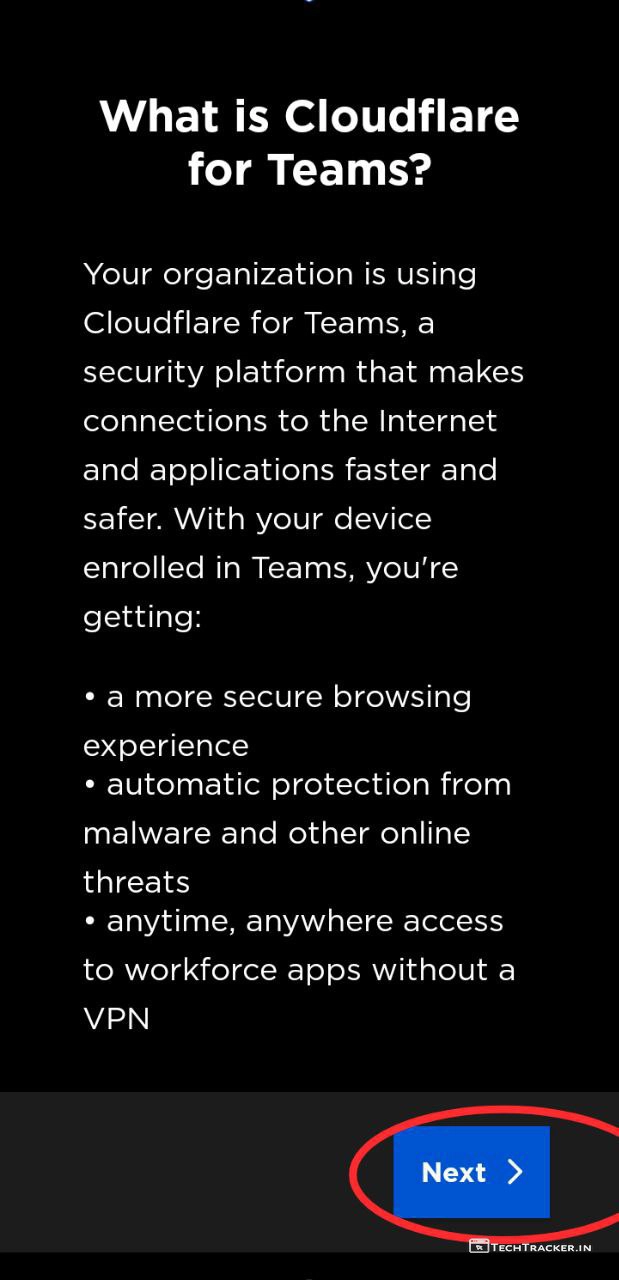
– Tap on Next >
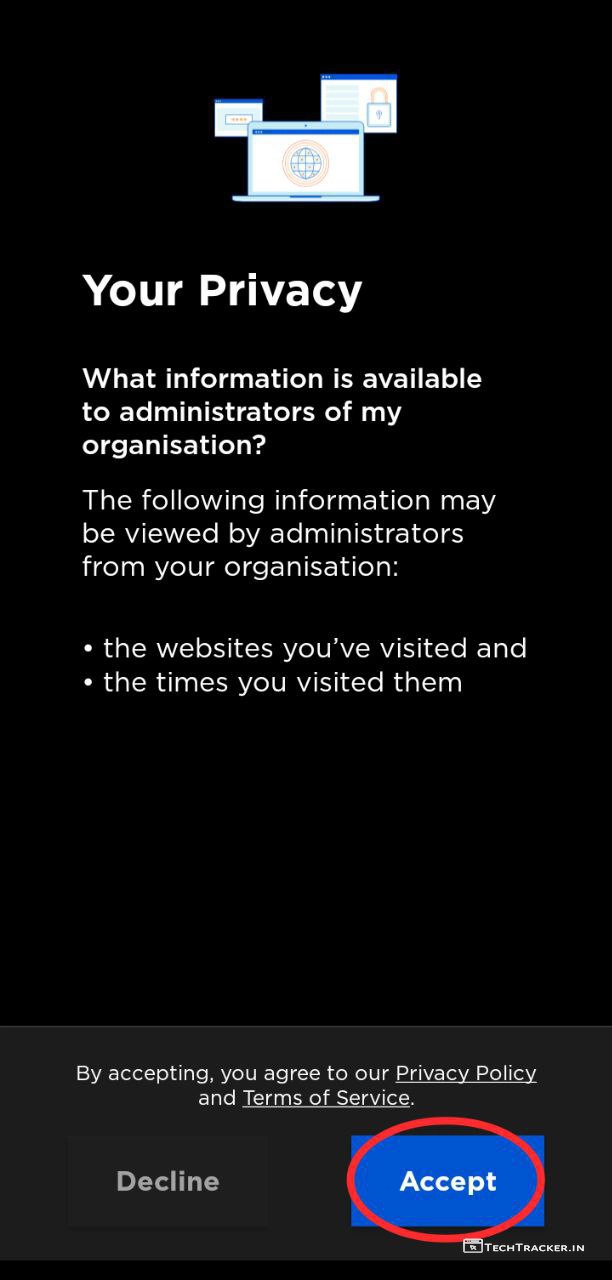
– Tap on Accept
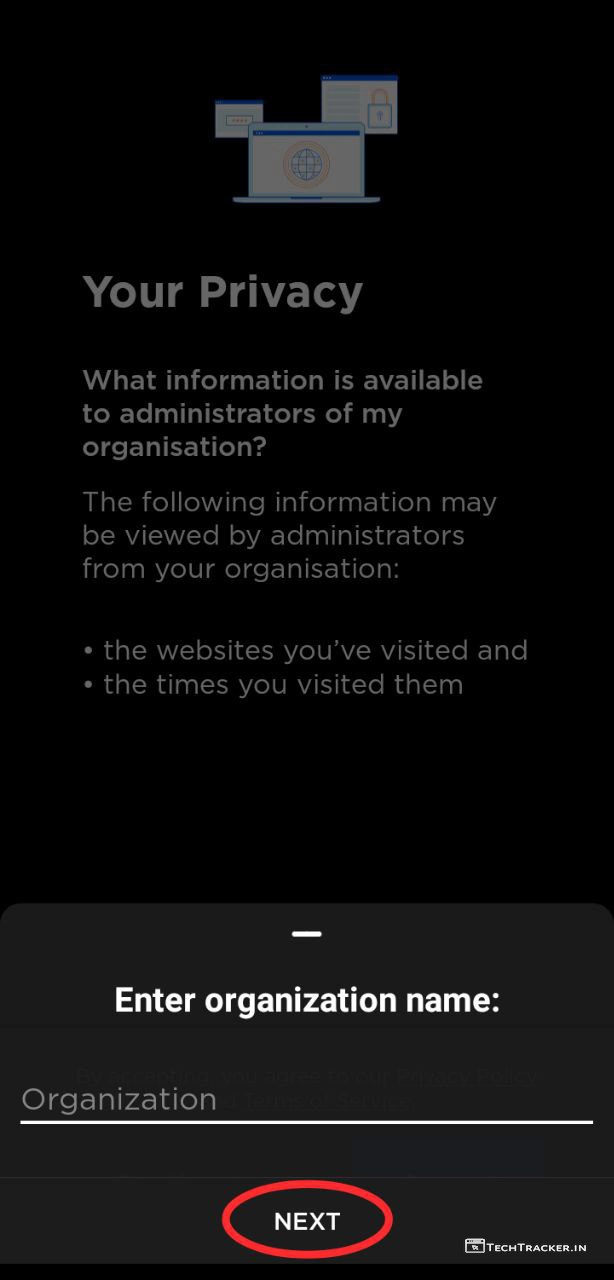
– Enter your Team name and tap on NEXT
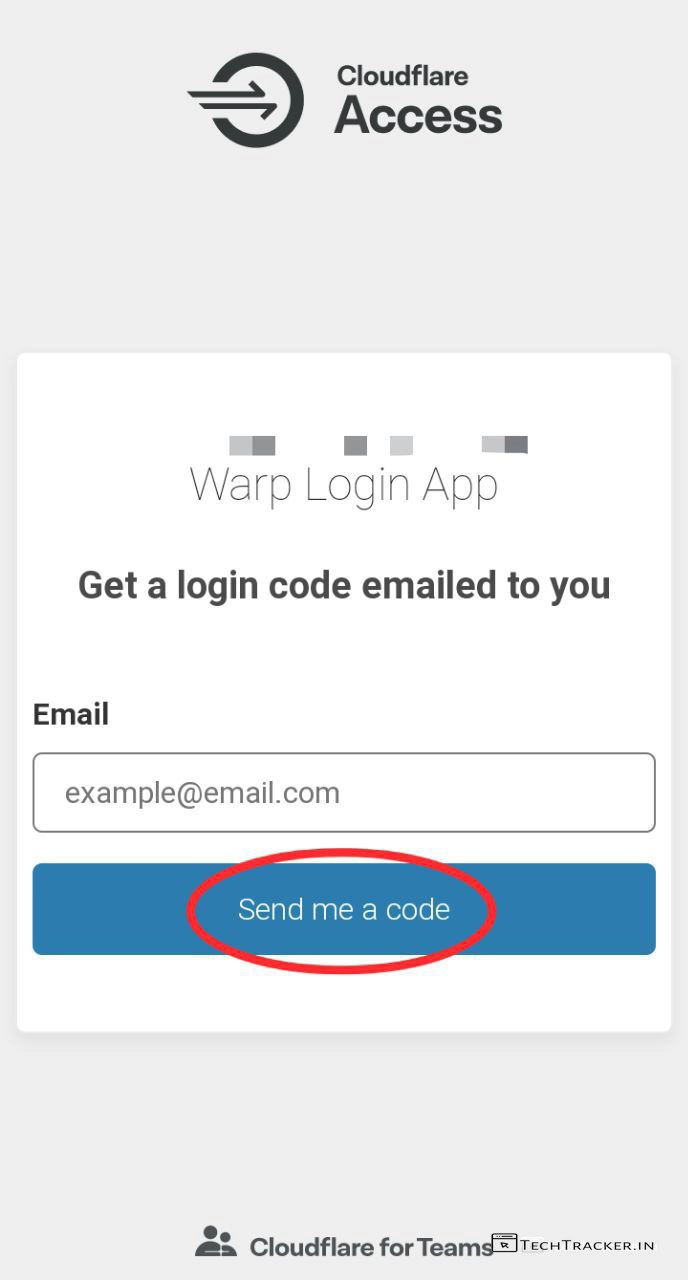
– Enter your Email and tap on Send me a code.
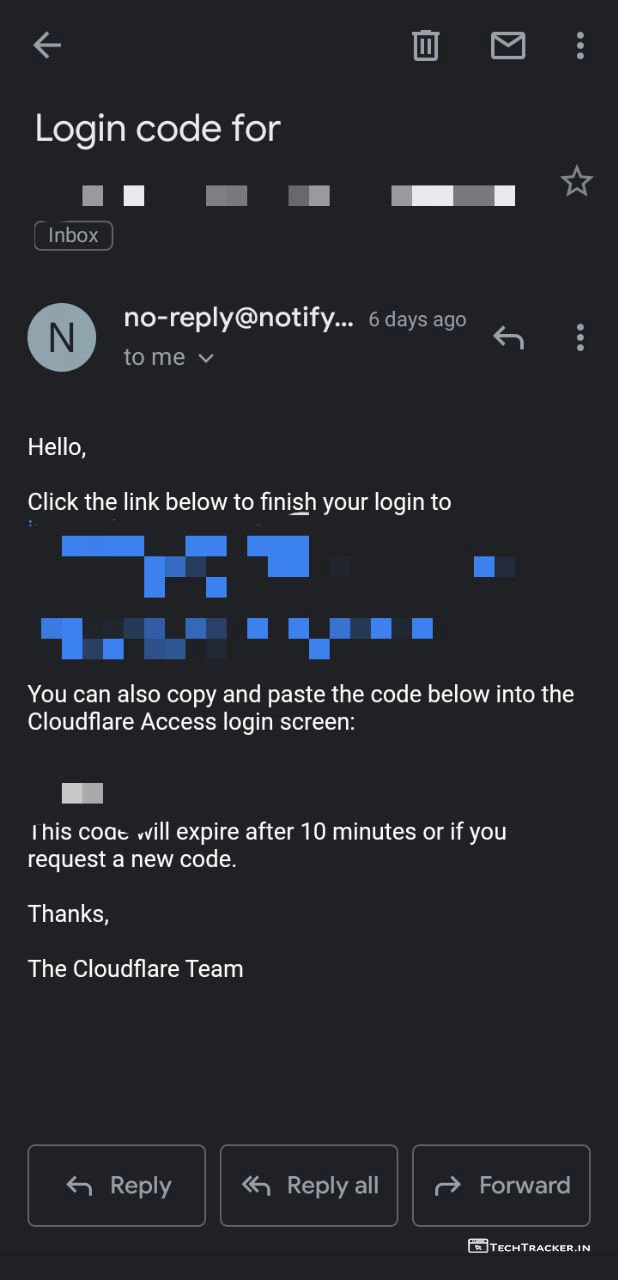
– Enter the OTP received to your Email.
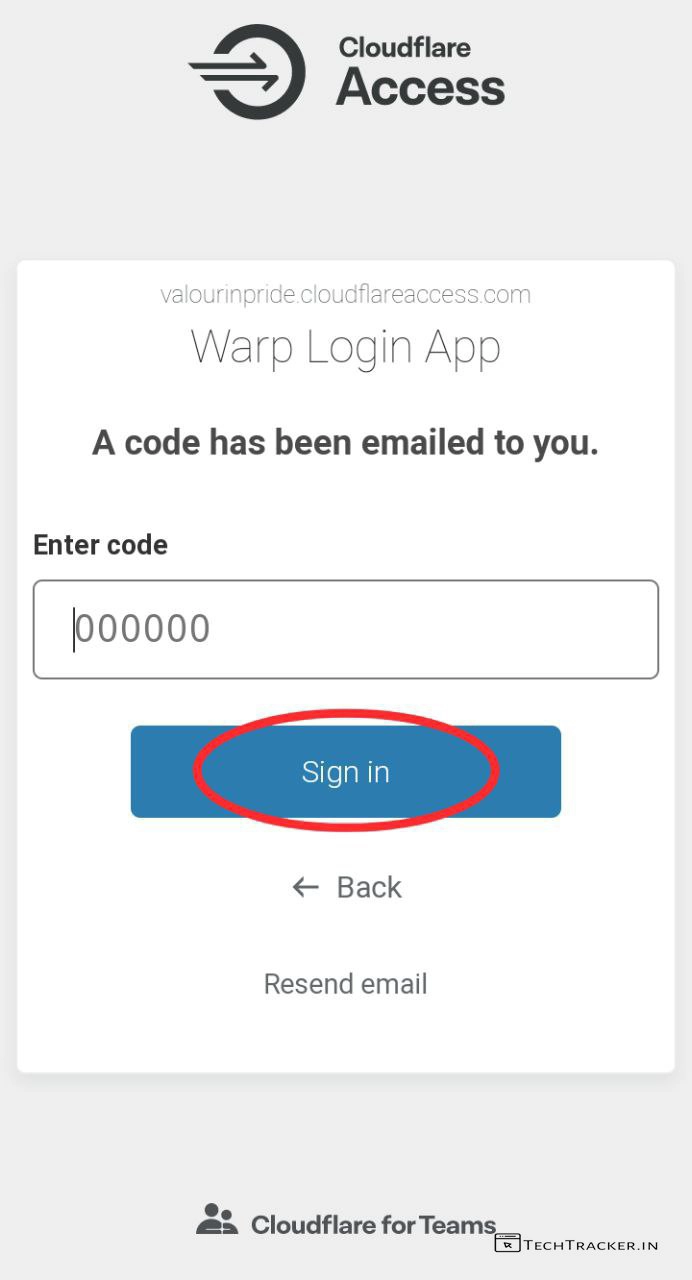
– Enter OTP and tap on Sign in.
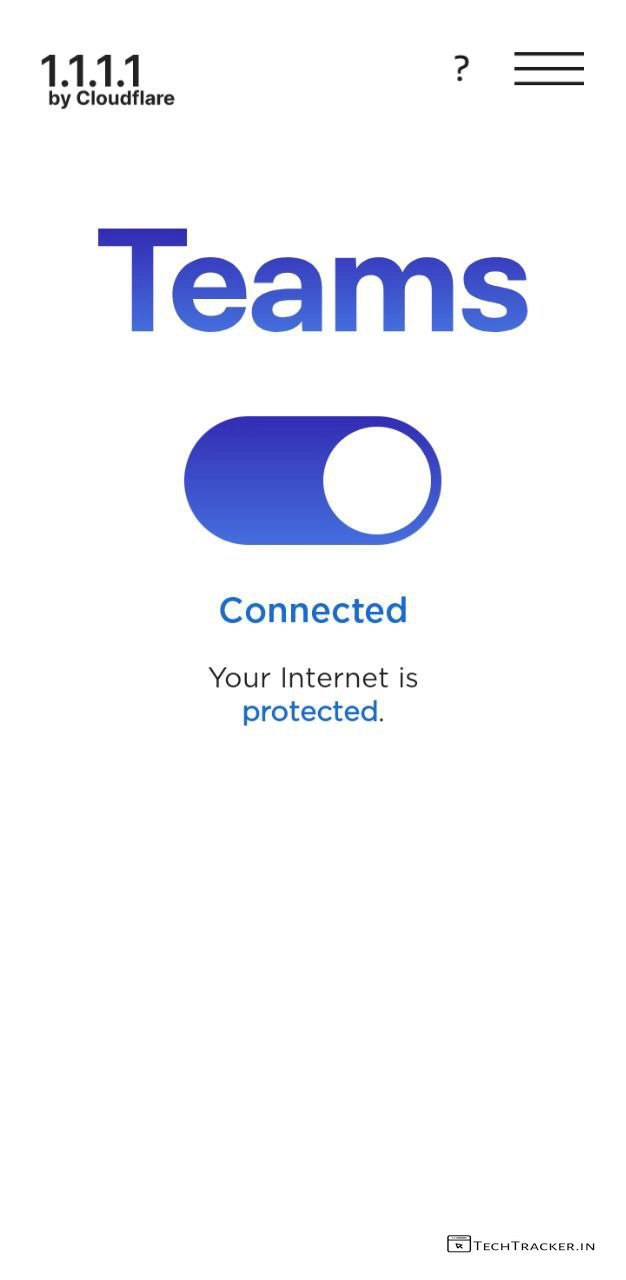
– Success, you successfully connected to WARP+ on 1.1.1.1 using Cloudflare for Teams.
Atlast, this are just highlighted features of Cloudflare for Team there may be many hidden features in-build that provides you external benefits to give the ultimate usage experience, so if you want to fix 1.1.1.1 warp mode not connecting issue anywhere in the world including India on jio network then Cloudflare for Teams is the only solution available right now.
Overall, Cloudflare for Teams is clean and simple it has well designed intuitive interface to makes user friendly but only on desktop mode which means on mobile view website it is not optimized and little hard to navigate manage, but in any project there is always space for improvement so let’s wait and see will Cloudflare for Teams get any major UI changes in future to make it even more better, as of now Cloudflare for Teams is pretty interesting and awesome.
Moreover, it is worth to mention 1.1.1.1 has included Cloudflare for Teams option on its app so that users can use, but why making setup process bit hard? Cloudflare has to add easy to setup Cloudflare for teams option on its website so that every able will able to know about it and use all its features and benefits conveniently. Isn’t?
Finally, this is how you can fix 1.1.1.1 warp mode not working issue using Cloudflare for Teams, are you an existing user of Cloudflare for Teams? If yes do say your experience and mention why yoy like it including that teach us if there is any other way to fix 1.1.1.1 issue in our comment section below, see ya 🙂