

Ethereum is right now the most popular & best crypto currency alternative to bitcoin but Ethereum have very high transactions fee due to scalability issues the ethereum developer didn’t think about scalability as he never expected Ethereum huge growth in just few years as today ETH – Ethereum become big competitor to Bitcoin which is king sized success.
But, problems with ethereum transfer fees is still not solved by Ethereum developers due to that Ethereum holders have to pay hefty transaction fees to withdraw thier Ethereum from exchanges or Wallets which is disappointing because even for low Ethereum balance owners have to pay high transaction fees while transaction fees itself dump your profits.
However, To solve Ethereum scalability issues that resolve high transaction fees a new crypto currency emerged named matic which is now known as polygon made by Indian developers, Matic [ polygon ] is based on ethereum it is created by developers for developers to solve Ethereum huge transaction fees.
Yes, Using Matic [ Polygon ] to transfer Ethereum will extremely decrease gas / transaction fees which is not even cost cents now which is really awesome that will fix hefty transaction fees of Ethereum withdrawals which will immensely save Ethereum owners profits,
However, In order to transfer Ethereum at very low transaction fees first you need to convert Ethereum to Wrapped Ethereum which you can later unwrap wrapped Ethereum to Ethereum using exchanges or matic wallet but to do all this process you first need very little matic, to get matic for transactions usage matic is currently providing free matic through thier faucet by utilising it you can transfer upto 100 transactions.
In this scenario, if you want to transfer Ethereum at extremely low transaction fees by converting Ethereum to Wrapped Ethereum we have a workaround we found a official method to do all this using matic official wallet and metamask easily on PC or smartphone for free. So are you ready? Do want to transfer Ethereum using matic wallet? If yes let’s know little more info, Before we begin saving bucks.
• Matic [ Polygon ] Official Support •
– Telegram
– GitHub
– Discord
– YouTube
Website : Polygon.Technology
• How To Send Ethereum At Very Low Gas Fees Using Matic Wallet •
– First, You have to download and install
MetaMask Wallet on PC or Smartphone.
– App Info – Google Play / App Store
• How to download MetaMask Wallet •
It is very easy to download MetaMask Wallet from these platforms for free.
– Google Play / App Store
– Apkpure
– Softonic
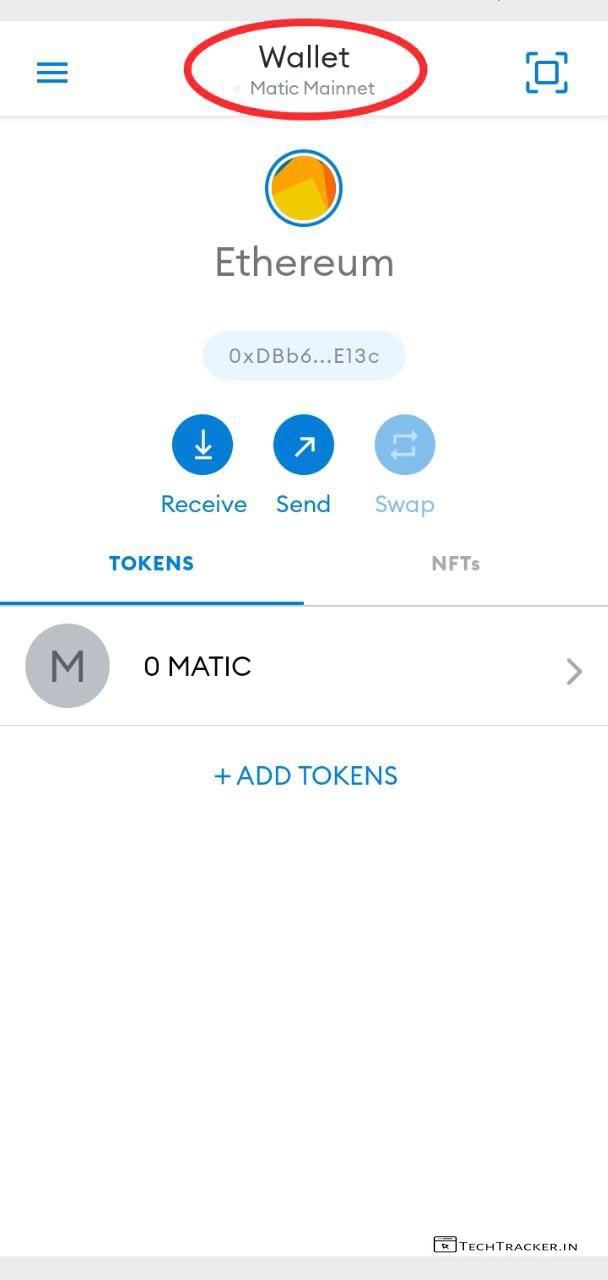
– Once downloaded and installed, open Meta Mask & Tap on Wallet after doing wallet setup process.
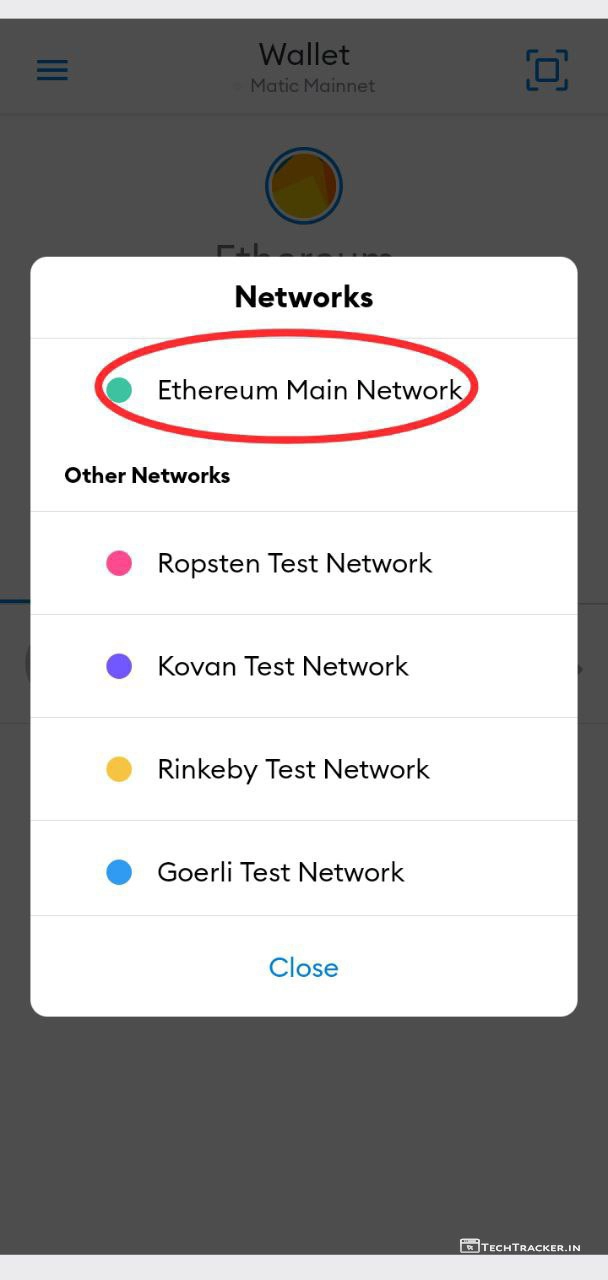
– If there is some else network selected, tap on Ethereum Main Network
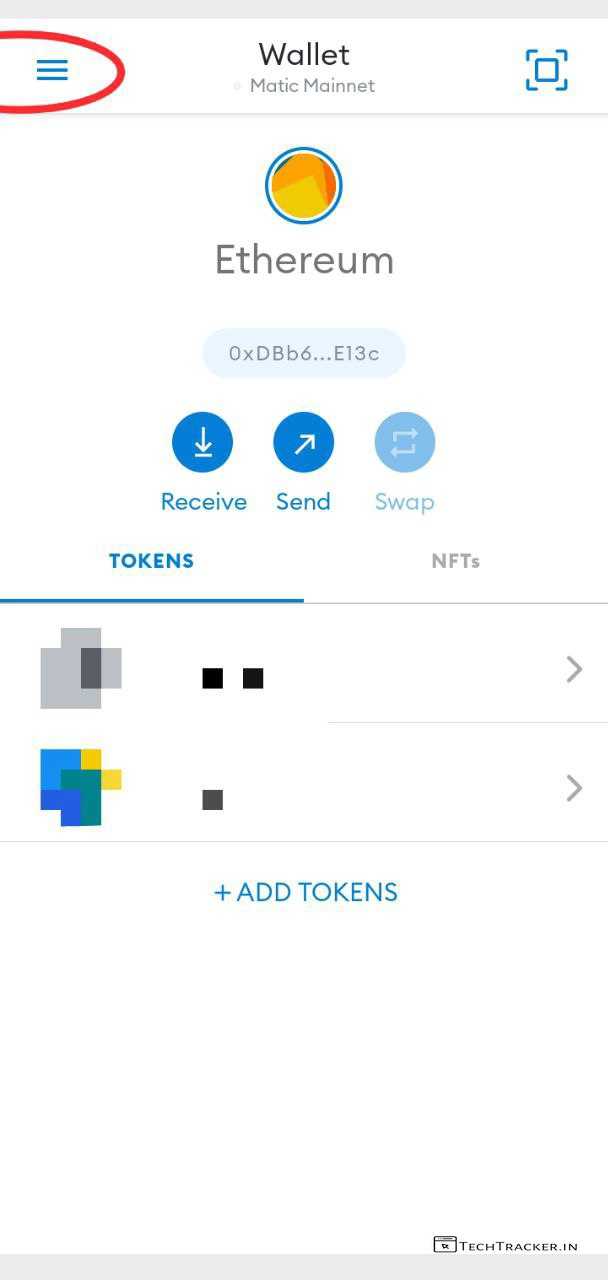
– Tap on ≡
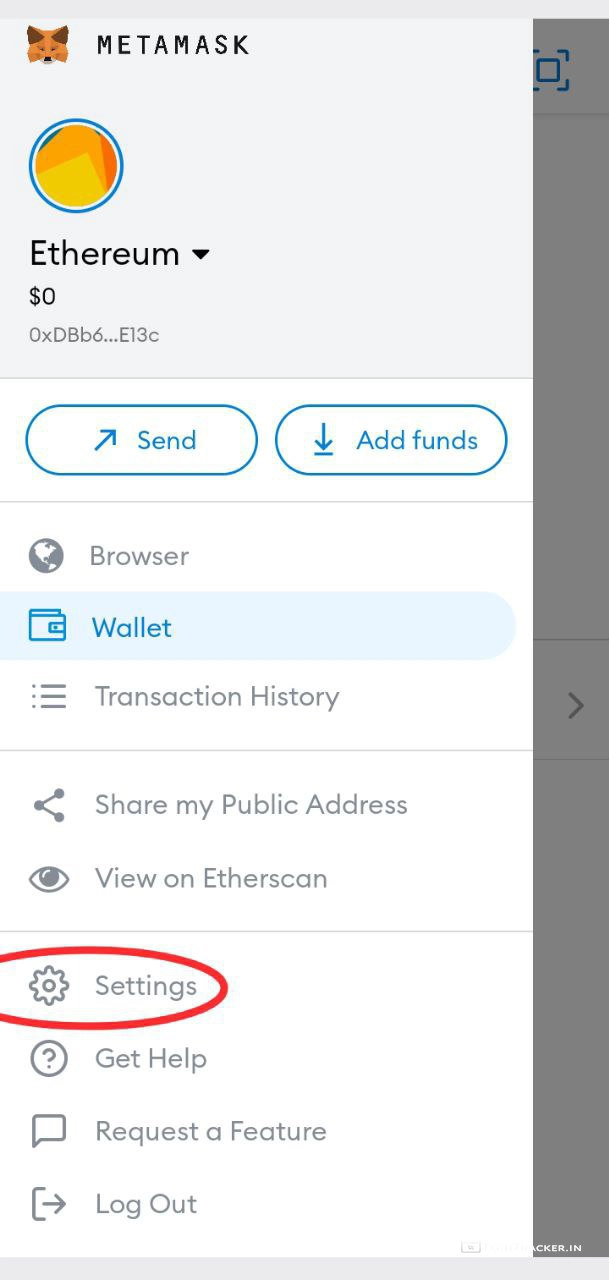
– Tap on Settings
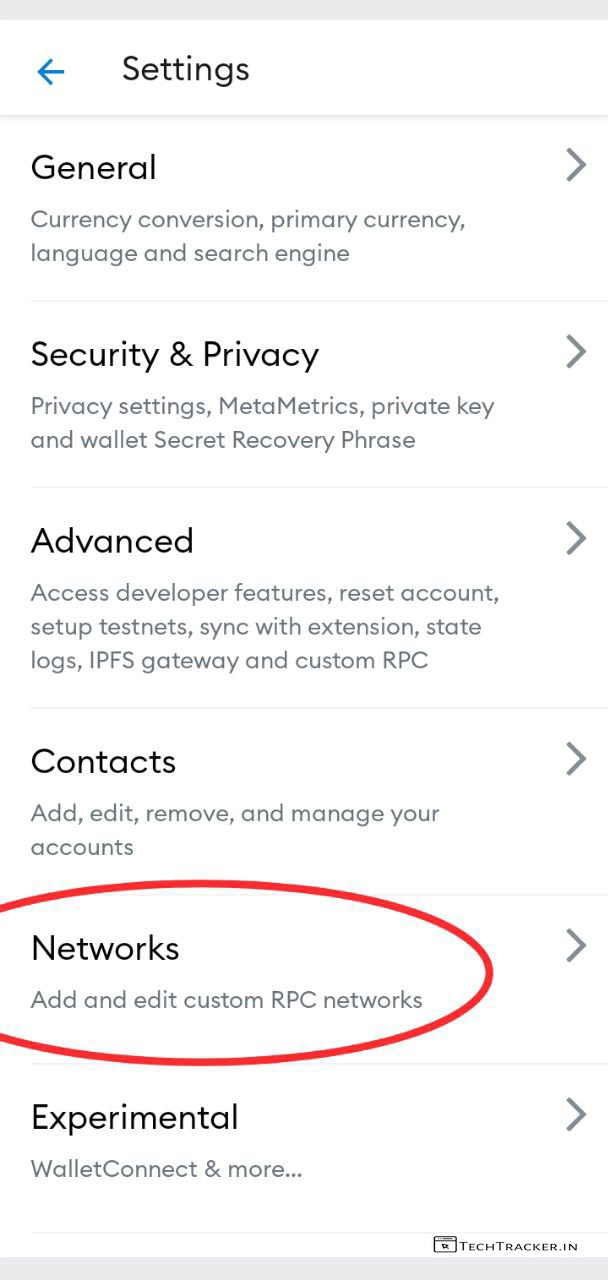
– Tap on Networks
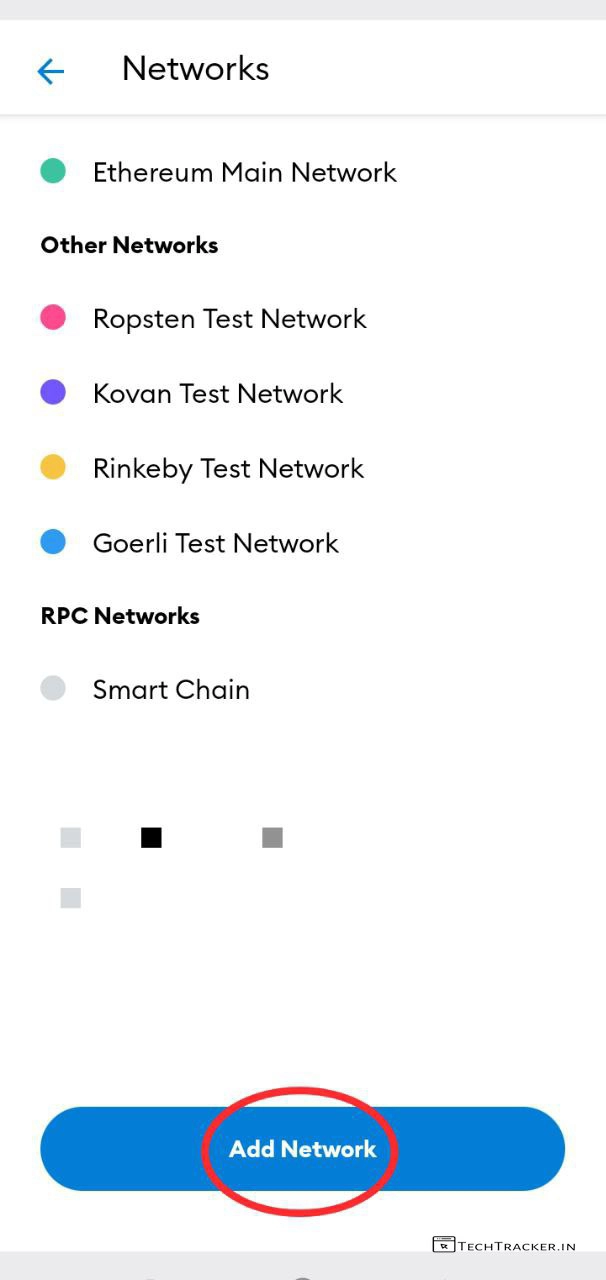
– Tap on Add Network
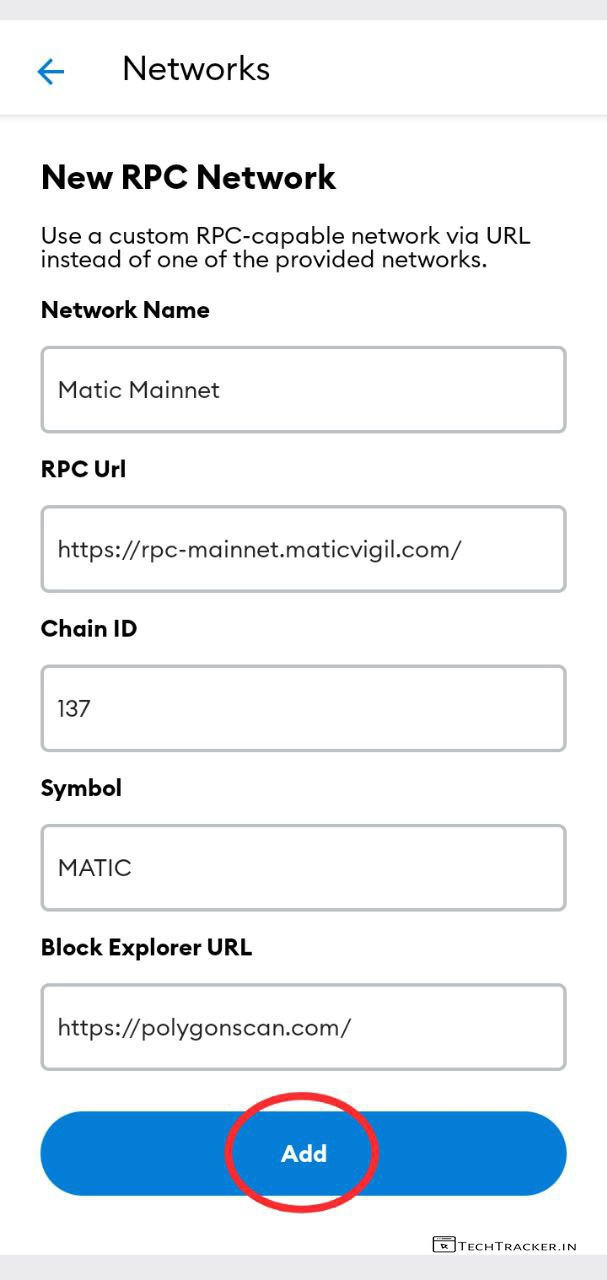
– Enter Below RPC Network Details –
– Network Name –
Matic Mainnet
– RPC URL –
https://rpc-mainnet.maticvigil.com/
– Chain ID : 137
– Symbol : MATIC
– Block Explorer –
-;URL : https://polygonscan.com
– Tap on Add
– You successfully added custom RPC Network but you have to switch from Ethereum to Matic.
– Tap on Wallet
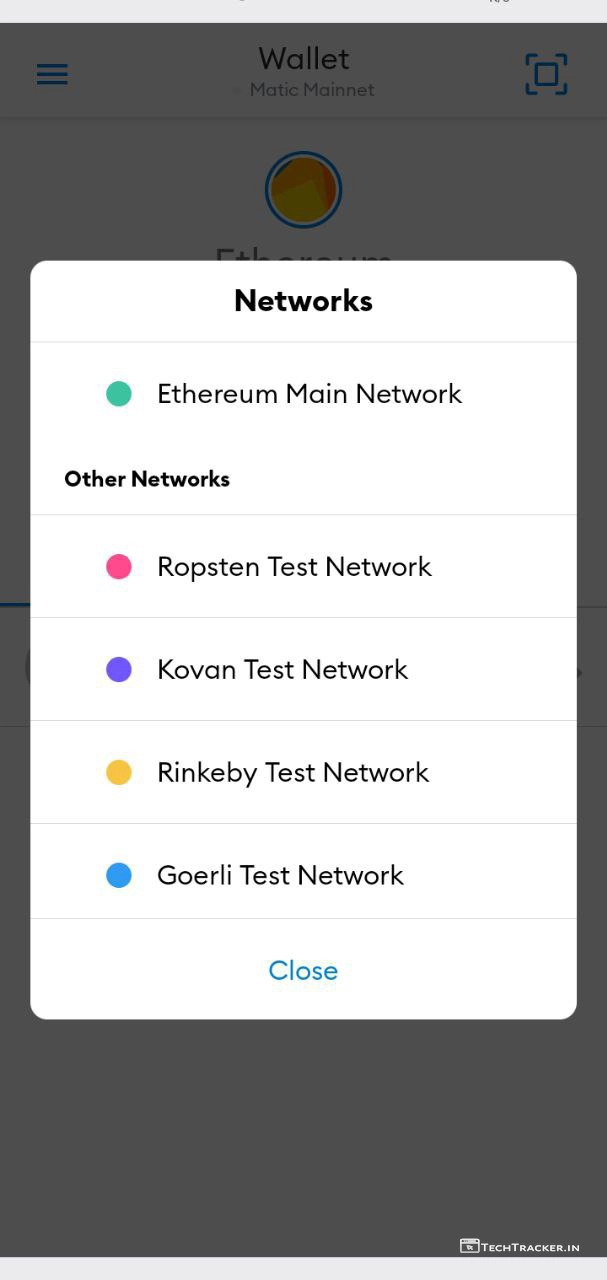
– Scroll down, Networks
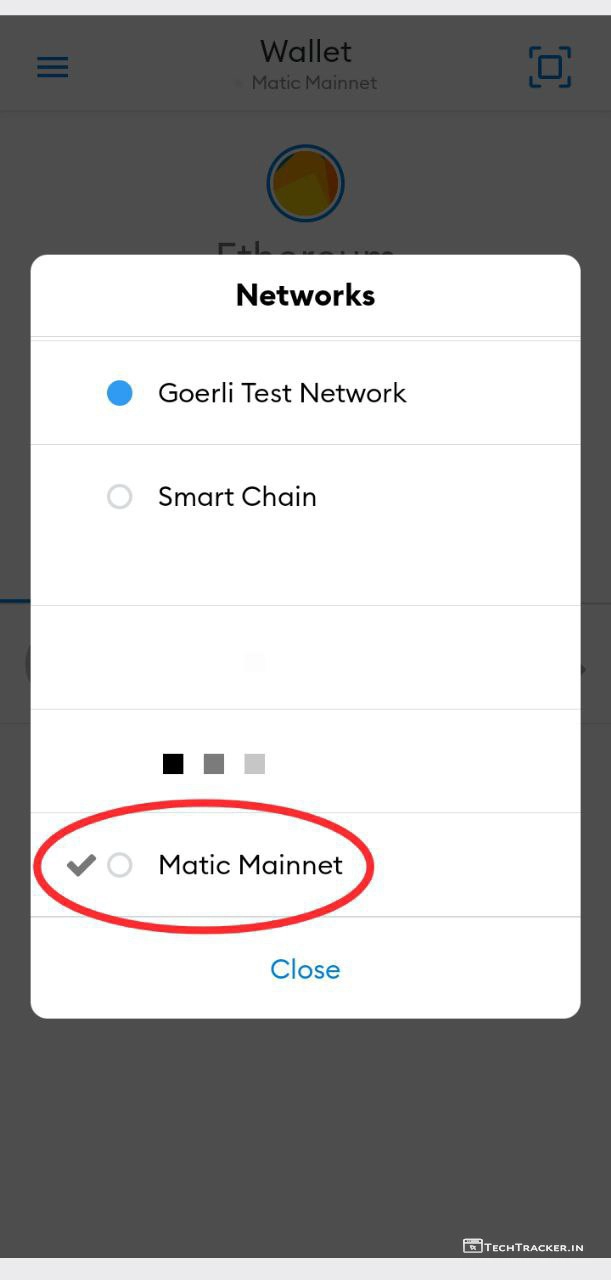
– Tap on Matic Mainnet
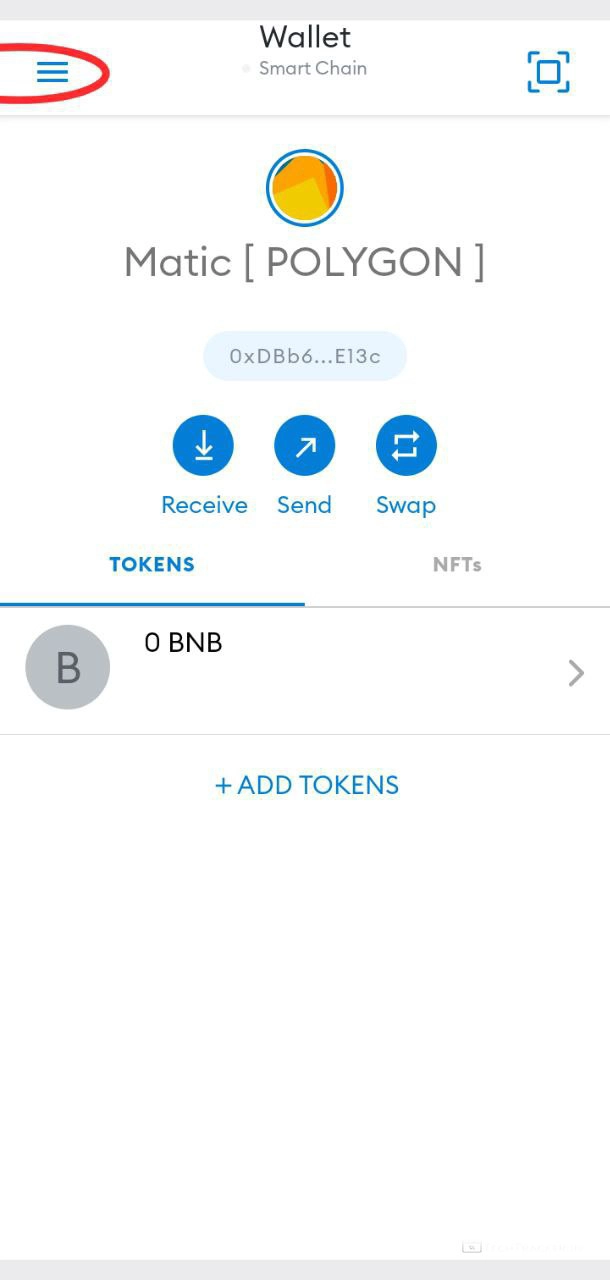
– Now you are in Matic [ Polygon ] RPC Network, Tap on ≡
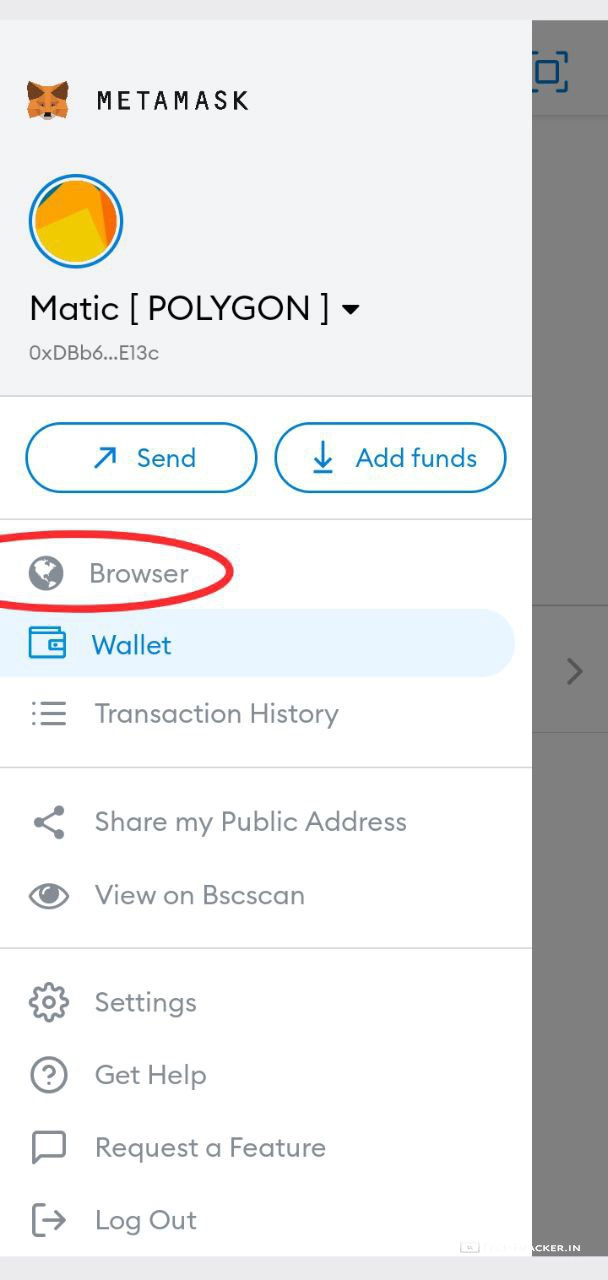
– Tap on Browser
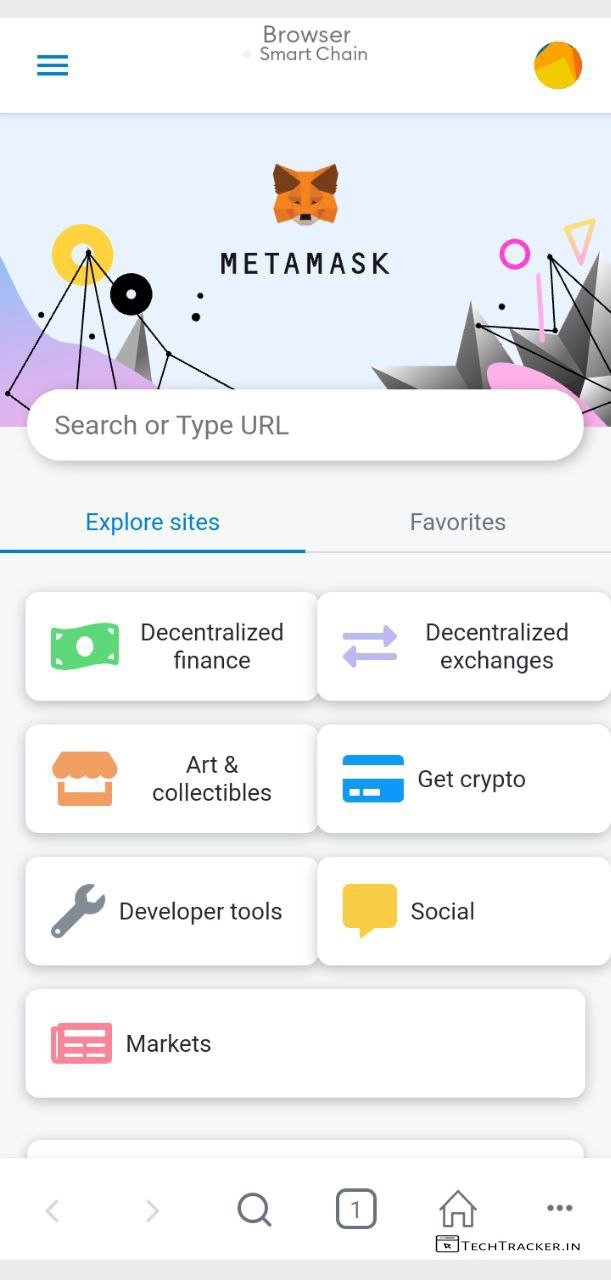
– Tap on Search or Type URL
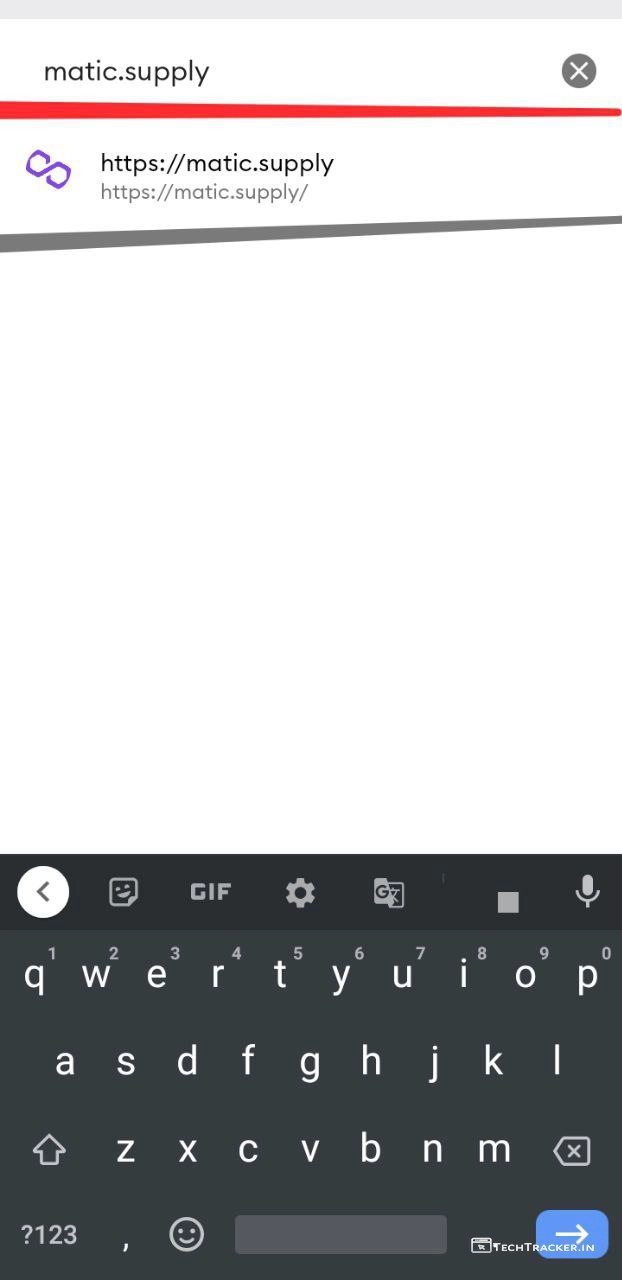
– Enter matic.supply and tap on URL to Search.
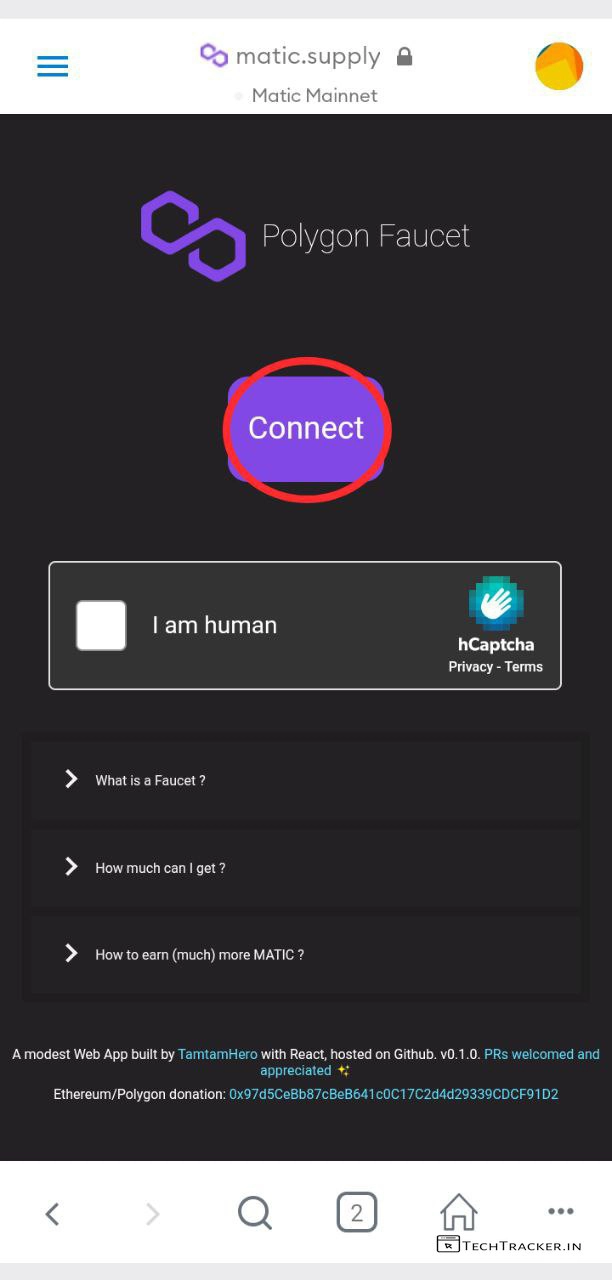
– Tap on Connect
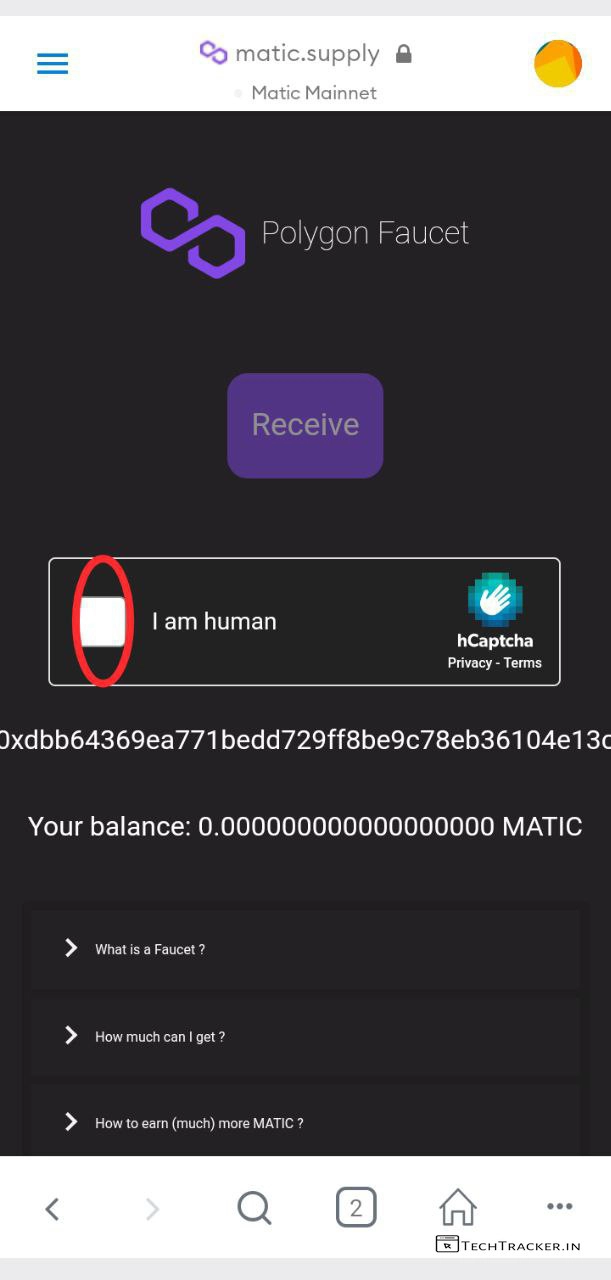
– it will automatically connet to matic that you earlier created, Tap on [ ] I’m a human
& complete captcha to get matic for free.
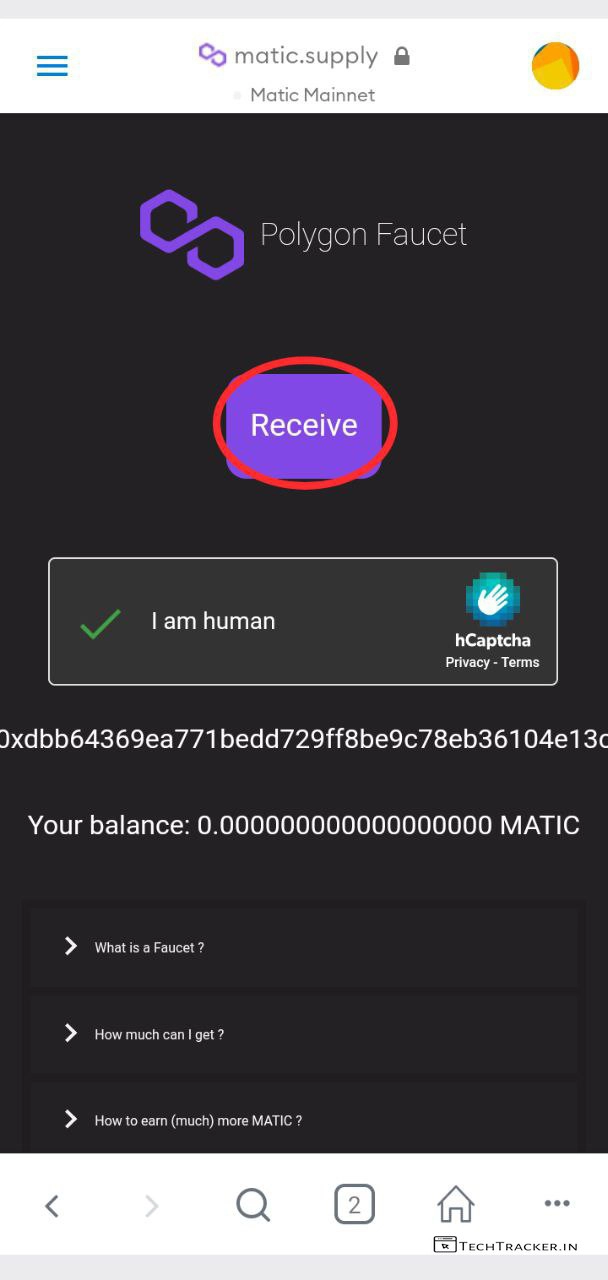
– Tap on Recieve
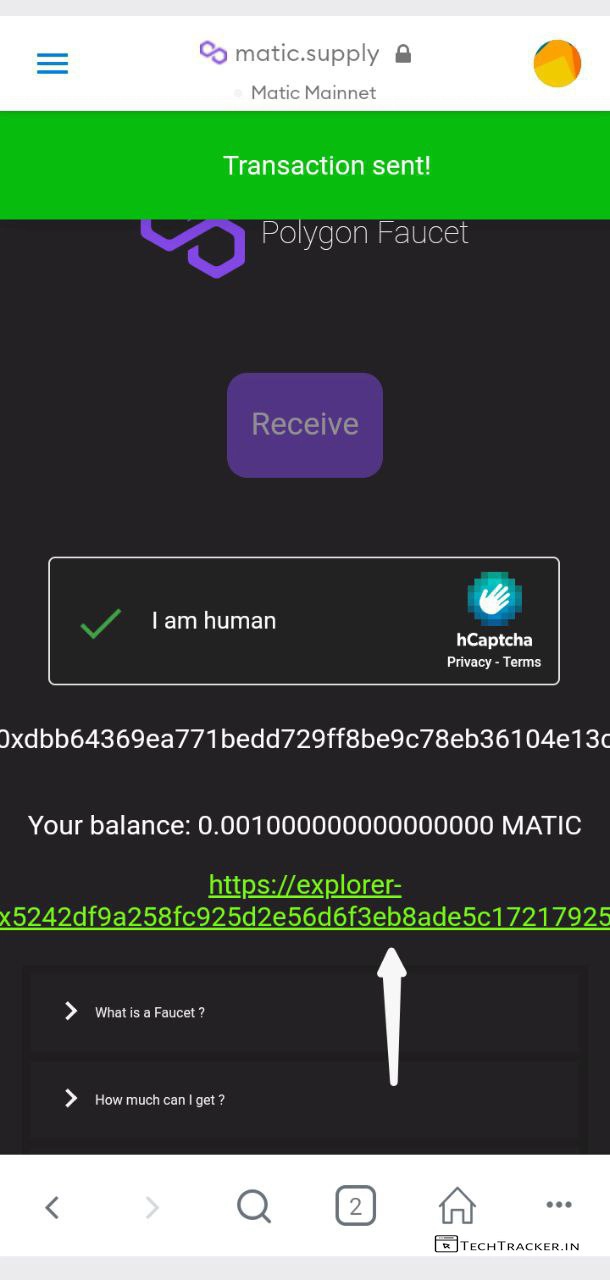
– Matic faucet sent you free 0.0005 which you can use for 100 transactions, but note you can claim this free faucet only 3 times per day which is awesome.
– Tap on URL to check transaction details using different browser.
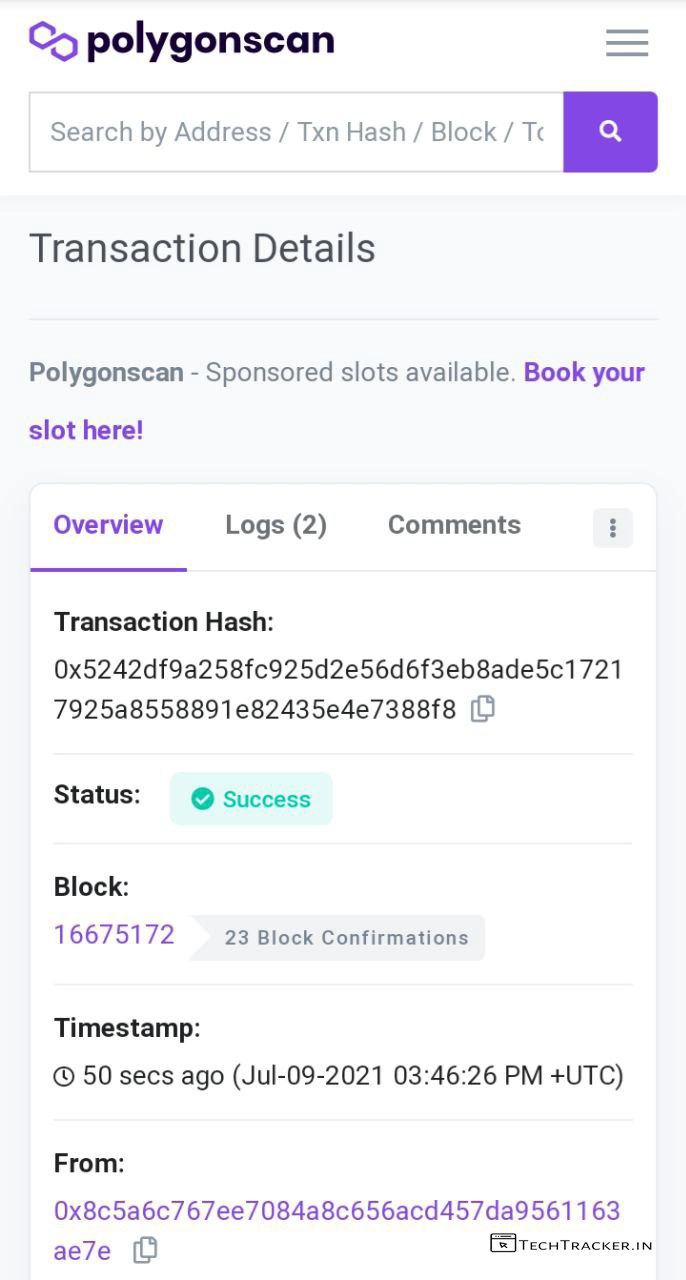
– URL will redirect you to polygon matic transaction details scan website.
– Go back to MetaMask Wallet.
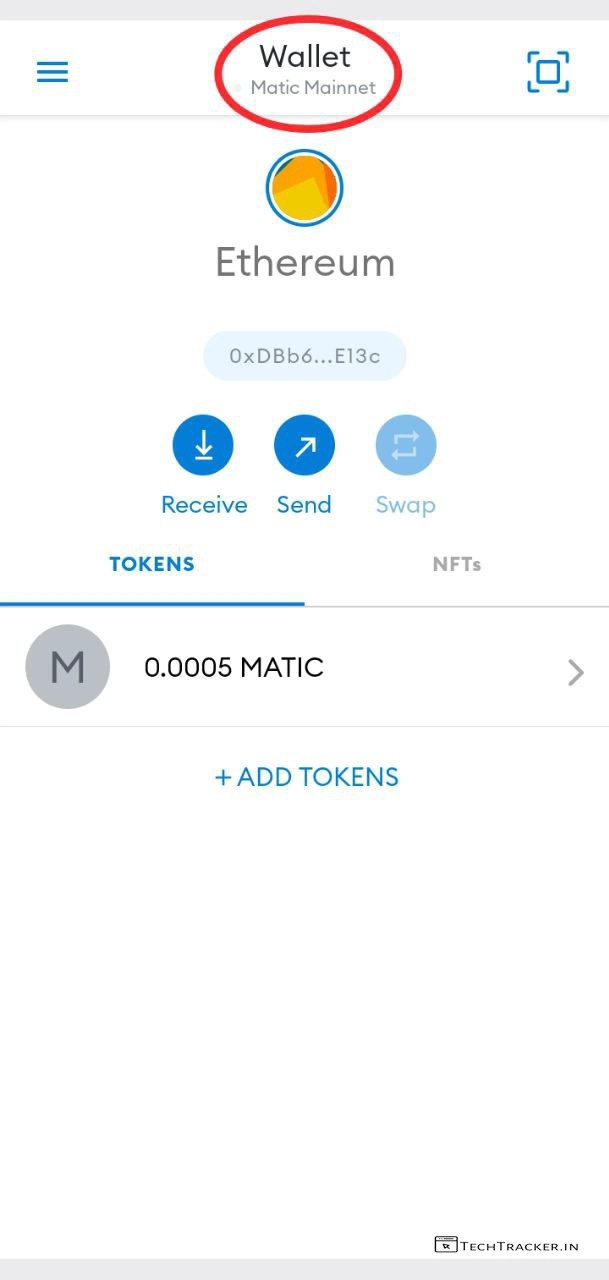
– In MetaMask Wallet, Go to Home, Wallet and here you can you recieved free matic, now it’s time to connect with matic wallet, tap on Wallet.
– Tap on Ethereum Main Network
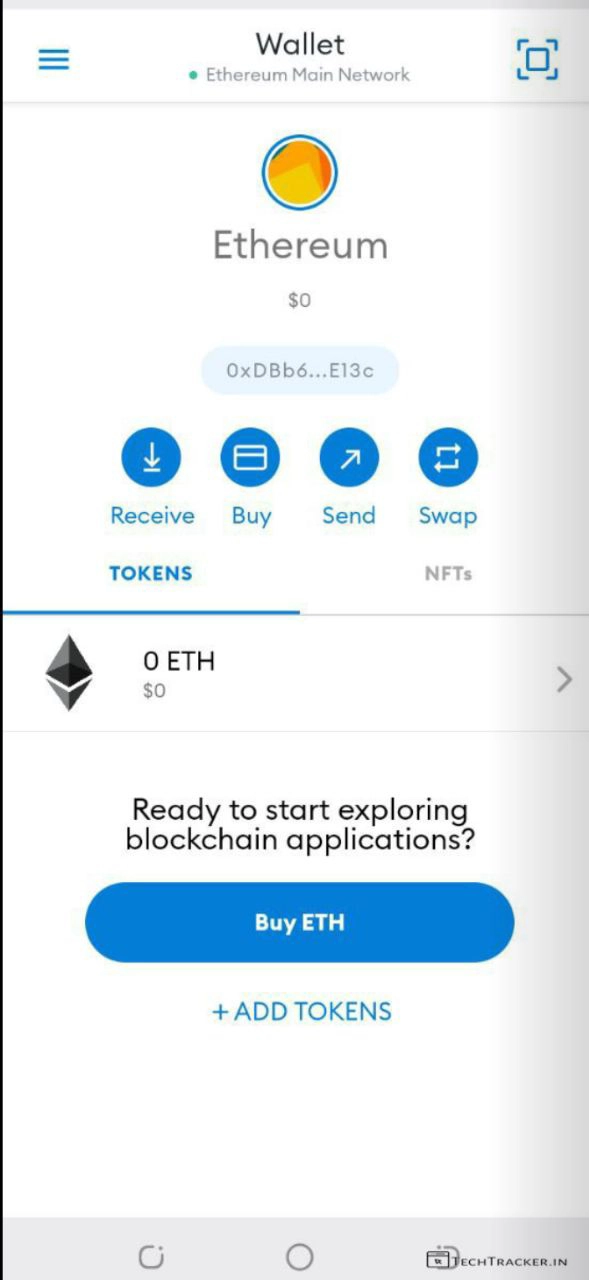
– Prior, we connect to matic wallet, deposit Ethereum in MetaMask wallet, you can buy
Ethereum from MetaMask Wallet itself, or withdraw from other wallets or exchanges to MetaMask Ethereum Address.
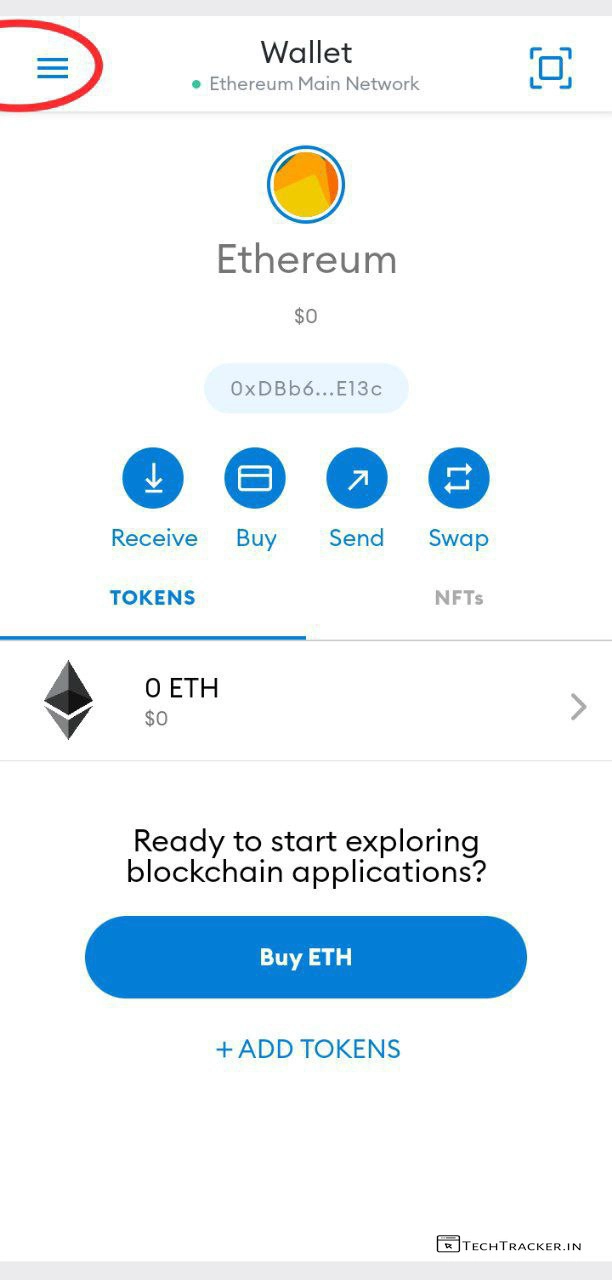
– Once you have minimum Ethereum in your wallet, tap on ≡
– Tap on Search or Type URL
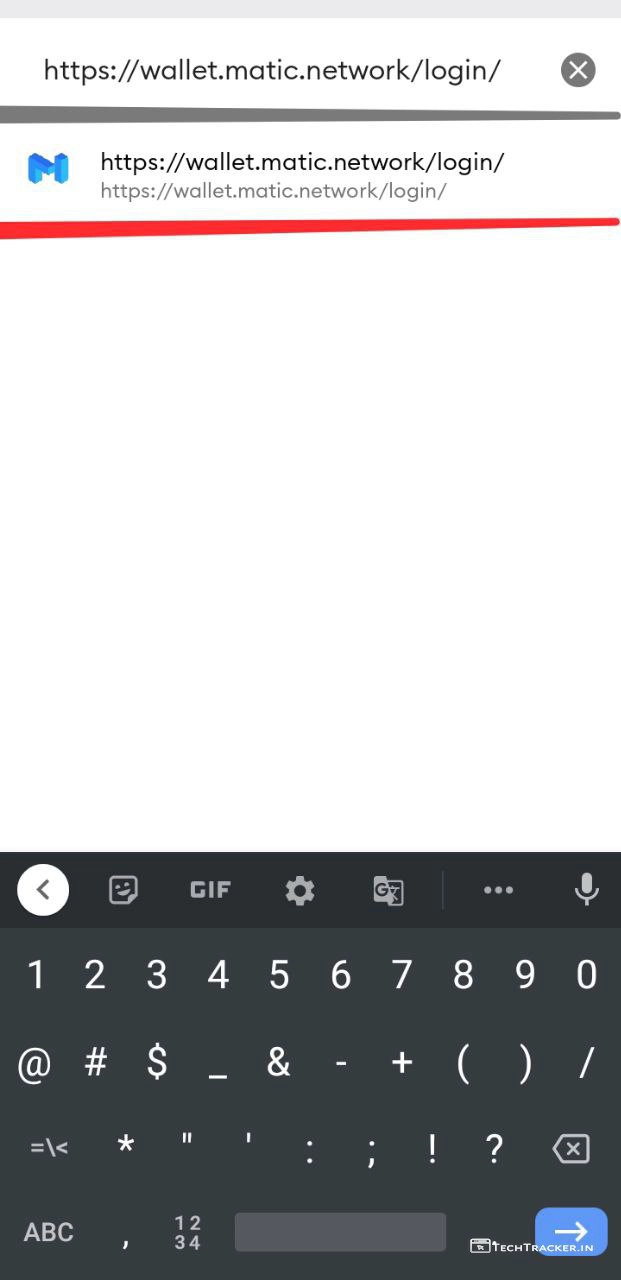
– Enter : https://wallet.matic.network/login
and Tap on URL to search it.
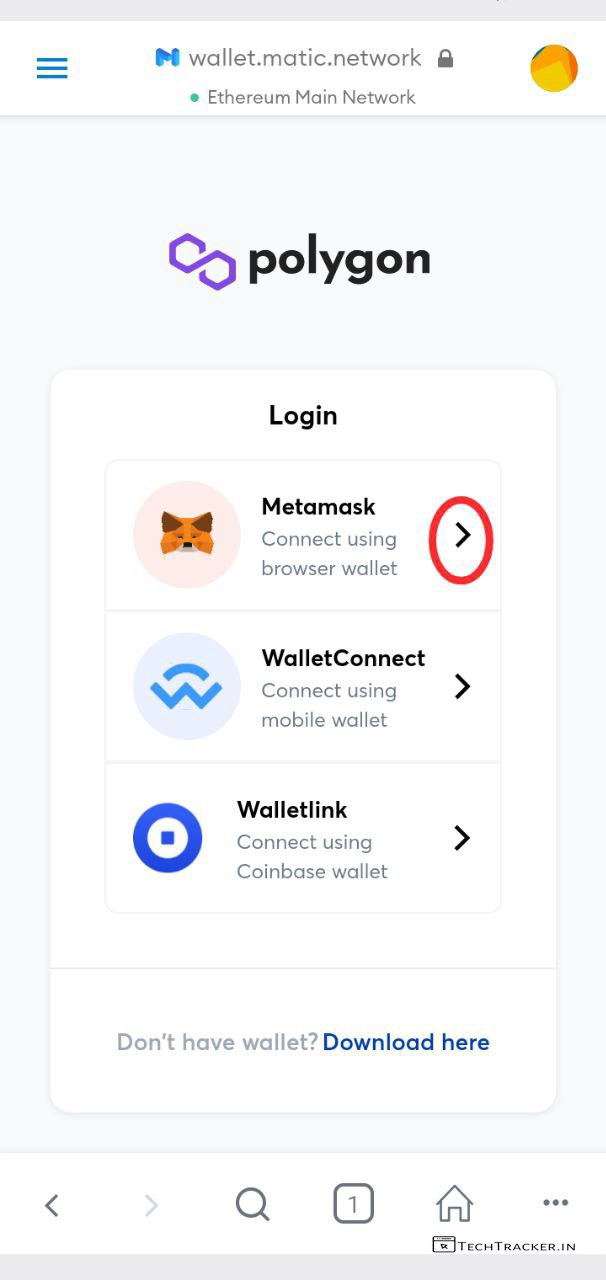
– Now you are in polygon matic wallet, tap on MetaMask to connect.
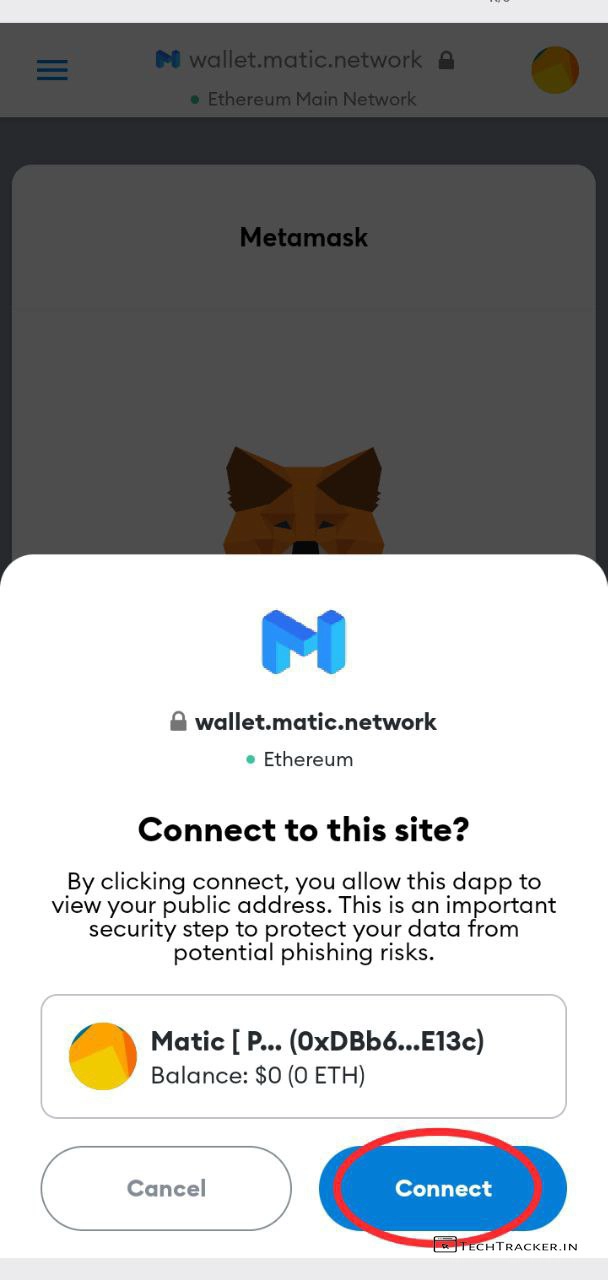
– Tap on Connect
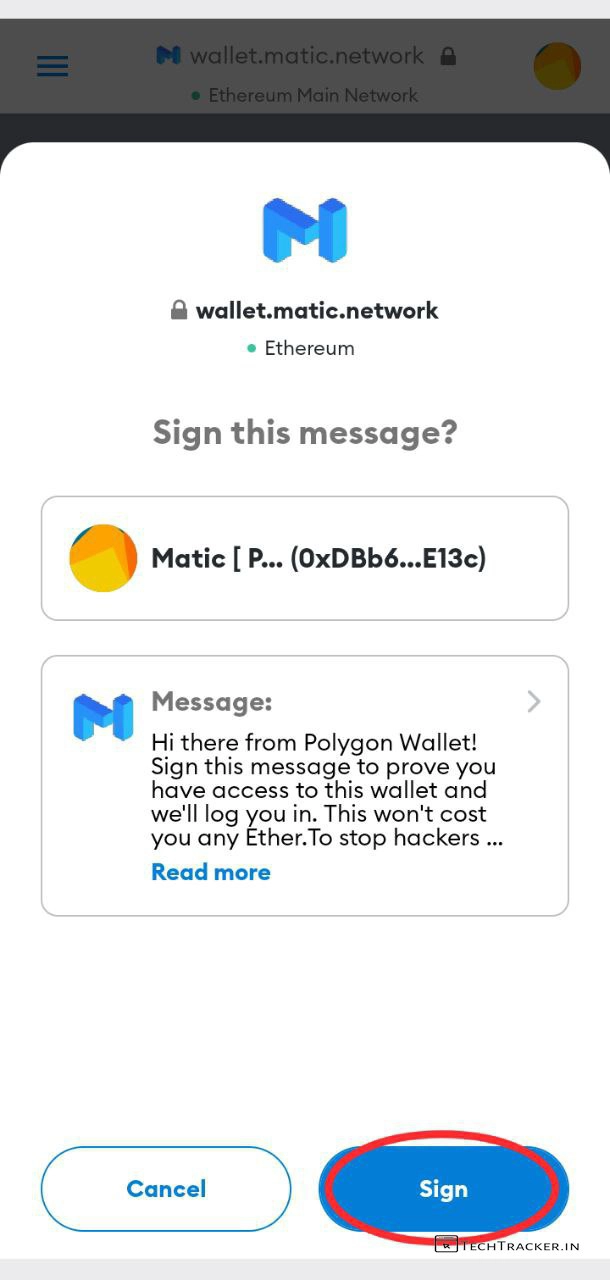
– Tap on Sign
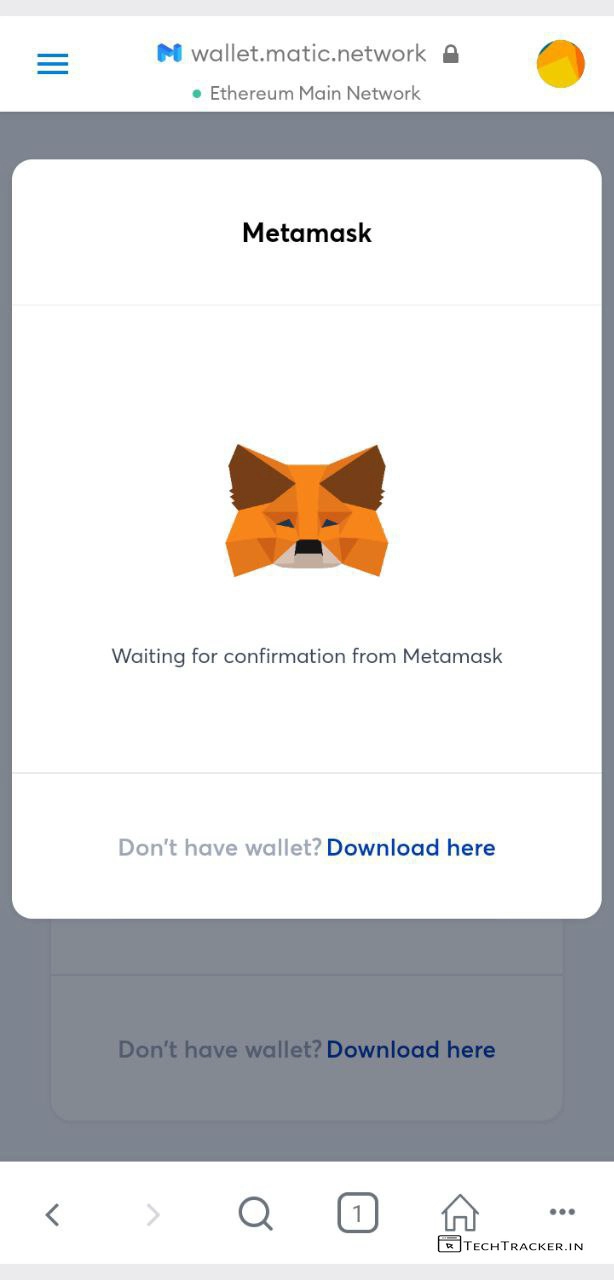
– it will be confirmed in few seconds, kindly wait to proceed further.
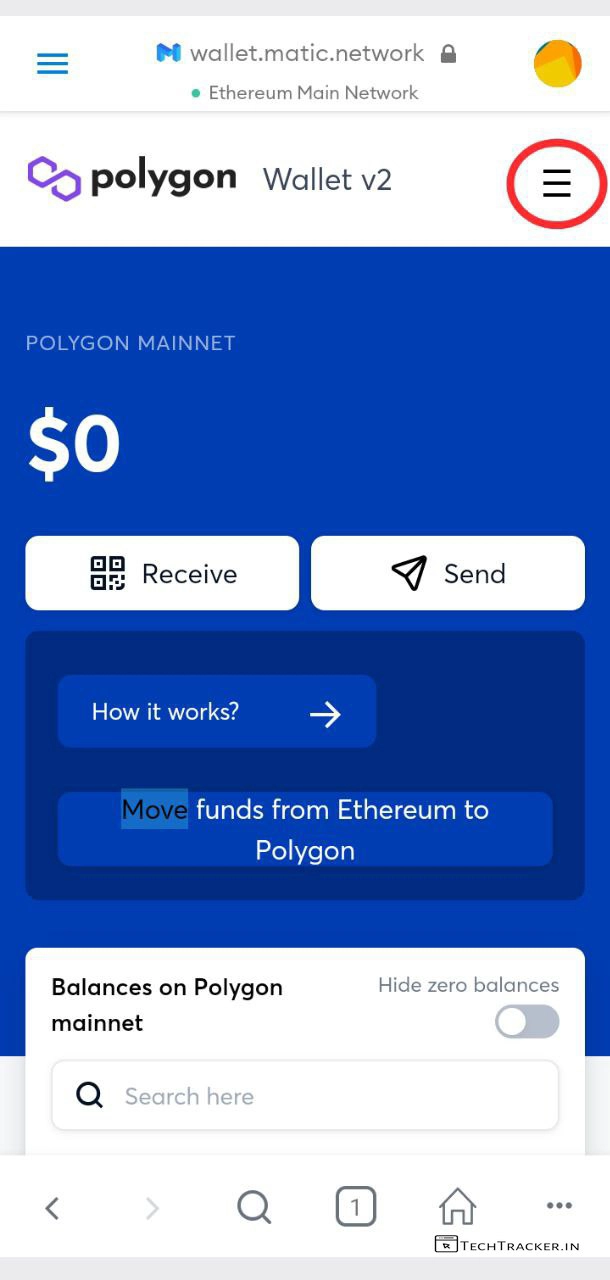
– You are in polygon matic wallet V2, tap on ≡
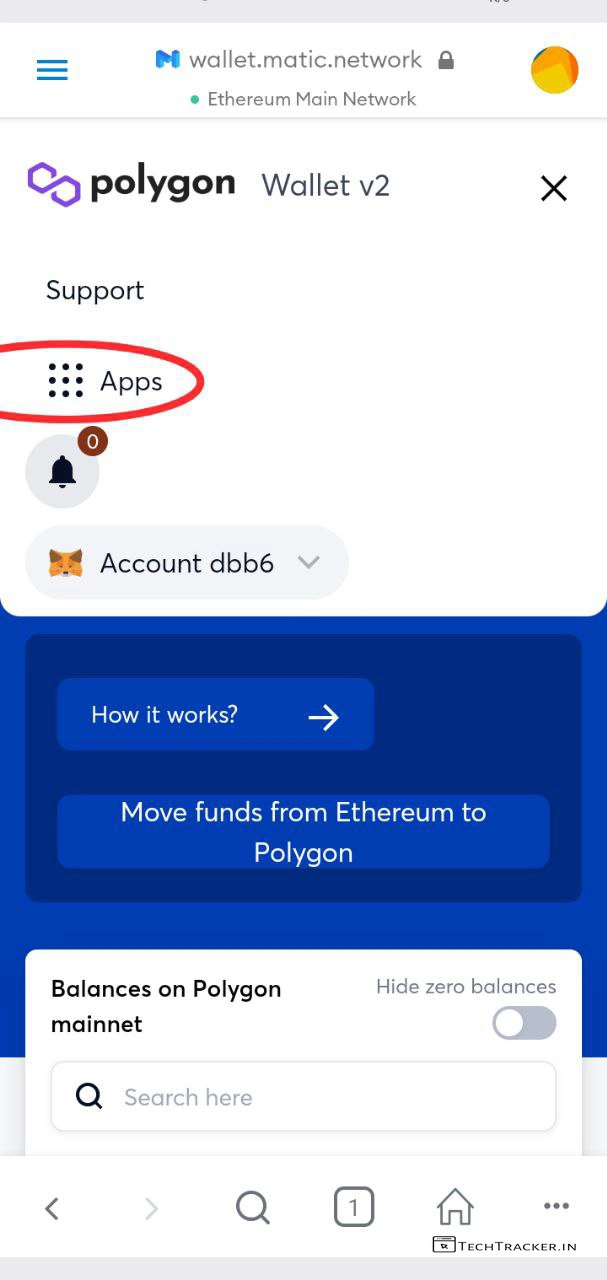
– Tap on Apps
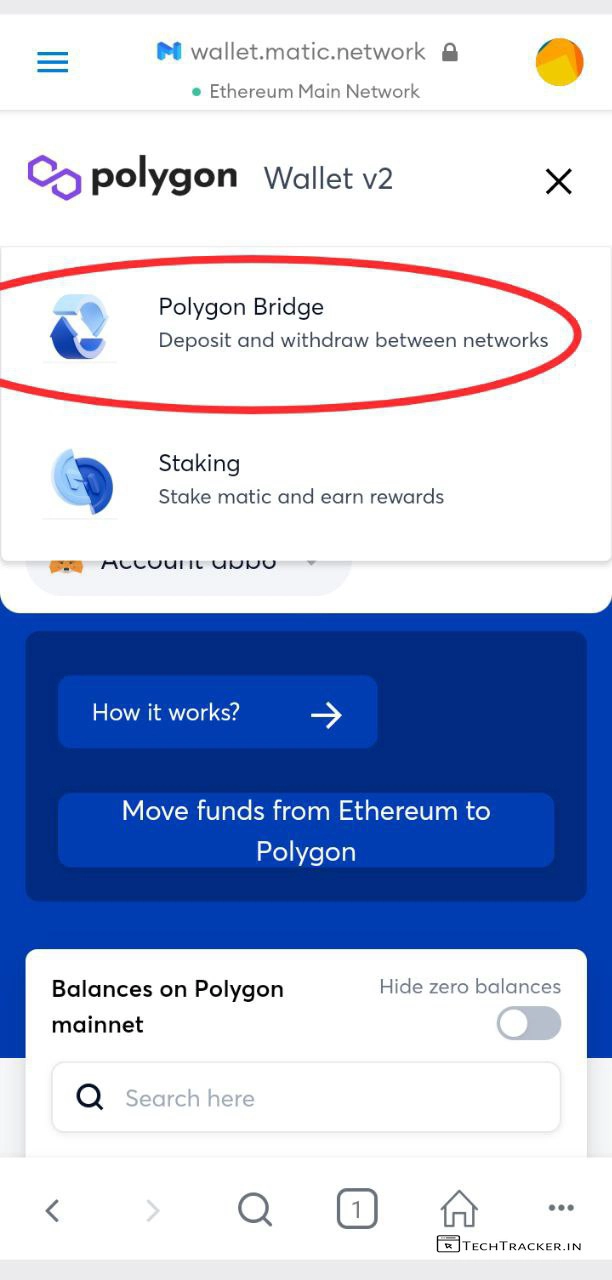
– Tap on Polygon Bride
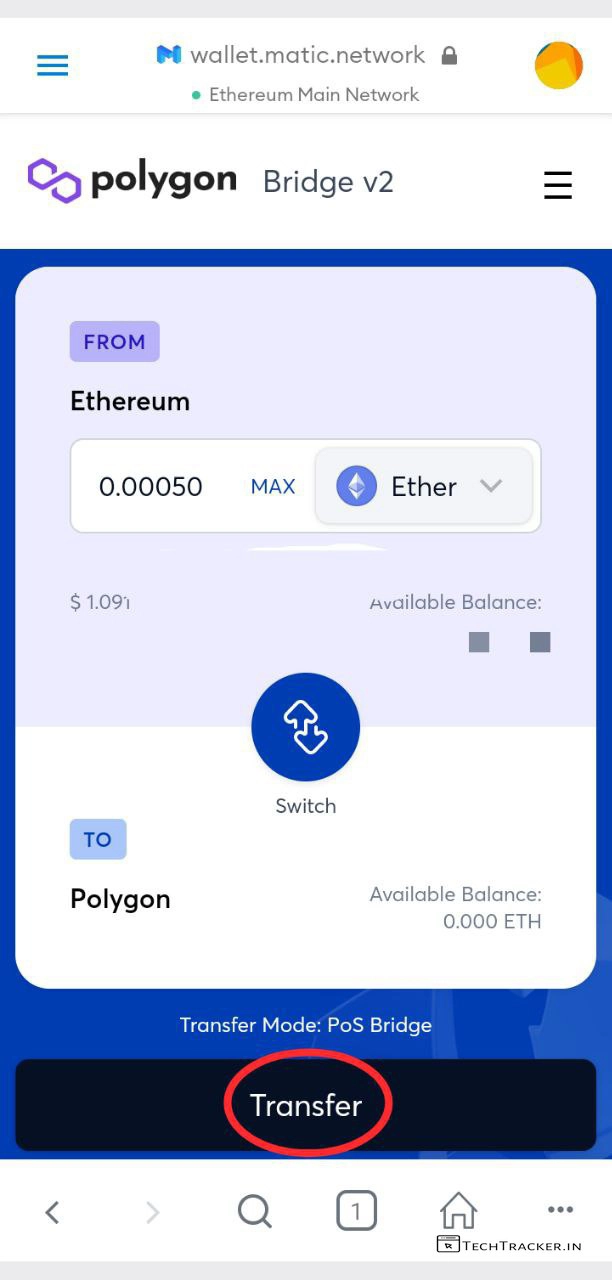
– Enter Ethereum you want convert to polygon and tap on Transfer and kindly confirm transaction using MetaMask.
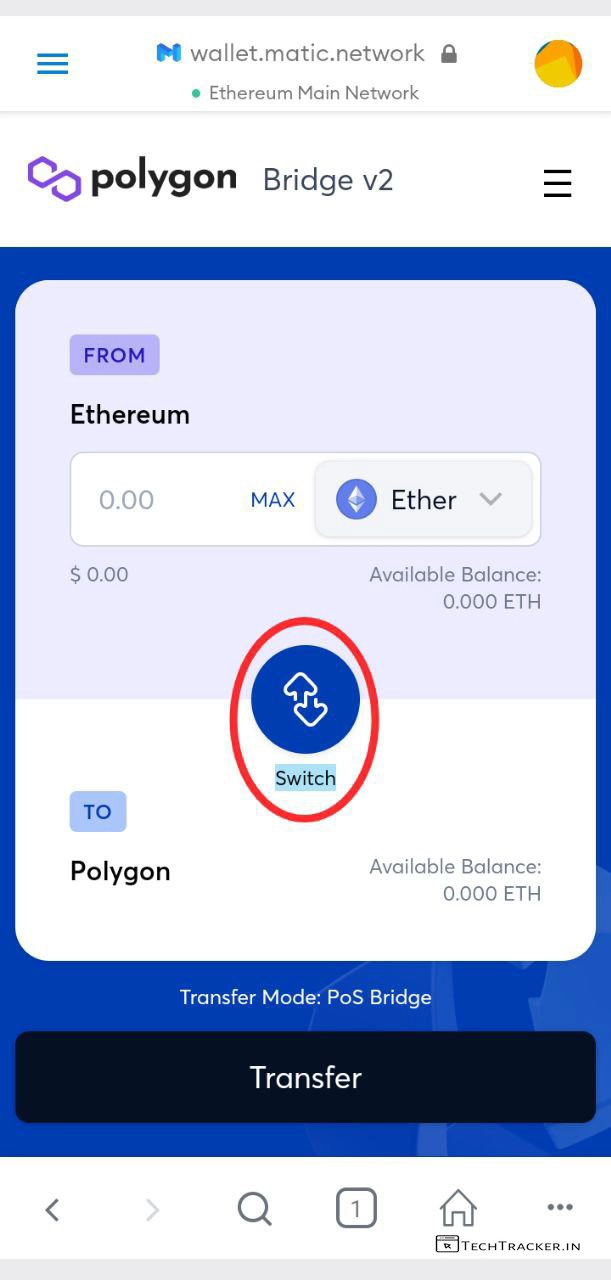
– Or else, if you already transfer Ethereum to Polygon, then You may already received wrapped ethereum, just in case it you want to unwrap wrapped Ethereum, just tap on switch and transfer, it’s simple.
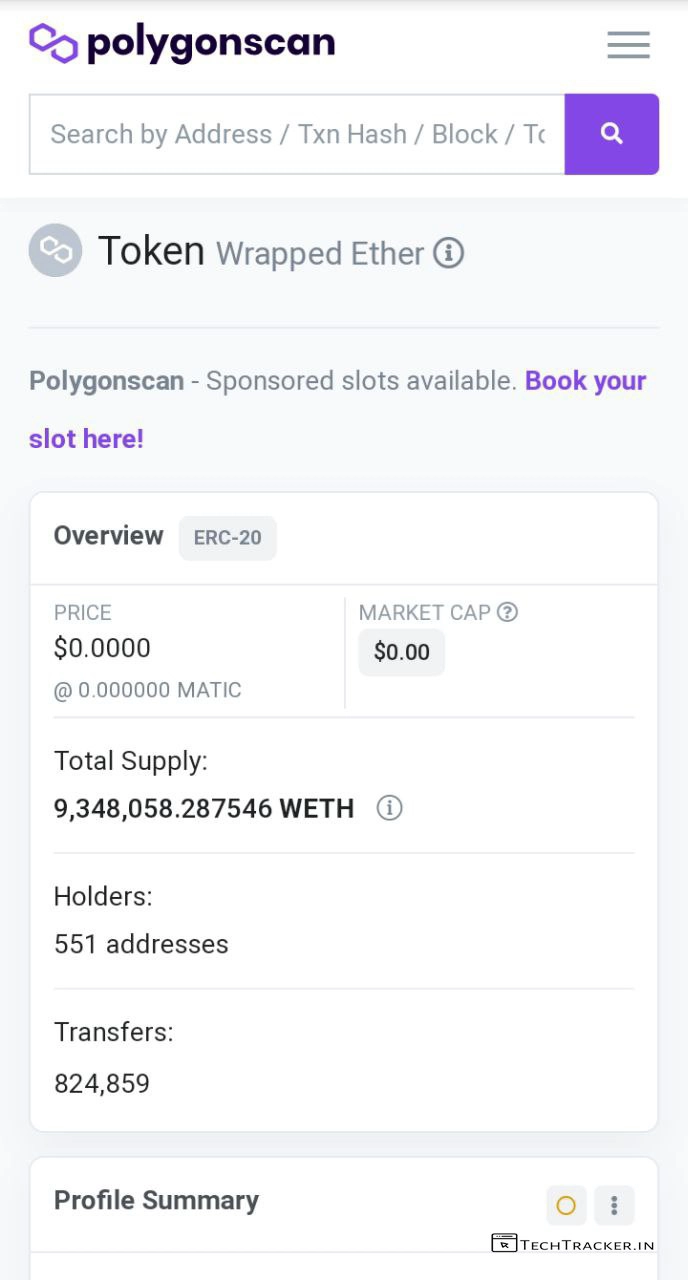
– Once, Transfer successfully done, you’ll get transaction url, tap on it here you can see your ETH – Ethereum is converted to WETH – Wrapped Ethereum.
– Wrapped Ethereum = Ethereum with no price change, both are same, you just have to unwrap wrapped ethereum whenever you want using exchanges or wallet.
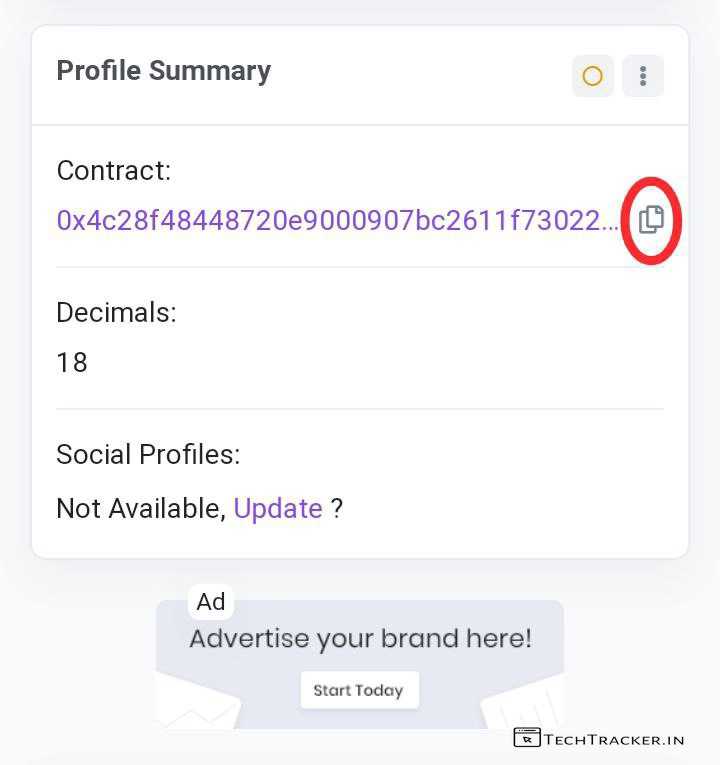
– Scroll down, transaction url website and here you find contract details, tap & copy contract address and note decimal 18.
– Now, Go back to MetaMask wallet.
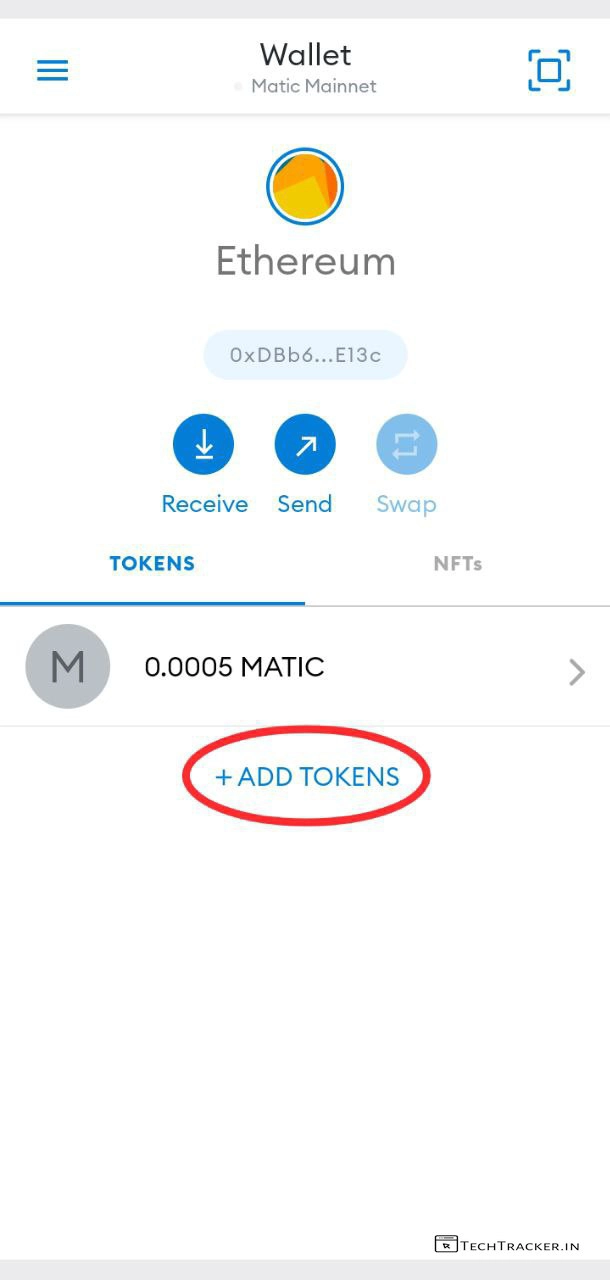
– In MetaMask Wallet, Home, Switch from Ethereum Network To Matic Network like we done earlier from matic to Ethereum.
– After that Tap on + ADD TOKENS
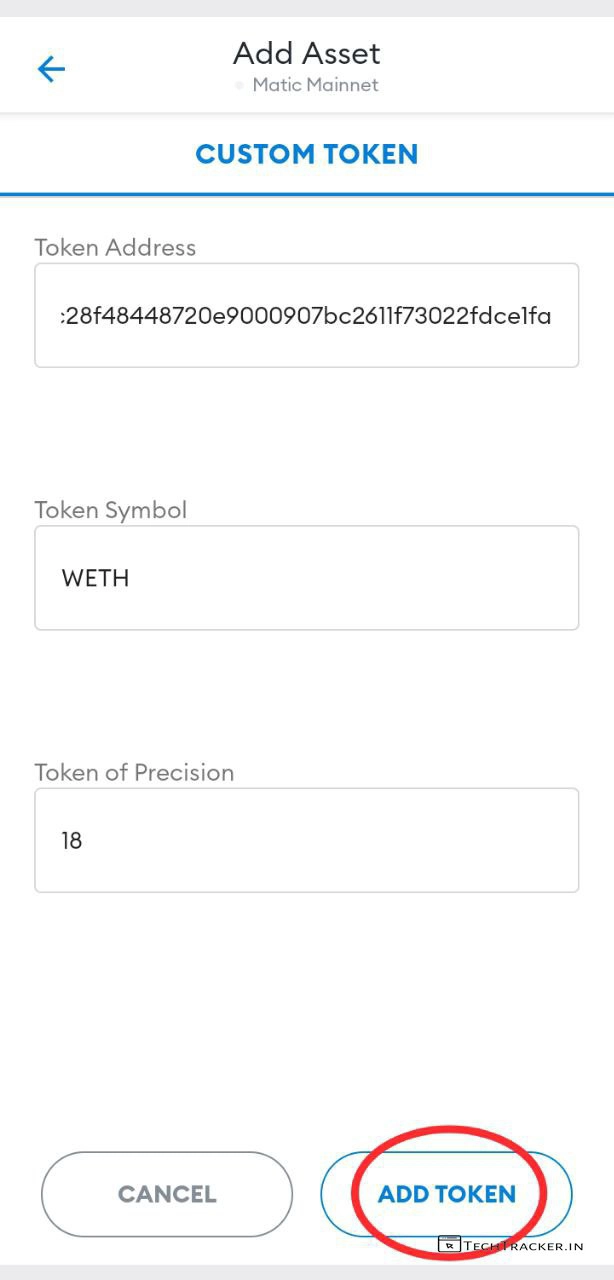
– Copy & Paste Below Contract Details
– Token Address –
0x4c28f48448720e9000907bc2611f73022fdce1fa
– Token Symbol : WETH
– Decimal : 18
– Tap on ADD TOKEN
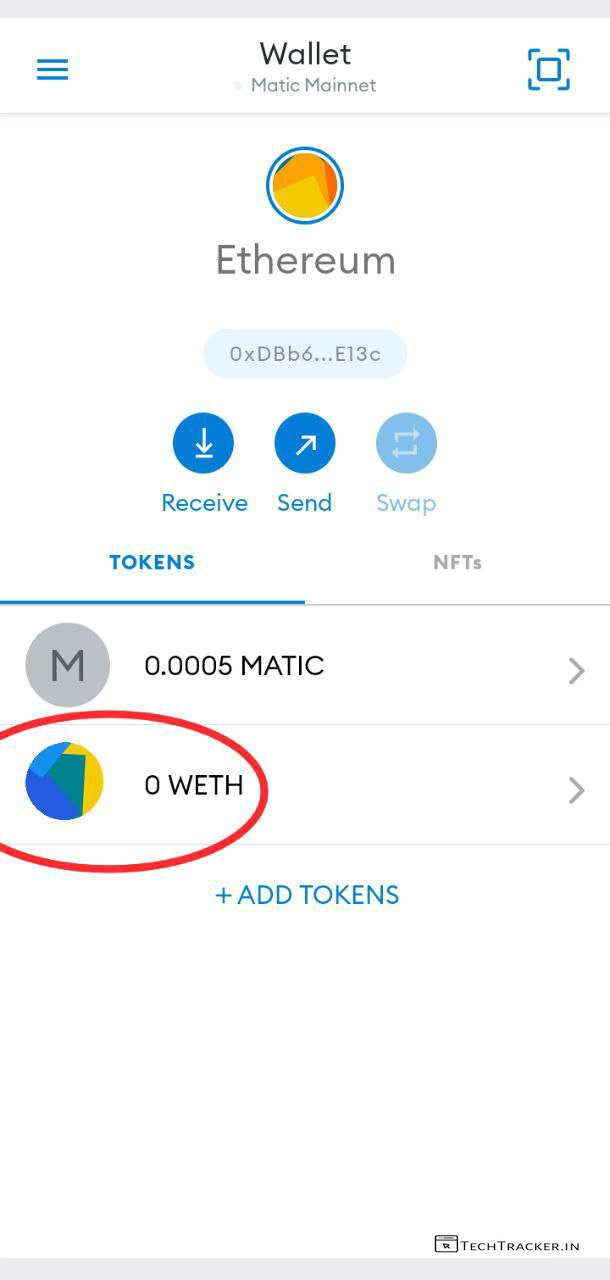
– Now, you can see the wrapped ethereum that you converted using polygon wallet.
– Tap on WETH, we don’t have balance but you can definitely do if you have converted using polygon matic wallet V2.
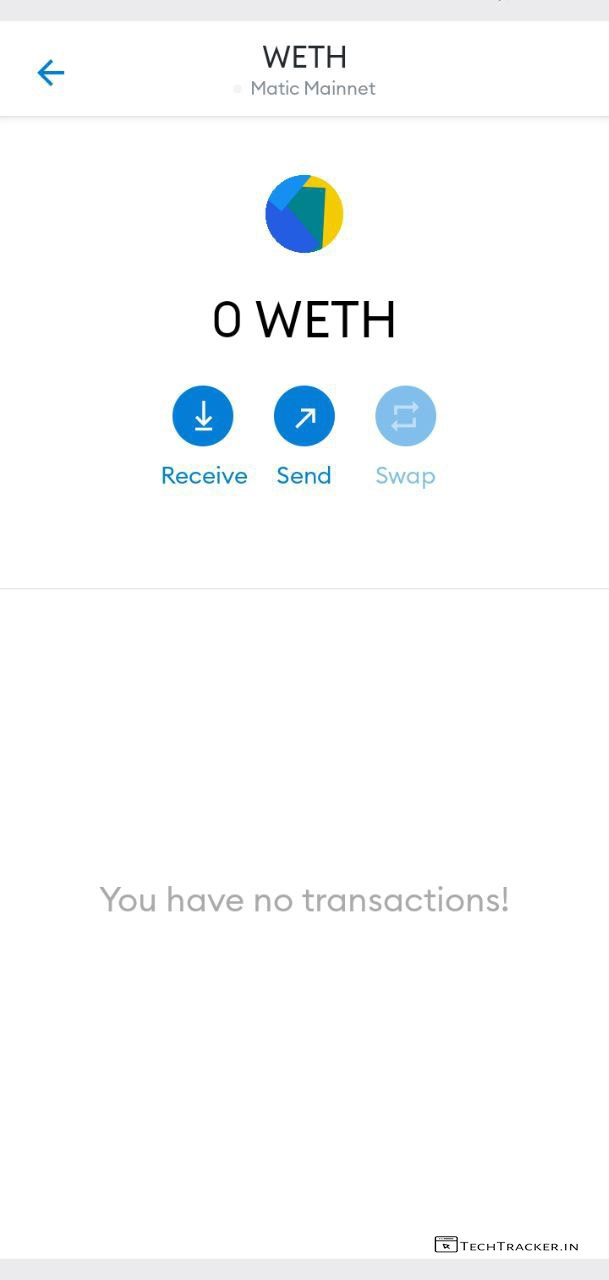
– Tap on / Send
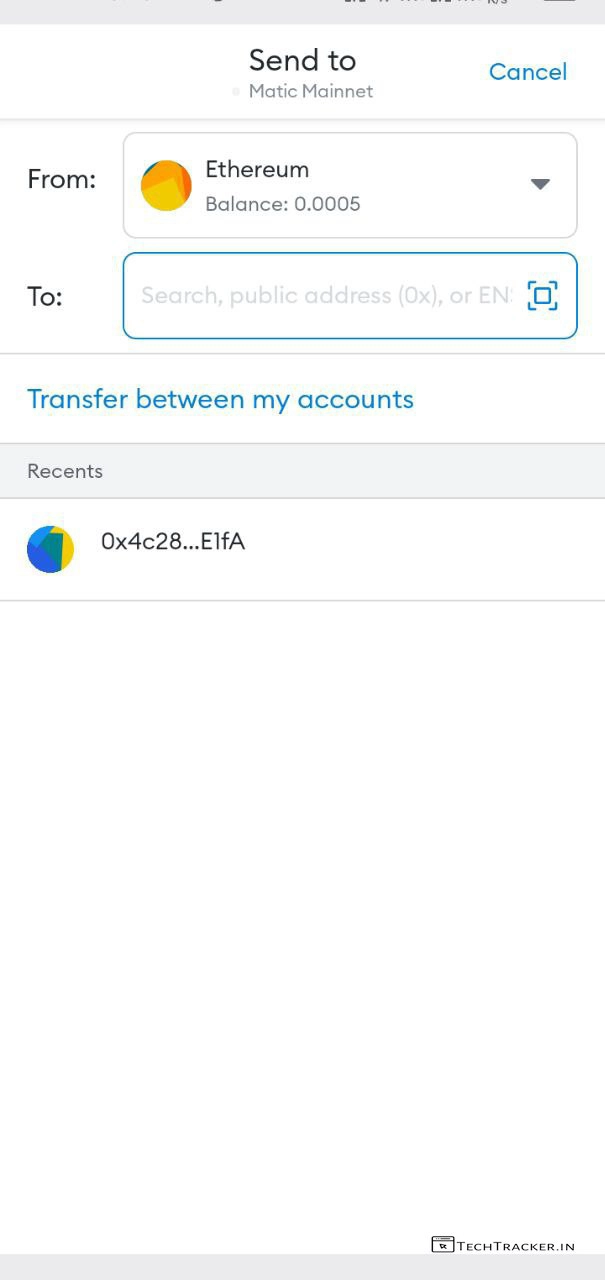
– Enter or copy paste the recipient address that you want to send wrapped ethereum.
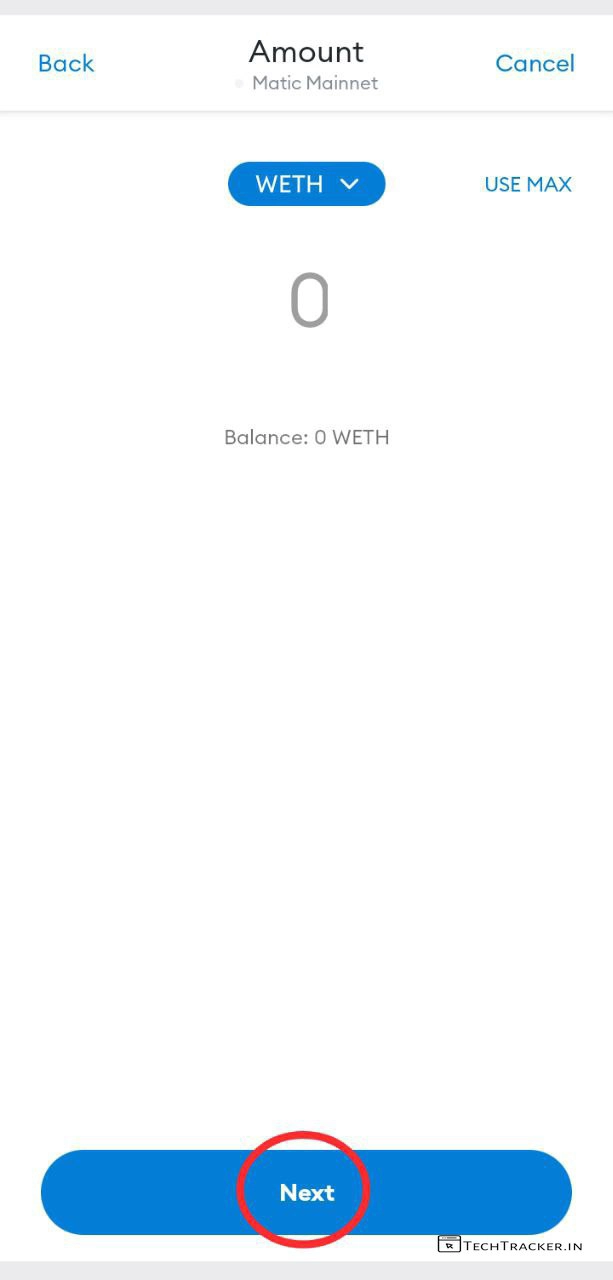
– Enter WETH amount, & tap on Next
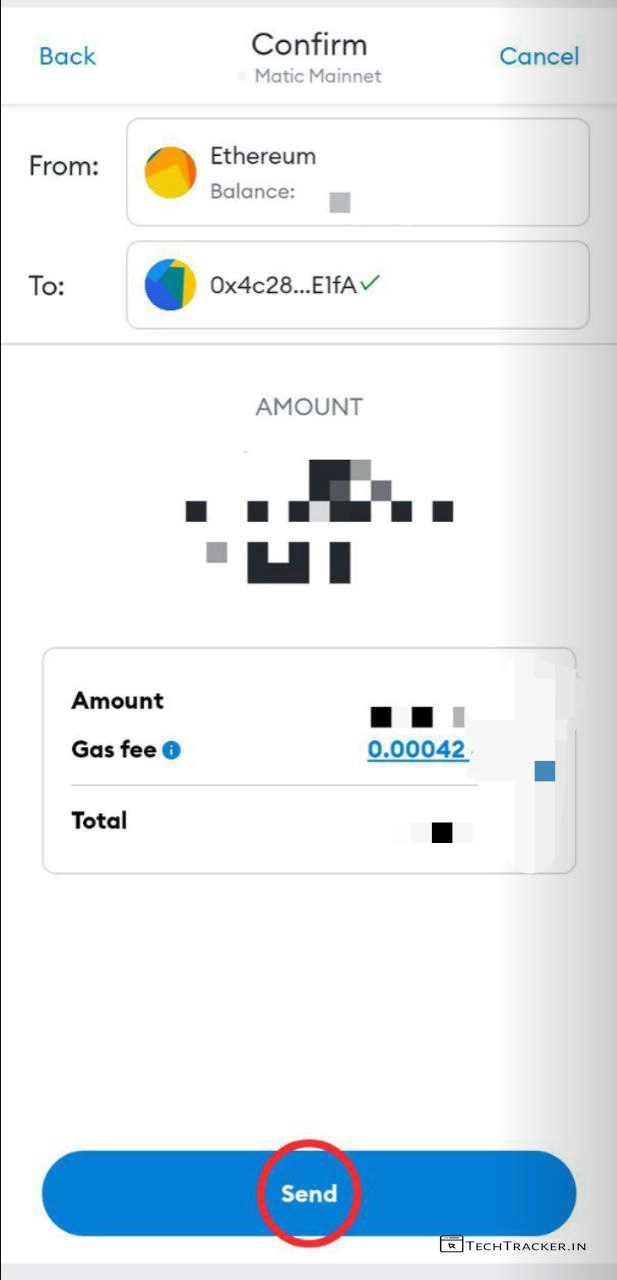
– Here you can gas fee is just 0.00042, which is not even cents, using polygon technology, just tap on Send.
Woohoo, You successfully learned how to transfer Ethereum at very low fees using polygon matic wallet and Metamask.
Atlast, this is incredible now you can easy transfer Ethereum at very extreme low fees by making it wrapped ethereum using polygon matic wallet V2 bridge technology, polygon have superb potential growth in future due to low gas fee and mainly popular crypto currency Ethereum is dependent on it, undeniably.
Overall, Polygon Matic wallet v2 is very simple and easy due to the website quick fast, newbie friendly user interface that gives clean clean user experience packed with the necessary features, we have to wait & see will polygon matic wallet V2 get any major UI improvements in future to make it even more better, as of now all it has perfect user interface and user experience which you may like to use for sure.
Moreover, it is worth to mention polygon is right now favourite crypto currency to alot of traders due to its potentiality as it will make Ethereum Transfers at very low price and polygon have its own exchanges and tokens which you can find on polygon defi platforms like QuickSwap, where you can trade polygon tokens, polygon matic is very cheap it will cost you 1% of a cent for most Transfers compared to any Binance or any other standards which cost you more than 1$. So save money using polygon, YAY.
Finally, In simple polygon is future driven potential technology that is not just useful to transfer Ethereum, but if you want to transfer Ethereum at very low fee then use polygon matic wallet, So Do you like it? If you are an existing user of polygon matic wallet V2 say your experience in our comment section below, see ya 🙂