
Do you want to stream PUBG or any other games from your Android device without glitches or lags? it is possible with Turnip app but people and streamers are familiar with a popular multi-livestream app named StreamLabs but compared to Stream Labs.
Turnip is way more easy to use and setup due to this reason people were switching from SteamLabs to uprising multi-stream app Turnip from past few months.
Yes, You can create professional quality multiple streams from your phone itself with Turnip app installed on your Android device no need of Elgato or a PC/Laptop or OBS. Broadcast your favourite mobile games like PUBG Mobile, Call of Duty Mobile (CODM), Free Fire, Fortnite, Among us, Brawl Stars, Clash Royale, Clash of Clans, Pokemon GO, GTA, Minecraft, Roblox, Chess etc. to YouTube Live and Facebook Live – all at the same time absolutely for free!
In Turnip, You can create gaming clubs to run gaming communities and claim your Turnip audio rooms to interact with your fans, viewers, teammates or friends and Members can simply hop into your room, join in on your stream to play games or just hangout even stream live together.
• Turnip Official Support •
– Discord
Website : turnip.gg
– App Info – Google Play –
• How to download Turnip •
It is very easy to download Turnip on these platforms for free!
– Apkpure
– Apk4fun
• How to setup Turnip with key features and UI / UX Overview •
– Open Turnip app.
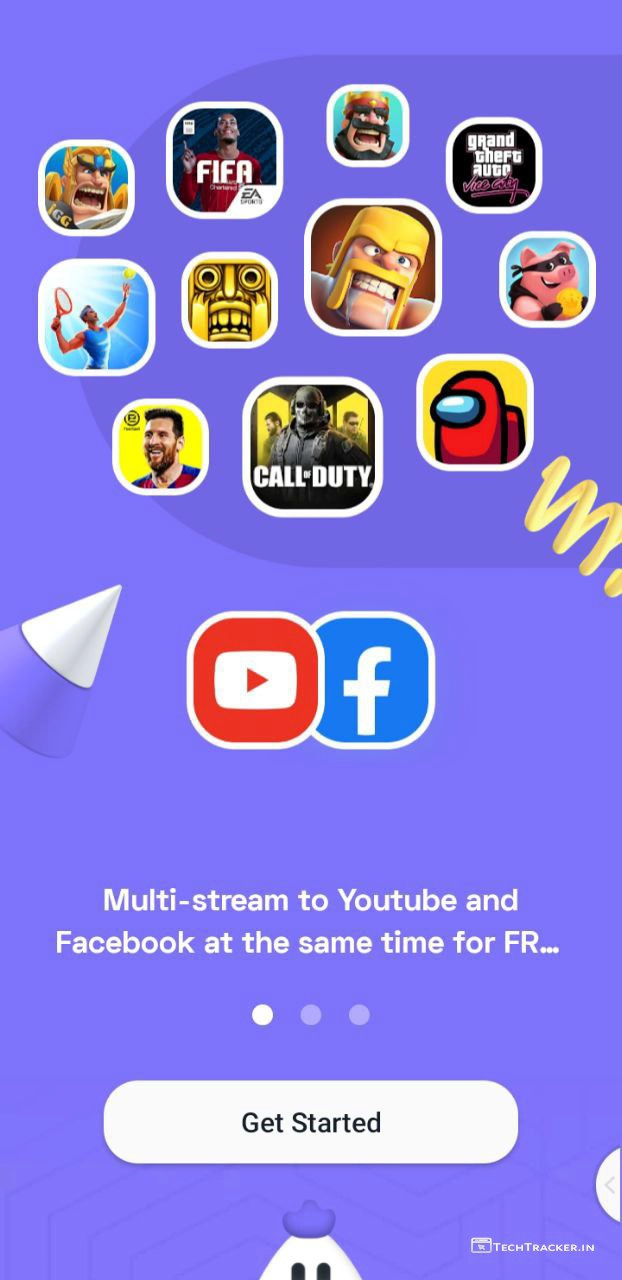
– Tap on Get Started
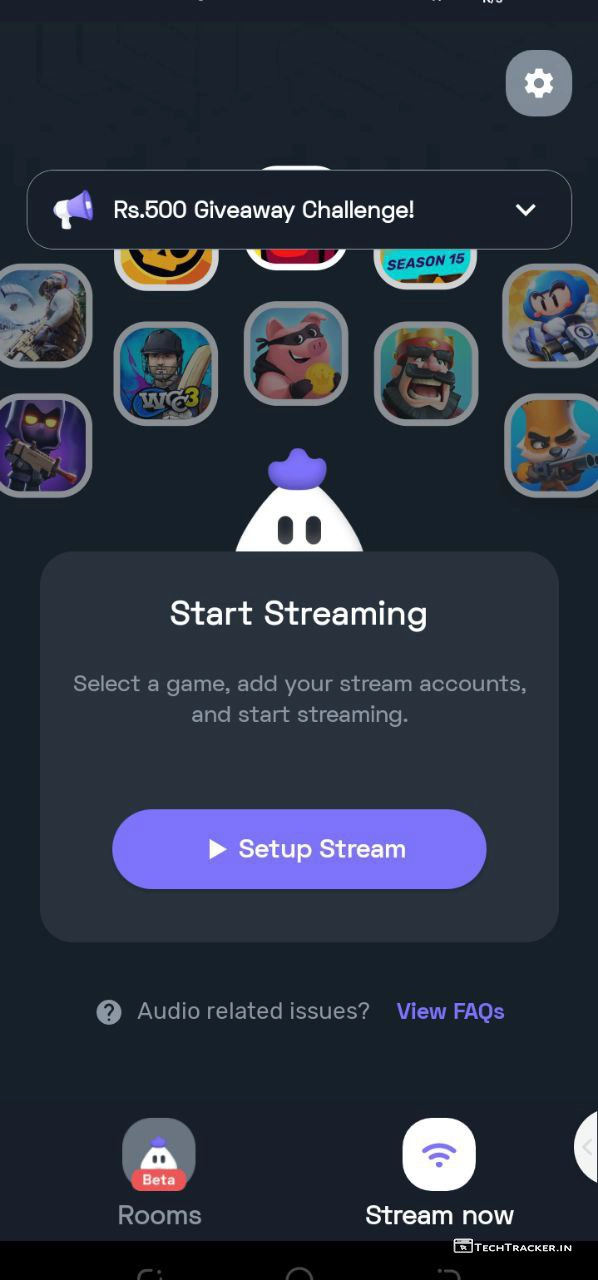
– Tap on Setup Stream.
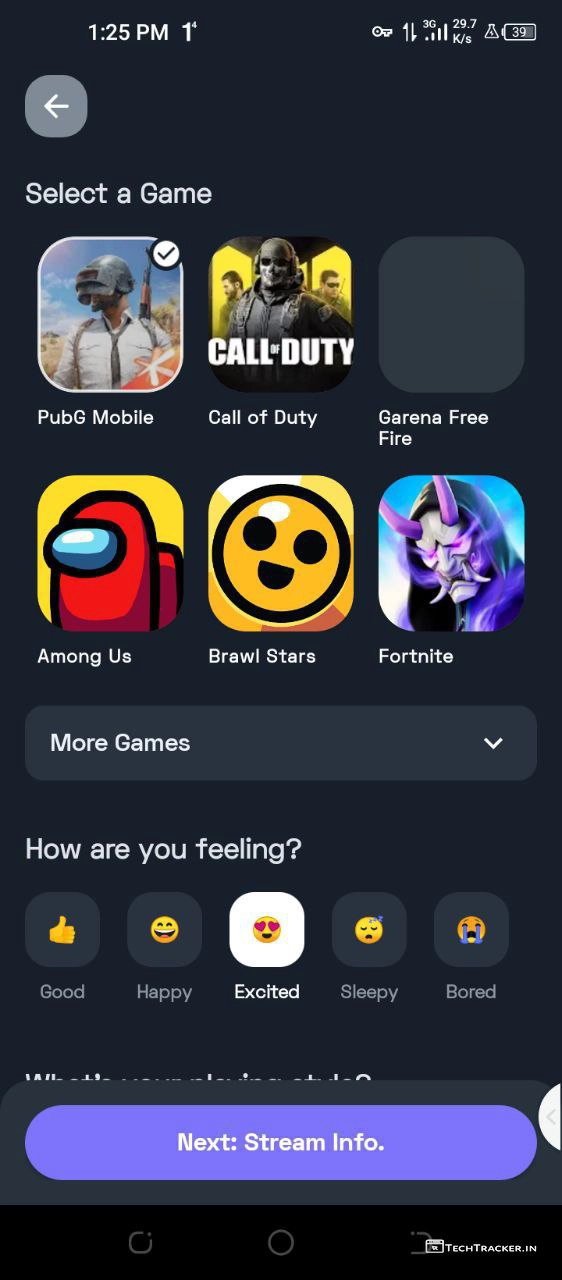
– Tap to select a game or tap on more games to select games that were not listed there after that select how are you feeling and scroll down.
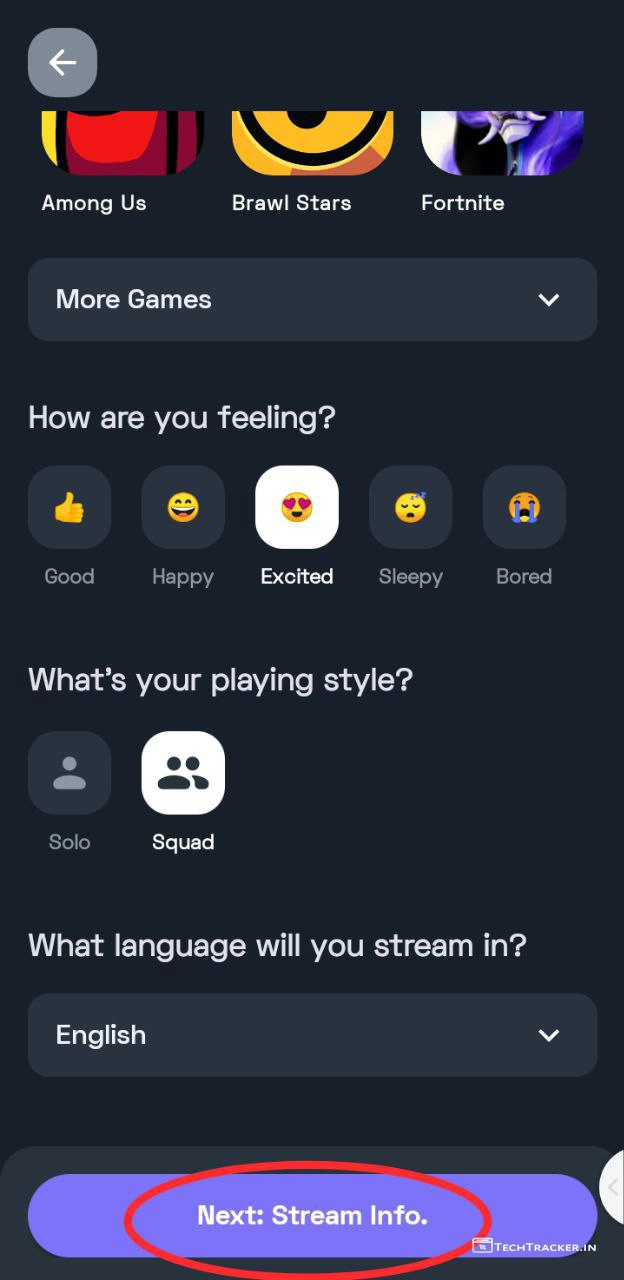
– choose solo or squad and select language then tap on Stream info.
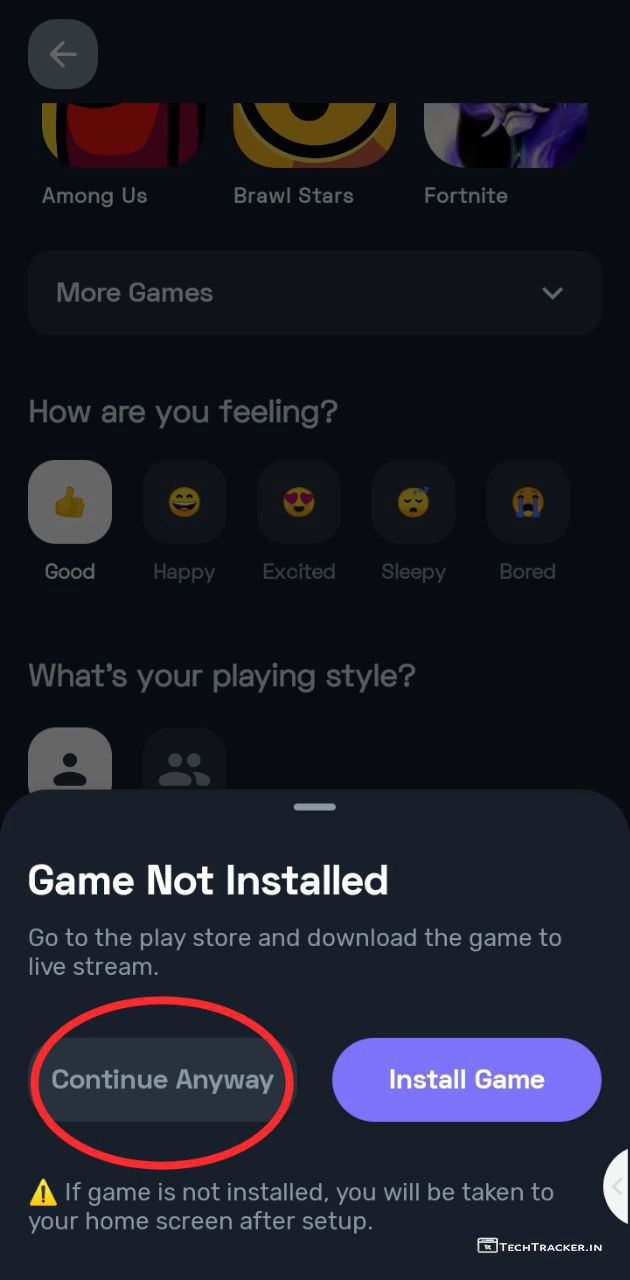
– You can install game or you can setup without game installed for that tap on Continue Anyway.
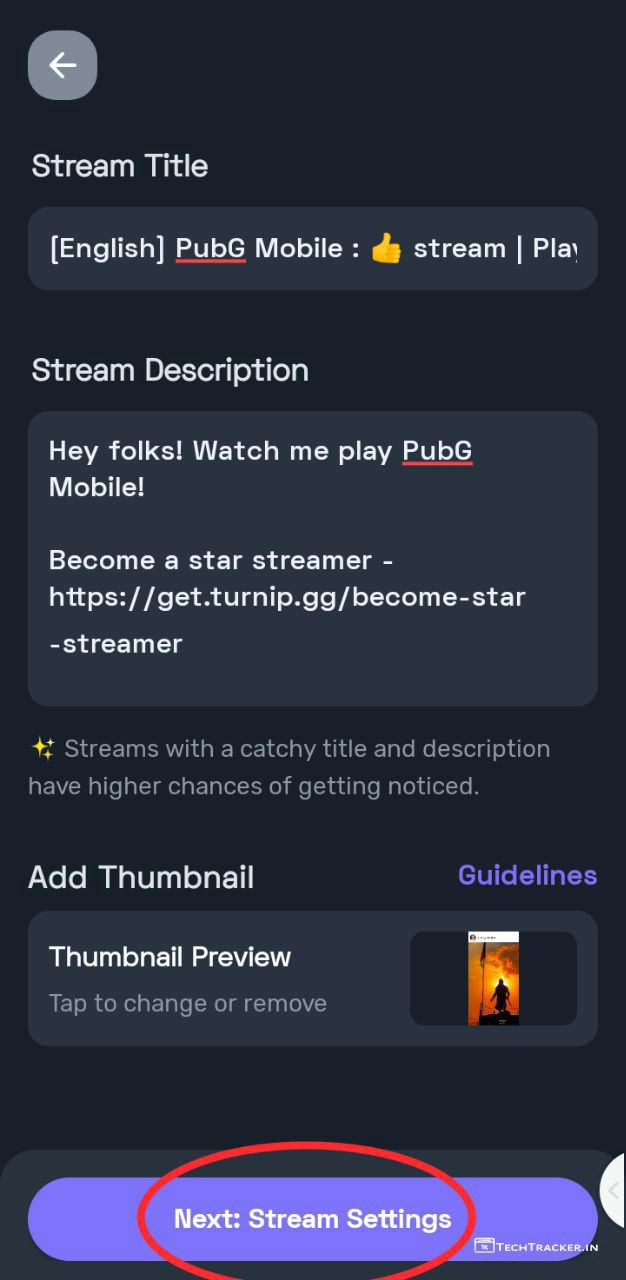
– Enter your stream title, description and Add custom Thumbnail then tap on Stream Settings.
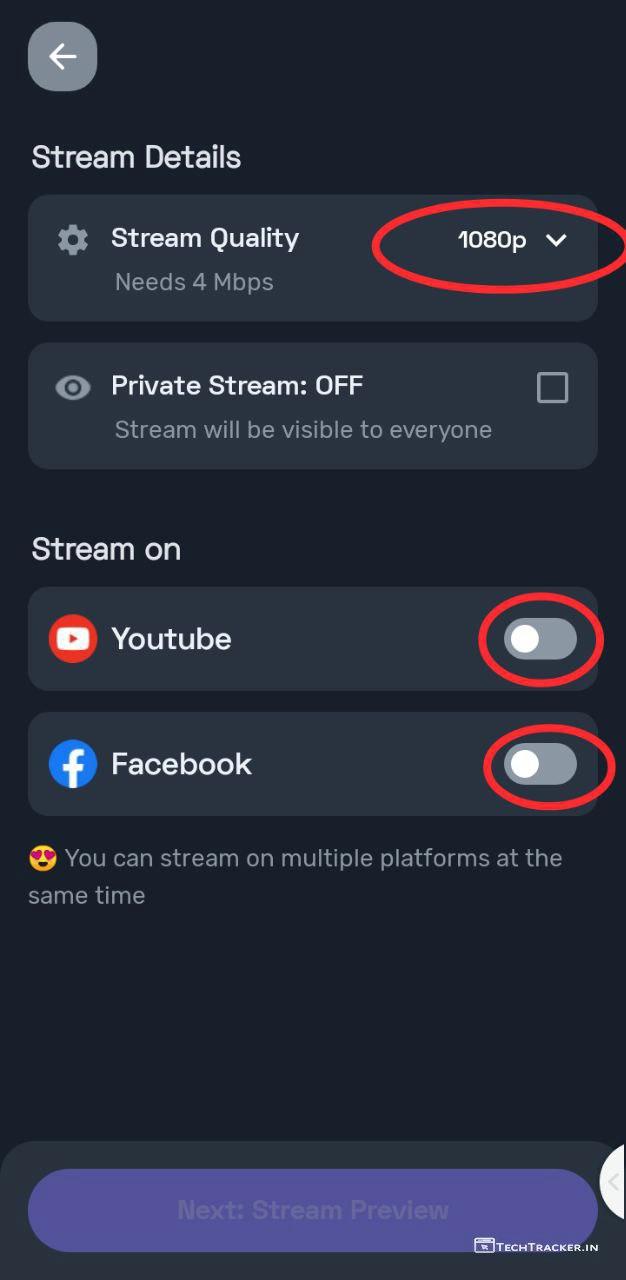
– it is always better to put atleast 720p for games like PubG or COD, you can put up to 1080p HD quality in Turnip
– You must need to Connect your YouTube or Facebook Account to procced further.
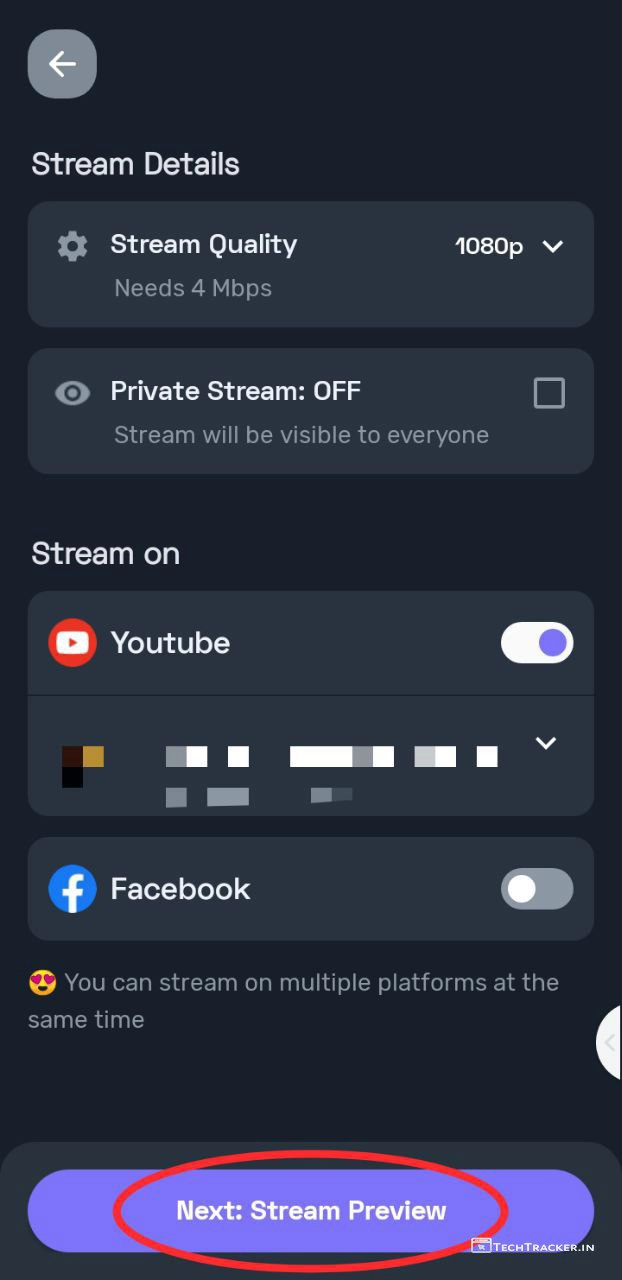
– Once, connected tap on Stream Preview.
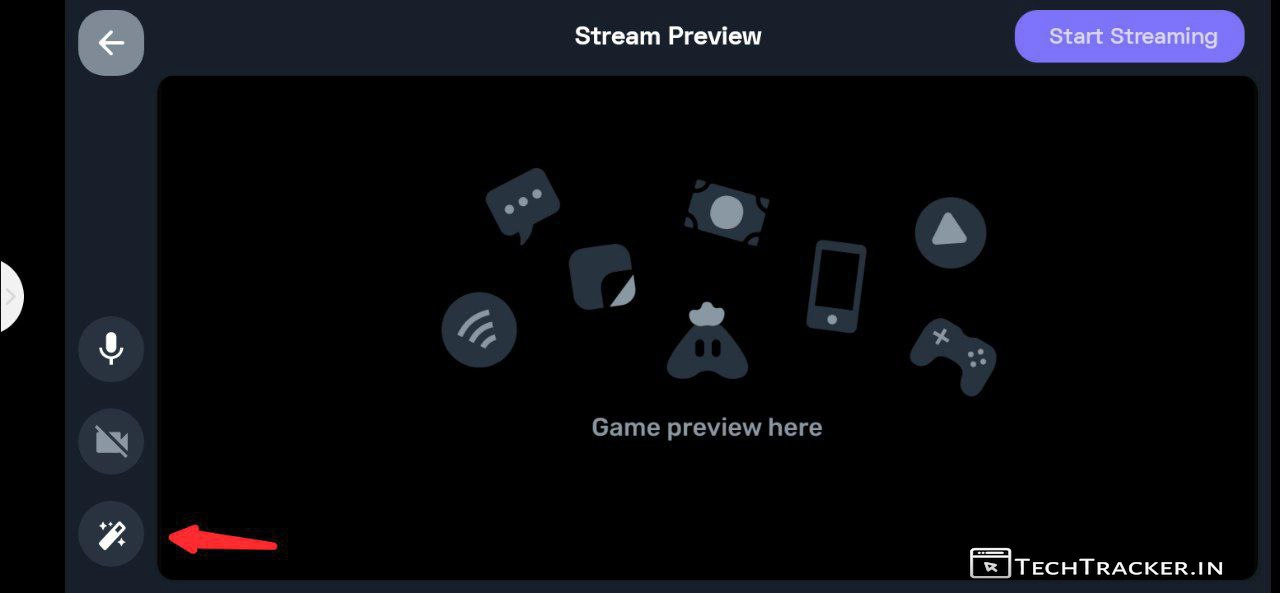
– Tap on the icon shown above to add overlay to your live stream.
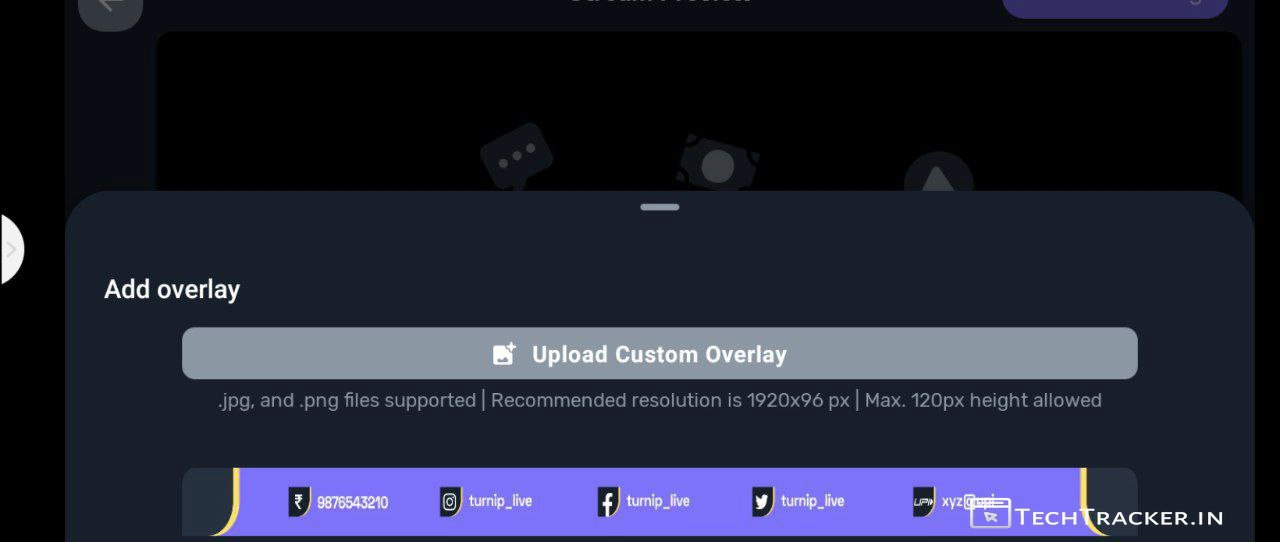
– You can Upload custom overlay or scroll down to add pre-made overlays by Turnip.
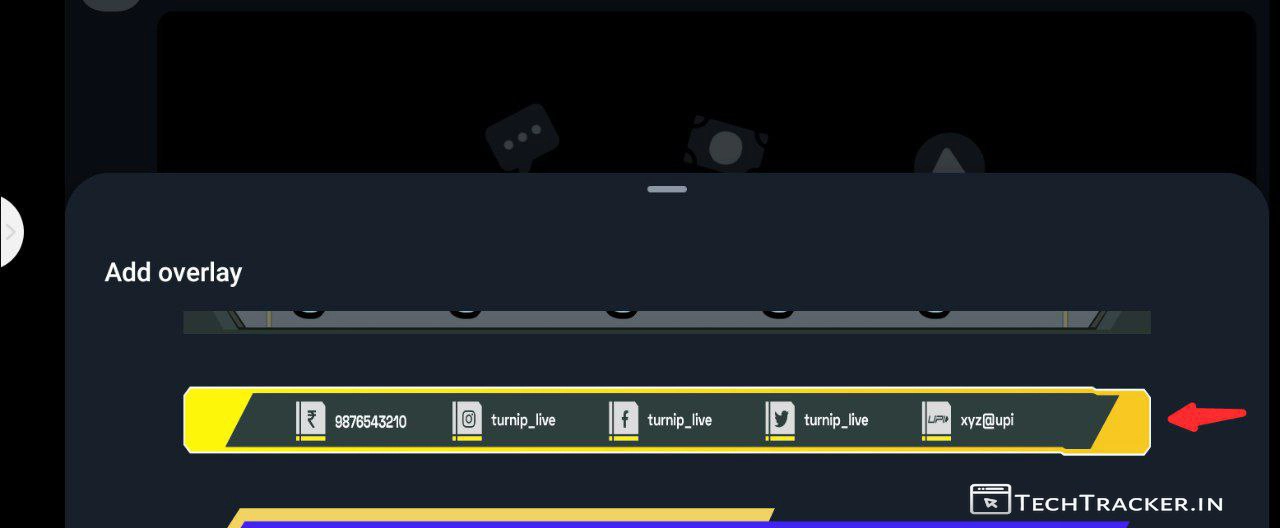
– Choose any overlay that you want.
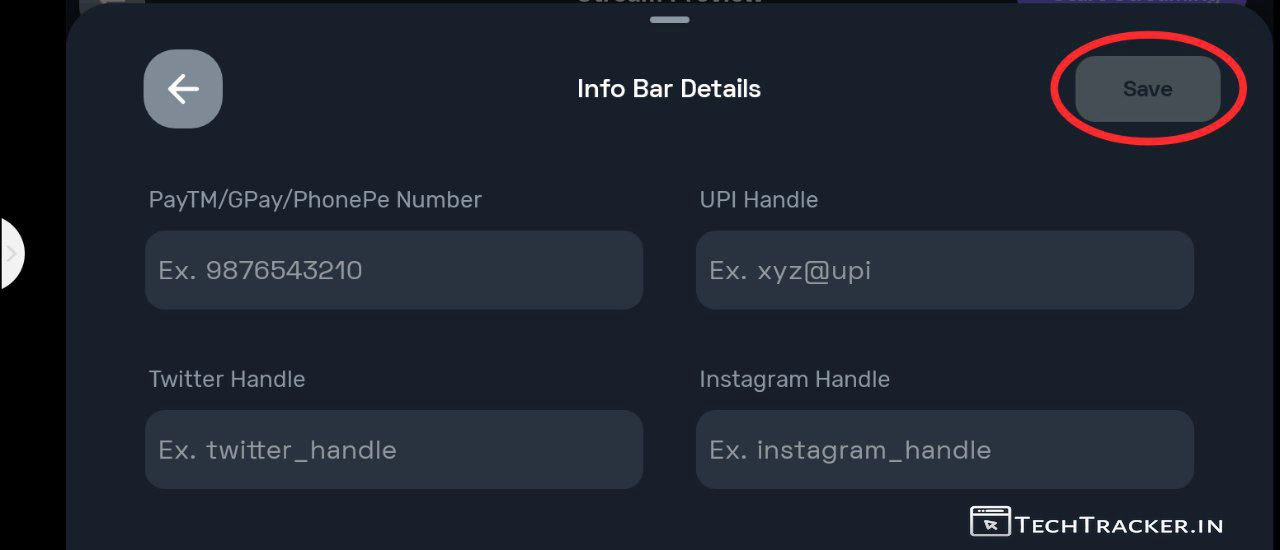
– Enter the required details that you want to be added in overlay and tap on Save.
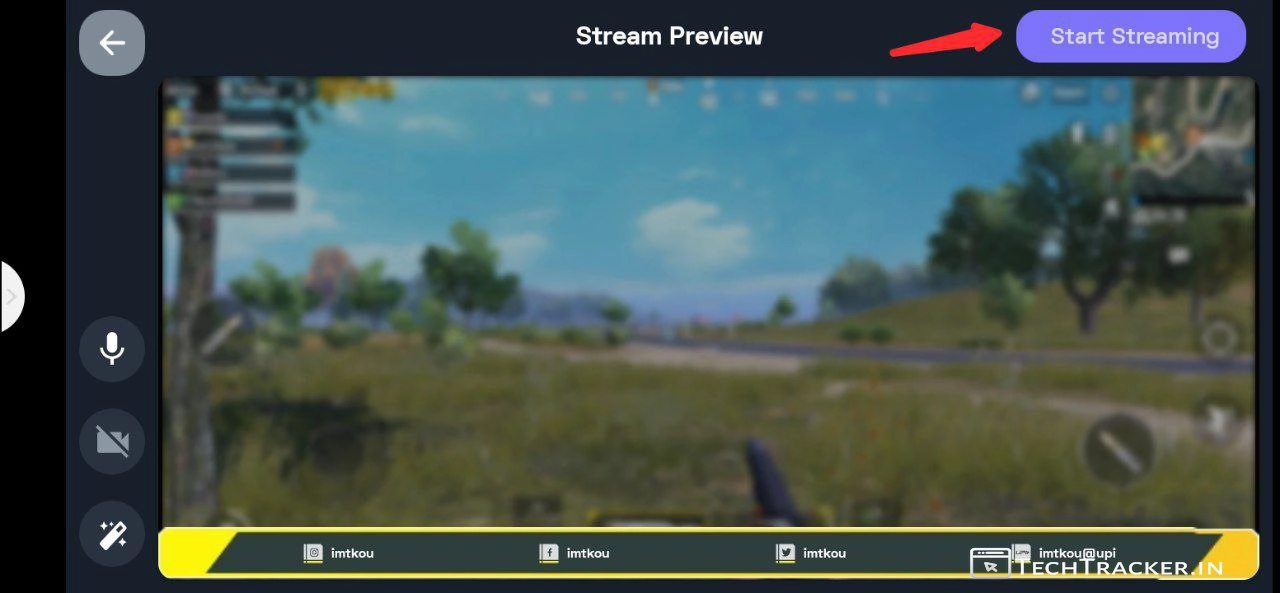
– Once overlay added, you can also add front video or cancel voice prior, then tap on Start Streaming.
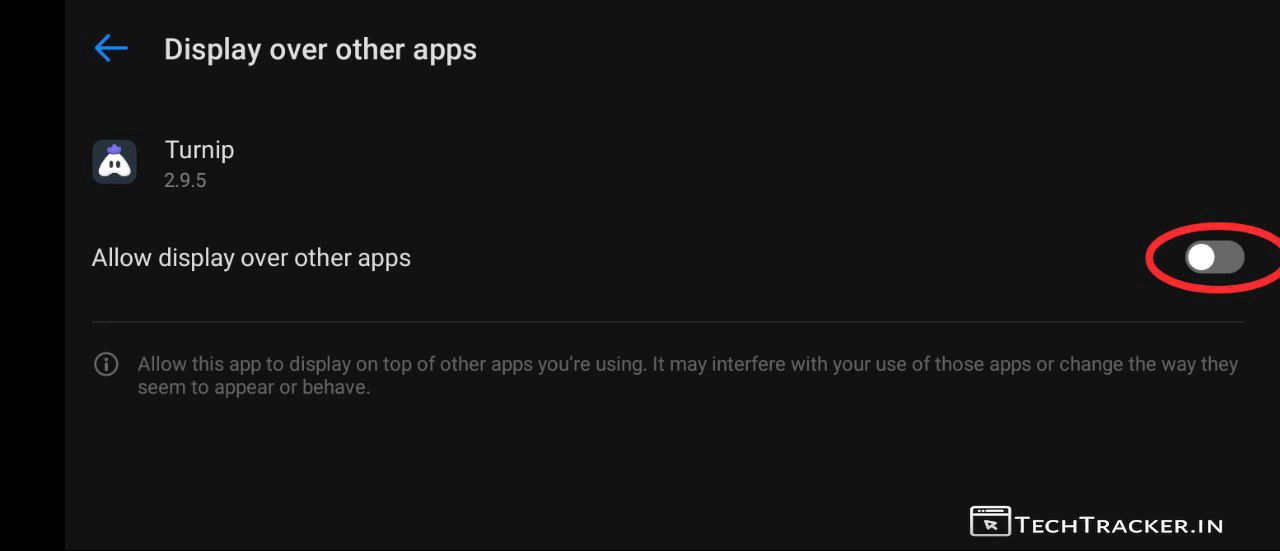
– Turn on, Allow display over other apps.
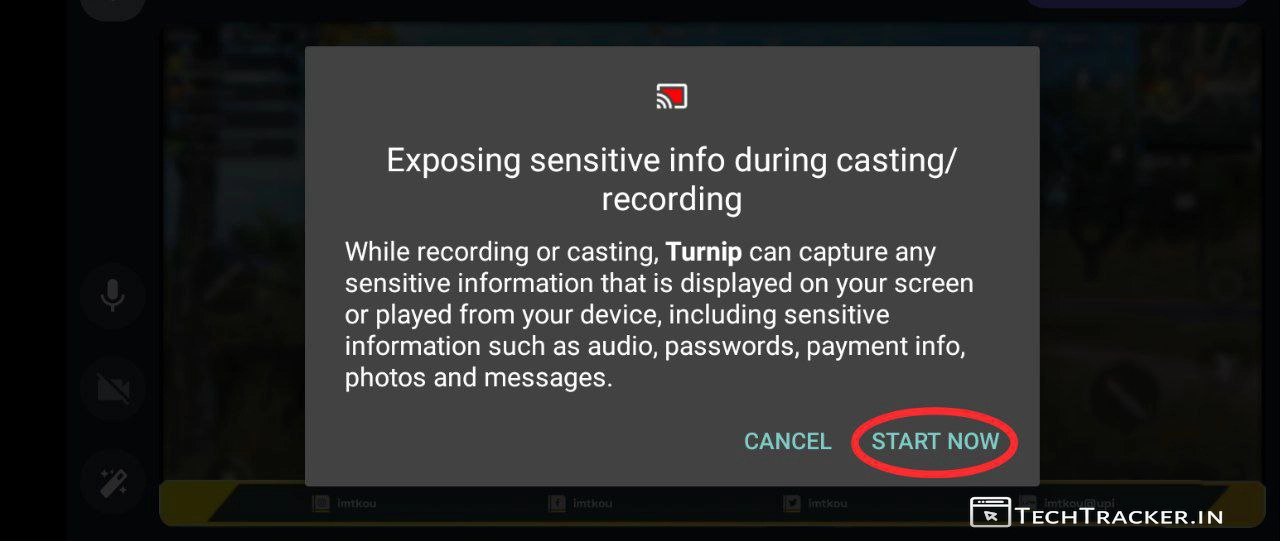
– Tap on START NOW
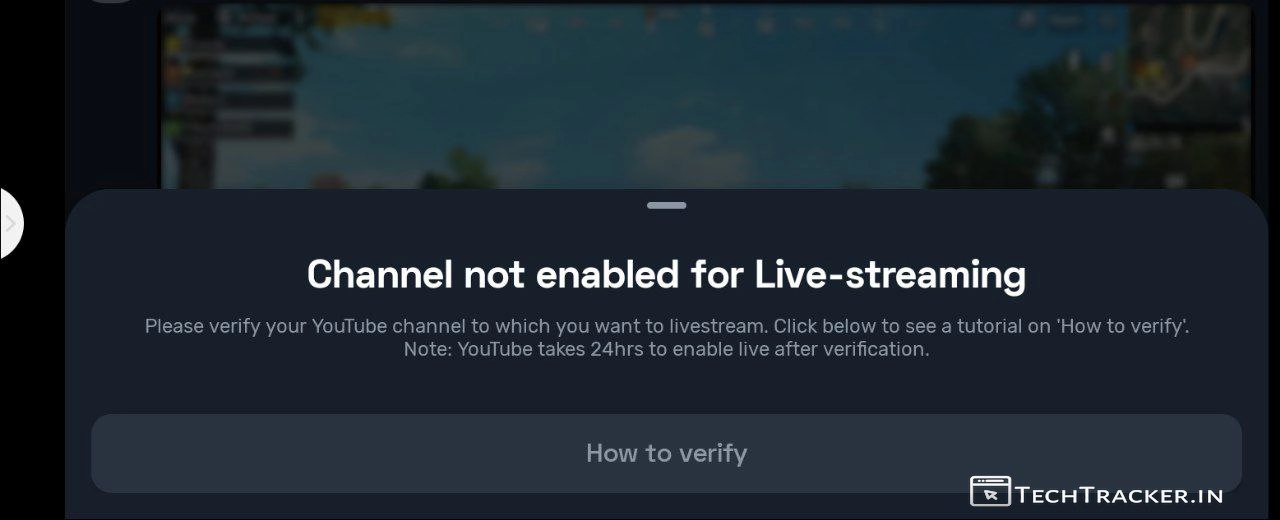
– If you have a new channel you may get this popup, you just need to enable live streaming facility in YouTube Settings.
• How to Enable Live-Streaming for YouTube Channel •
– YouTube
– Once, You enable live streaming for your YouTube channel then Re-tap on Start streaming and START NOW.
Congratulations, Now, you successfully added all the details and done setup in Turnip to mult-stream in your YouTube channel or Facebook page.
Atlast, Do remember you can also add multiple accounts but all of the accounts should be eligible for live streaming, if your channel was not enabled for live streaming then go to your youtube dashboard and enable live streaming else Turnip can’t live stream. It can take up to 24 hrs for YouTube to enable live streaming for your YouTube channel, so be patience.
Overall, Turnip is very easy to use due to its simple user interface which gives you easy and simple user experience but we have to wait and see will Turnip get any major UI changes in future to make it even more better, as of now Turnip have perfect user interface and user experience that you may like for sure.
Moreover, it is worth to mention Turnip is the best and useful multi-streaming app to broadcast on your YouTube channel or Facebook page Yes, Indeed so if you are searching for an best live streaming app for games or if you want alternative to StreamLabs then Turnip is a good alternative and on go choice.
Finally, Turnip is an Indian game live streaming and gaming community platform that was made with love in India🇮🇳 this is how you can setup and start live stream on Turnip, do you like it? If yes do you now tried to start live stream using Turnip? Incase, you already using Turnip app before, do mention your user experience with Turnip and convey why you like Turnip in our comment section below, see ya 🙂